
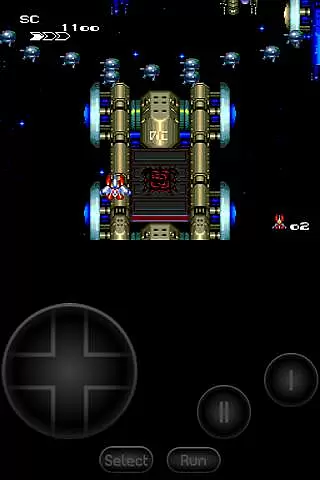
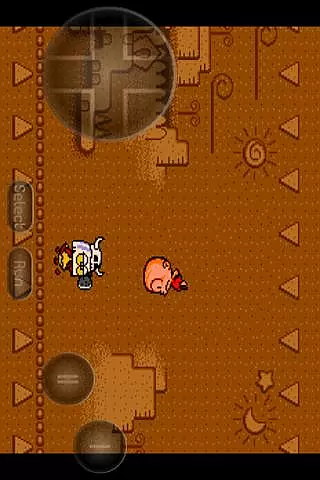
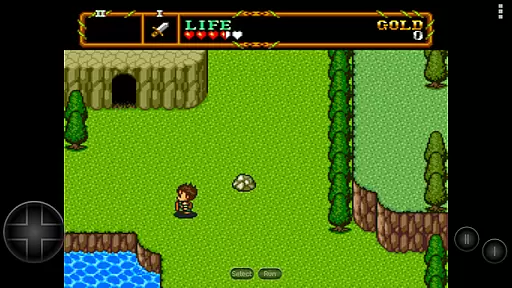
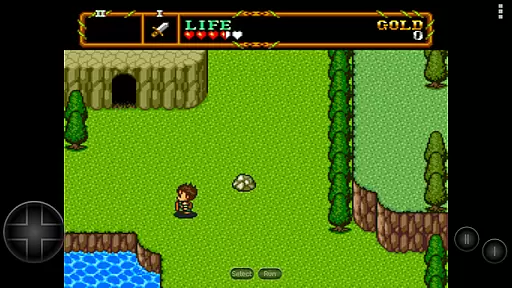
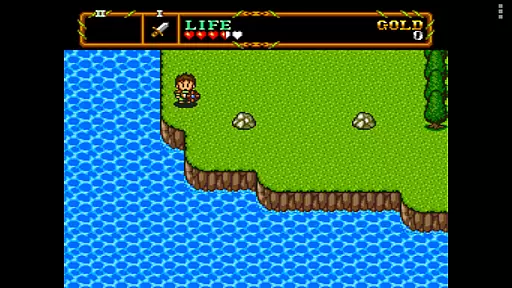
PCE.emu is an advanced open-source emulator for PC Engine and TurboGrafx-16 gaming systems. It offers a minimalist user interface with a focus on low audio and video latency, ensuring smooth gameplay across various devices. From the original Xperia Play to modern devices like Nvidia Shield and Pixel phones, this emulator supports a wide range of hardware.
With support for .pce and .sgx file formats, CD emulation via .cue files, and multiple audio track formats, PCE.emu provides a versatile platform for retro gaming enthusiasts. Configurable on-screen controls and compatibility with Bluetooth/USB gamepads enhance the user experience, making it an essential tool for enjoying classic games on Android devices.
PCE.emu stands out with its comprehensive feature set tailored for retro gaming aficionados. The app supports both .pce and .sgx file formats, including those compressed with ZIP, RAR, or 7Z, allowing users to play a wide variety of games. Its CD emulation capabilities via .cue files, requiring a Super CD-ROM System card, further expand the gaming options available.
The emulator's support for FLAC, Ogg Vorbis, and Wav audio tracks ensures high-quality sound during gameplay. Configurable on-screen controls provide a personalized gaming experience, while robust Bluetooth and USB gamepad support, compatible with HID devices such as Xbox and PS4 controllers, enhances accessibility. These features collectively deliver a seamless and immersive retro gaming experience on modern Android devices.
Arcade authenticity and nostalgia are crucial elements for any emulator aiming to recreate the classic gaming experience. PCE.emu, as an advanced PC Engine/TurboGrafx-16 emulator, excels in this area by offering precise emulation of original hardware.
The app supports both .pce and .sgx file formats, which are native to the PC Engine and TurboGrafx systems. This ensures that users can enjoy games exactly as they were meant to be played on original arcade machines. The inclusion of CD emulation via .cue files further enhances this nostalgic journey, allowing gamers to relive the full scope of the TurboGrafx-CD era.
By focusing on low audio/video latency, PCE.emu delivers a seamless experience that echoes the responsiveness of arcade cabinets. Gamers will appreciate the authentic feel, from the crisp visuals to the immediate button response, making each session a trip down memory lane.
Control responsiveness is a key factor in delivering an immersive and enjoyable gaming experience. PCE.emu addresses this need with its support for configurable on-screen controls and compatibility with external gamepads.
Users can customize the layout and size of on-screen controls to suit their preferences, ensuring comfortable and intuitive gameplay. For those who prefer physical controllers, the app offers extensive support for Bluetooth and USB gamepads, including popular models like Xbox and PS4 controllers.
This flexibility in control options guarantees that every player can find their preferred method of interaction, whether through tactile buttons or touch gestures. The result is a highly responsive and personalized gaming setup that caters to both casual players and hardcore enthusiasts alike.
Low latency
Versatile format support
Customizable controls
Wide device compatibility
Active development
No ROMs included
Complex setup
Limited user interface
Requires technical knowledge
Occasional crashes

Enter Double Dragon Trilogy, a compilation of the beloved arcade series
 4.10
4.10
Sharpen your mind and reflexes while playing 4Way Dash
4.2
Mine planets, upgrade your space ship, battle others, and dominate the galaxy!
3.90
A Ball Bouncer With Depth
4.00
M64Pro FZX Classic Emulator for Android
4.4
Jump and fly your way through danger in this rythm-based action platformer!
4.50
A fast, full-featured GBA emulator with link cable emulation.
3.90
Outrun cops, ignite the thrill of a high-speed chase!
4.50
Thoughtful strategy and tactical thinking are required to win each battle!
4.30
Full featured version of Pizza Boy A (GBA emulator)
4.80
Ready… Set… DASH! Play now!
4.70
Local offline 2 3 4 player multiplayer minigames - race, tanks, football
4.60
Cool car builder & racing simulator: make a car to win the obstacle course race!
4.60
Flip and flail a rag doll through endless levels and plunge into outlandish fun!
4.60
Challenge your friends across the world to see who can jump the farthest!
4.50
Genesis/Mega Drive/CD & Master System/Mark III Emulator
4.30
Sega Saturn Emulator
4.20
Bounce through platforms. Avoid obstacles. Get the bouncing ball to the finish.
4.00
Divine powers at your fingertips! An innovative and frantic shoot-'em-up!
4.1


User Reviews