
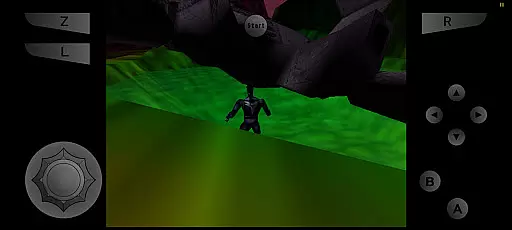
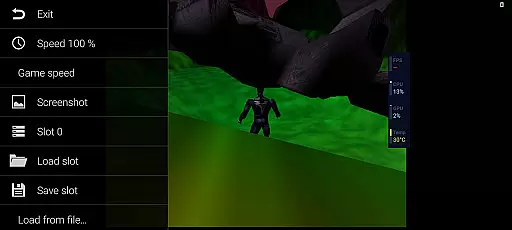
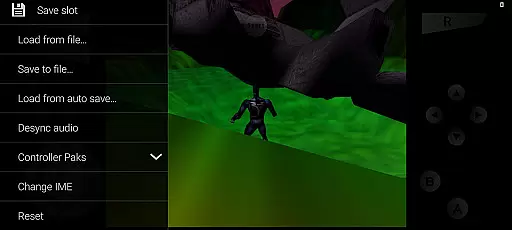
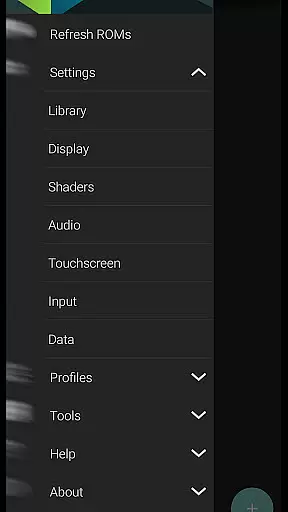
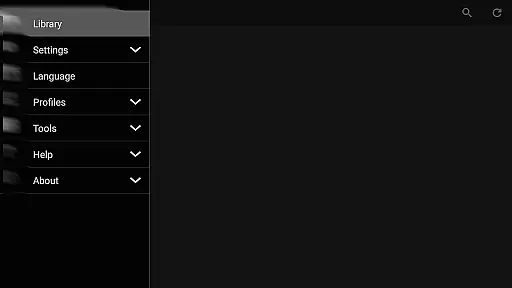
M64Plus FZ Pro Emulator is a premier arcade gaming solution for Android users, allowing players to revisit classic Nintendo 64 titles on their mobile devices. This pro version enhances the emulation experience by offering advanced features such as online cloud backup, netplay capabilities, and an ad-free interface. All essential cores and plugins are bundled, ensuring broad compatibility with numerous games, although some limitations exist.
Designed for both casual gamers and emulation enthusiasts, this app supports cross-device multiplayer through its netplay functionality. The inclusion of cloud backup ensures that users can save and retrieve their game progress from anywhere. While not all games or video plugins may work seamlessly across every device, the emulator provides extensive settings for customization, making it adaptable to various hardware configurations.
The M64Plus FZ Pro Emulator stands out with its comprehensive feature set tailored for optimal performance. One of its key highlights is the support for online cloud backup, which allows users to store their game saves securely in the cloud. This feature is accessible via the settings menu under Data, providing peace of mind against data loss. Additionally, the emulator supports netplay, enabling users to engage in multiplayer sessions over the internet, provided their router supports UPnP.
Another notable aspect is the inclusion of multiple video plugins, giving users the flexibility to choose the best option for their specific device. Although compatibility may vary, this selection empowers users to fine-tune graphical performance. The emulator also offers extensive language support, though English remains the most reliable choice due to incomplete translations in other languages. With these robust features, M64Plus FZ Pro delivers a versatile and customizable emulation experience.
M64Plus FZ Pro Emulator delivers an authentic arcade experience by emulating classic Nintendo 64 games on modern devices. The inclusion of all necessary cores and plugins ensures that users can enjoy a wide range of titles, although compatibility may vary.
While not every game performs flawlessly, the emulator supports most popular titles with reasonable accuracy. Users may need to experiment with different video plugins to achieve optimal performance, which adds to the nostalgic experience of tweaking settings for the best experience.
The emulator's dedication to authenticity is further highlighted by its support for netplay, allowing gamers to enjoy multiplayer sessions over the internet or locally within the same wifi network. This feature brings back the social aspect of arcade gaming, creating shared experiences among friends and fellow enthusiasts.
Control responsiveness in M64Plus FZ Pro Emulator is designed to mimic the original Nintendo 64 controller experience while adapting to modern touch interfaces. The emulator provides customizable touch controls, allowing users to adjust virtual button layouts for maximum comfort and precision.
For an enhanced experience, the emulator also supports external controllers, ensuring that players can use their preferred input devices. This flexibility caters to both casual gamers who prefer touch controls and hardcore enthusiasts who demand precise physical inputs.
Despite potential device-specific issues and plugin compatibility challenges, the emulator maintains generally responsive controls across supported games. This consistency in performance helps preserve the integrity of fast-paced arcade gameplay, where split-second reactions can make all the difference.
Cloud backup support
No ads
Netplay functionality
Wide game compatibility
Customizable settings
Game-specific issues
Device compatibility
Video plugin glitches
Incomplete translations
Router requirements for netplay

Monster Run its a game for relax.
 4.3
4.3
Sharpen your mind and reflexes while playing 4Way Dash
4.4
Motorcycle racing games! Prove your paperboy can win in the bike race 3D!
4.50
John GBC is GB/GBC emulator. This emulator is easy to use.
3.80
Save the Galaxy from galaxiga alien - Classic arcade shooter game
4.60
Shoot the web, jump and teleport! Be a stickman hero and destroy your enemies!
4.50
Collect layers in running game & build the biggest slinky toy to beat the giant!
4.30
Genesis/Mega Drive/CD & Master System/Mark III Emulator
4.30
Premium version. Save the galaxy from alien shooter in this classic game
4.50
Master the skies in this epic airplane shooting game! Join the air force now!
4.80
Payback 2 includes everything from tank battles to high speed helicopter races!
4.50
Suck the other’s blood and be the longest surviving mosquito!
4.40
Millions of crafters have smashed billions of blocks! Now you can join the fun!
4.40
Stack the blocks as high as you can!
4.30
Slice up a juicy storm!
4.20
Dad doesn’t let you go out, can you outwit your parents and escape?
4.00
A fast, full-featured GBA emulator with link cable emulation.
3.90
Protect the balloon! Only 1% of players can reach lvl 100 with all the balloons!
3.70
John GBA is GBA emulator. This emulator is easy to use.
3.10


User Reviews