
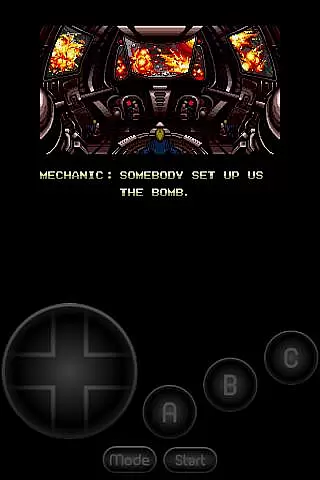
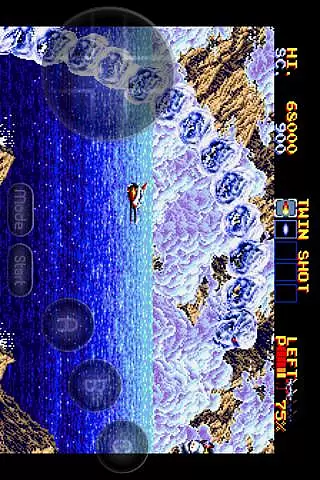
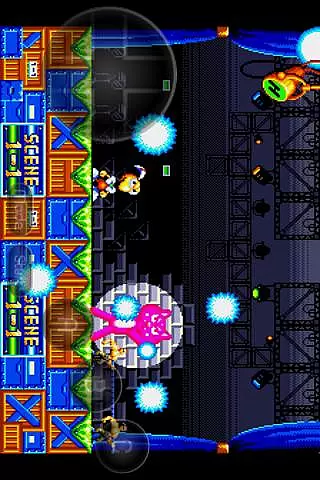
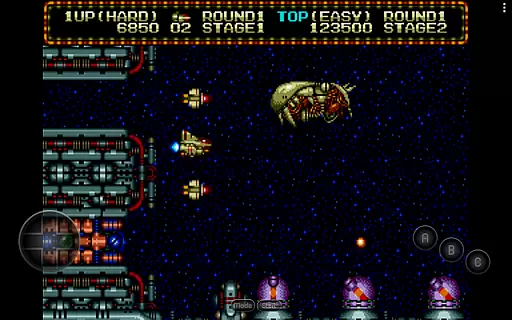
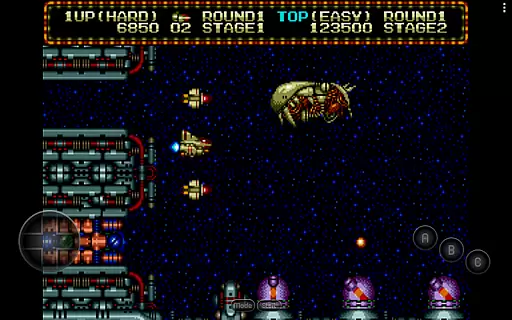
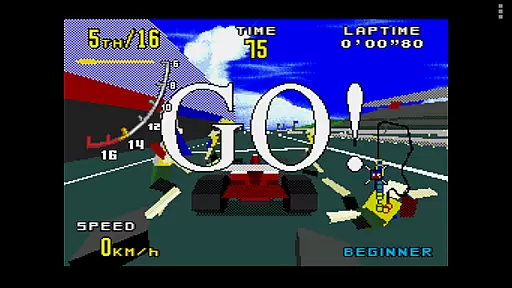
MD.emu is an advanced emulator for Sega Genesis/Mega Drive, Sega CD, and Master System/Mark III. It offers a minimalist UI with low audio/video latency, supporting devices from Xperia Play to Nvidia Shield and Pixel phones. The app focuses on providing a seamless experience for retro gaming enthusiasts.
With support for various file formats like .bin, .smd, .gen, and .sms, MD.emu caters to diverse gaming needs. It includes beta support for Sega CD and features like SVP chip support for Virtua Racing, making it a versatile choice for classic console emulation.
This emulator is ideal for gamers looking to relive the nostalgia of Sega consoles on modern Android devices. Its compatibility with external controllers and customizable on-screen controls enhance the user experience, ensuring an authentic and enjoyable retro gaming session.
MD.emu stands out with its support for multiple file formats including .bin, .smd, .gen, and .sms, along with compression options like ZIP, RAR, or 7Z. This flexibility allows users to play a wide range of games without compatibility issues.
The emulator supports advanced features such as SVP chip functionality for Virtua Racing and Sega CD emulation via .cue or .bin files. With support for FLAC, Ogg Vorbis, and Wav audio tracks, users can enjoy high-quality sound during gameplay.
Additional features include 6-button controller support, multitap for 4-player gaming, gun peripherals compatibility, and cheat code functionality using .pat files. Configurable on-screen controls and Bluetooth/USB gamepad support further enhance the gaming experience across different devices.
Arcade authenticity and nostalgia are central to MD.emu, an advanced emulator for Sega Genesis/Mega Drive, Sega CD, and Master System/Mark III. This app meticulously replicates the original gaming experience, ensuring that classics feel as genuine as they did decades ago.
MD.emu supports a wide array of file formats including .bin, .smd, .gen, and .sms, optionally compressed with ZIP, RAR, or 7Z. It also offers SVP chip support for Virtua Racing and CD emulation via loading .cue or .bin files, which requires USA/Japan/Europe BIOS. These features ensure that users can enjoy their favorite games exactly as they were meant to be played.
The inclusion of 6-button controller support, 4-player multitap, and gun peripherals like Menacer and Justifier further enhances the nostalgic experience. Gamers can relive the excitement of arcade-style play with precise controls and authentic gameplay mechanics.
By focusing on low audio/video latency and supporting devices from the original Xperia Play to modern ones like the Nvidia Shield and Pixel phones, MD.emu delivers a seamless blend of retro charm and contemporary performance. This dedication to preserving the past while embracing the future makes it an essential tool for any arcade enthusiast.
Control responsiveness is a critical feature of MD.emu, ensuring that every action a player takes is accurately and swiftly reflected in the game. This emulator has been optimized to provide a seamless and intuitive control experience across a variety of devices.
MD.emu supports Bluetooth and USB gamepads, as well as keyboards, compatible with any HID device recognized by the OS, such as Xbox and PS controllers. This extensive compatibility ensures that players can use their preferred input devices without compromising on performance or ease of use.
The app's configurable on-screen controls allow users to tailor the interface to their liking, enhancing the overall gaming experience. Whether using touch controls or physical buttons, players will find the responsiveness to be top-notch, providing a fluid and engaging interaction with their favorite games.
With its focus on minimizing input latency and maximizing feedback tightness, MD.emu guarantees that gamers enjoy a responsive and immersive experience. This attention to detail in control mechanisms sets MD.emu apart as a premier choice for those seeking the true essence of arcade gaming on their mobile devices.
Wide device compatibility
Low audio/video latency
Supports multiple file formats
Customizable controls
Active development and support
Sega CD support in beta
No ROMs included
Complex setup for beginners
Limited touchscreen functionality
Requires BIOS files for some features

Monster Run its a game for relax.
 4.2
4.2
Flip the bottle! Do tricks and don't let the bottle fall!
4.50
Play, Craft and Share your Endless Runner Levels on Kooply Run: Subway Craft
4.50
Infinite Arcade
4.0
Running game: dance in a twerk battle and become the twerk hero in our fun race!
4.30
A fast, full-featured GB/GBC emulator with link cable emulation.
3.80
This is an emulator for a certain 64 bit console with online cloud backup.
4.80
Outrun cops, ignite the thrill of a high-speed chase!
4.50
Merge bowmasters to win the bow and arrow war! Play the fun archery game!
4.60
Join the breathtaking chase!
4.80
Challenge your friends across the world to see who can jump the farthest!
4.50
Jump and fly your way through danger in this rythm-based action platformer!
4.50
Relax and catch fish for your aquarium while earning rewards in these tank games
4.40
Three awesome new levels for The Impossible Game.
4.30
Join the art challenge: Guess the word and draw fast before the timer runs out!
4.20
This app is a very fast emulator
3.40
Neogeo MVS/AES Emulator
3.30
A retro-flavoured infinite scroller Glyph toy for the Nothing Phone (3)
4.3
Infinite Arcade
4.3


User Reviews