
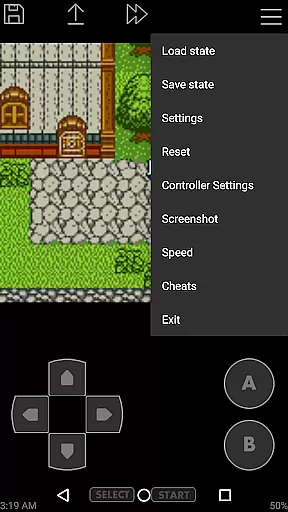
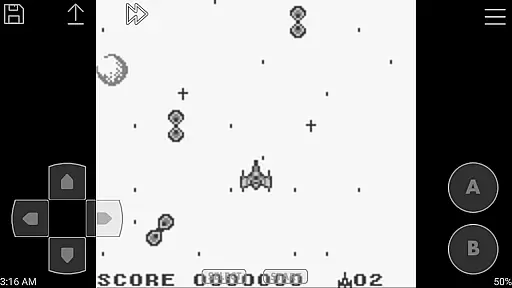
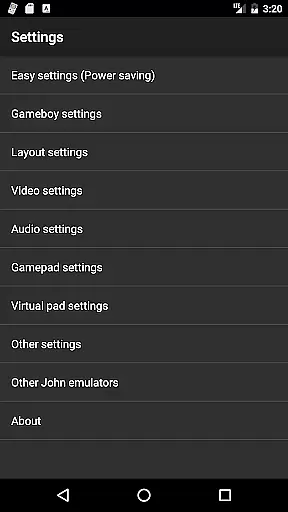
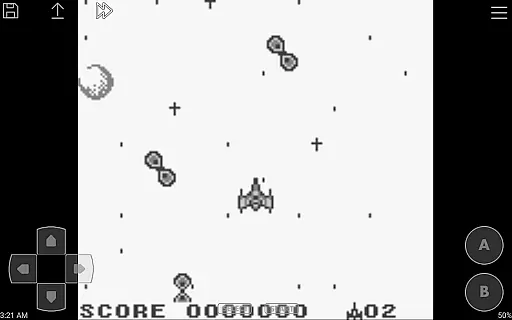
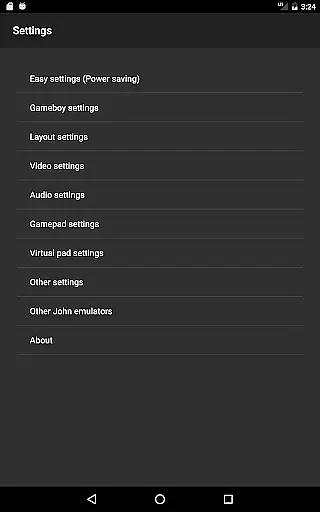
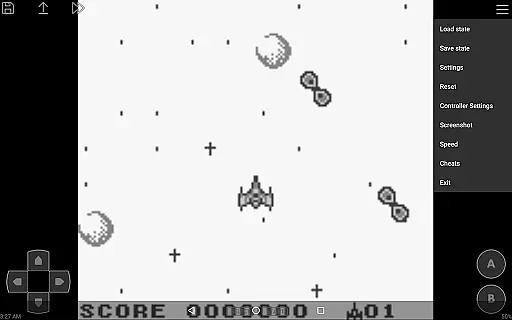
John GBC is a high-performance Game Boy/Game Boy Color emulator designed for Android 6.0 and above. This application allows users to relive classic gaming experiences with its original GBC engine and advanced features.
The emulator supports high-quality rendering, ensuring crisp visuals while maintaining excellent speed. It includes practical functionalities such as virtual on-screen keypads, save states with previews, customizable controls, and turbo buttons. Additionally, it offers unique capabilities like fast forward/slow down options, cheat support, and Dropbox integration through John DataSync.
Ideal for retro gaming enthusiasts, John GBC provides an immersive experience by supporting zipped game files, screenshots, and Super Gameboy borders. The app ensures uninterrupted gameplay without ads or the need for an internet connection, making it perfect for offline use.
John GBC stands out with its robust feature set tailored for both casual and hardcore gamers. The emulator's original GBC engine delivers authentic performance, while its high-quality rendering brings classic games to life with enhanced graphics.
One of the key highlights is its ability to search game files across SDCard and Internal Storage seamlessly. The virtual on-screen keypad and customizable keys provide a personalized gaming experience. With support for save states, including previews, users can conveniently pick up where they left off. Advanced functionalities like turbo buttons, fast forward/slow down options (ranging from x0.25 to x16), and cheat support (Game Genie/Game Shark/PAR) further enhance gameplay flexibility.
Additionally, John GBC offers Bluetooth/MOGA controller support, catering to players who prefer physical controllers. The inclusion of Super Gameboy borders adds a nostalgic touch, while Dropbox support via John DataSync ensures convenient cloud storage. Importantly, the app operates ad-free and does not require an internet connection, providing a seamless and uninterrupted gaming session.
Arcade authenticity is a crucial aspect of any gaming emulator, and John GBC delivers an experience that captures the essence of classic Game Boy and Game Boy Color games. The app's original GBC engine ensures that each game runs as it was intended, preserving the nostalgic feel of the era.
With high-quality rendering and support for Super Gameboy borders, users can enjoy their favorite retro titles with enhanced visuals while maintaining the charm of the original graphics. This attention to detail extends to features like zipped file support and save states with previews, which were not available in the original consoles but are highly sought after by modern gamers.
The inclusion of turbo buttons and customizable keys allows players to tailor their gaming experience to match both their playstyle and their memories. These features, combined with fast forward and slow down options ranging from x0.25 to x16 speed, provide a versatile environment where nostalgia meets contemporary convenience.
Control responsiveness is vital for an immersive arcade experience, and John GBC excels in this area by offering multiple input methods. The virtual on-screen keypad provides tactile feedback and precise control, ensuring that every action is registered accurately and without delay.
For those who prefer physical controllers, John GBC supports Bluetooth and MOGA controllers, allowing for a more traditional gaming setup. This flexibility caters to different preferences and ensures that whether you're using touch controls or a gamepad, your inputs will be responsive and reliable.
Additionally, the app's ability to take over data from its lite version means users can seamlessly transition without losing progress or settings. With no ads or internet connection required, John GBC offers uninterrupted gameplay where control latency is minimized, providing an authentic arcade experience on Android devices running 6.0 and above.
High-quality rendering
Fast emulation speed
Customizable controls
Save states with previews
No ads or internet required
Requires personal game files
Limited to Android 6.0+
Paid version only
No native iOS support
External app needed for cloud sync

A retro-flavoured infinite scroller Glyph toy for the Nothing Phone (3)
 4.3
4.3
Antistress & relaxing games,stress relief; Antistress toys, calming games.
4.20
Fast reflexes, glowing obstacles, endless action.
4.5
Protect the balloon! Only 1% of players can reach lvl 100 with all the balloons!
3.70
Create your restaurant story & make food on a crazy kitchen in this cooking game
4.70
Genesis/Mega Drive/CD & Master System/Mark III Emulator
4.30
Join the breathtaking chase!
4.80
Jump and fly your way through danger in this rythm-based action platformer!
4.70
Outrun cops, ignite the thrill of a high-speed chase!
4.50
Jump and fly your way through danger in this rythm-based action platformer!
4.50
Use superpower in your magic hands. Defeat the enemies in a fun elemental game.
4.50
The only Sega Saturn emulator for Android
4.40
Sit back and relax! Tap to move the black hole, and swallow weapons to win.
4.20
Sega Saturn Emulator
4.20
Epic offline war strategy game - build your city, train your army, conquer
4.20
A Ball Bouncer With Depth
4.00
Welcome back to Vice City. Welcome back to the 1980s.
3.30
Infinite Arcade
4.3
Infinite Arcade
4.3


User Reviews