
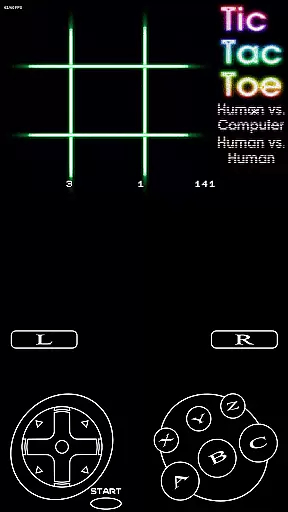
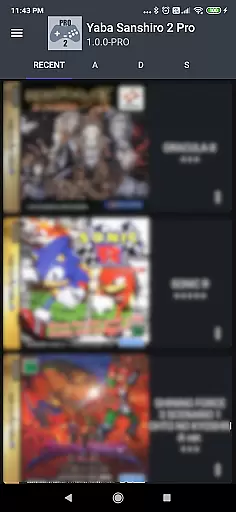
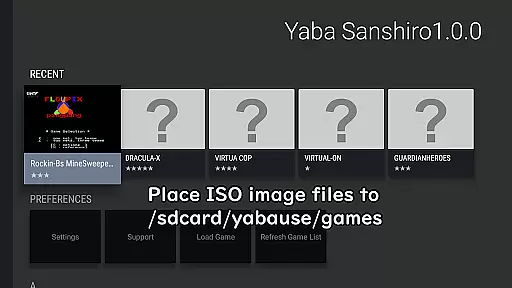
YabaSanshiro 2 Pro is an advanced Sega Saturn emulator designed for Android devices, allowing users to relive classic gaming experiences. The app meticulously replicates the hardware of the original Sega Saturn console through sophisticated software engineering. This enables gamers to play their favorite titles on modern mobile platforms with enhanced features. To get started, users need to create an ISO image from their game CDs and transfer it to a specific directory on their Android device. Once set up, the emulator offers not only authentic gameplay but also improved graphics and extended functionality that surpasses the capabilities of the original console.
A key advantage of YabaSanshiro 2 Pro is its support for higher resolution polygons using OpenGL ES 3.0, providing sharper visuals compared to the original hardware. Additionally, the internal backup memory has been significantly expanded from 32KB to 8MB, allowing for more extensive save data storage. The emulator also facilitates cloud backups, enabling users to synchronize their progress across multiple devices. These enhancements make it an ideal solution for both nostalgic gamers and emulation enthusiasts seeking a versatile and high-performance Sega Saturn experience on their Android devices.
YabaSanshiro 2 Pro stands out with its comprehensive feature set tailored for an optimal emulation experience. One of its core strengths is the ability to run Sega Saturn games at higher resolutions than the original console, thanks to its utilization of OpenGL ES 3.0 technology. This ensures that polygonal graphics are rendered with greater clarity and detail, offering a visual upgrade while maintaining the authenticity of the gaming experience. Furthermore, the emulator provides an extended internal backup memory capacity of up to 8MB, a substantial increase from the standard 32KB found in the original hardware. This enhancement allows users to store more save files directly within the app without worrying about space limitations.
Another notable feature is the seamless integration with cloud services, which enables users to back up both their game saves and state data. This functionality is particularly useful for those who wish to access their gaming progress from different devices or safeguard their data against loss. Additionally, the emulator supports advanced compatibility reporting, allowing users to submit detailed feedback directly to developers through the in-game 'Report' menu. This collaborative approach helps improve the overall performance and game compatibility of the emulator over time. With these robust features, YabaSanshiro 2 Pro delivers a reliable and feature-rich platform for enjoying Sega Saturn classics on contemporary Android devices.
Arcade authenticity and nostalgia are crucial elements for any retro gaming emulator, as they ensure the experience remains true to the original hardware while evoking fond memories of classic gameplay. Yaba Sanshiro 2 Pro excels in this area by meticulously emulating the Sega Saturn's hardware through sophisticated software techniques.
The app allows users to play their legally owned SEGA Saturn games on Android devices with impressive accuracy. By supporting higher resolution polygons via OpenGL ES 3.0, it enhances visual fidelity without compromising the nostalgic essence of the original games.
Moreover, Yaba Sanshiro 2 Pro extends internal backup memory from 32KB to 8MB, providing a seamless blend of modern convenience and authentic retro gaming. This thoughtful enhancement not only preserves the integrity of the original gaming experience but also enriches it with contemporary features that todayu2019s gamers appreciate.
Control responsiveness is a vital aspect of any gaming experience, particularly for arcade emulators where precision and timing can significantly impact gameplay. Yaba Sanshiro 2 Pro addresses this need by ensuring that user inputs are registered with minimal latency, offering an immersive and engaging experience.
The emulator leverages advanced input handling mechanisms to deliver real-time feedback, making every action feel immediate and precise. Whether navigating menus or executing complex in-game maneuvers, players will find the controls intuitive and reliable.
Additionally, the app supports various control schemes, including touch interfaces and external controllers, further enhancing its versatility. This adaptability ensures that users can enjoy their favorite SEGA Saturn games just as they remember, with responsive controls that honor the spirit of arcade gaming.
High-resolution graphics
Extended memory capacity
Cloud backup support
Active developer support
Regular updates
No BIOS included
Complex setup
Limited compatibility
Requires technical knowledge
Ads in free version

Payback 2 includes everything from tank battles to high speed helicopter races!
 4.50
4.50
Stack the blocks as high as you can!
4.30
Ready… Set… DASH! Play now!
4.70
Master the skies in this epic airplane shooting game! Join the air force now!
4.80
NEOGEO's masterpiece game is now available in the app!
4.10
Premium version. Save the galaxy from alien shooter in this classic game
4.50
Play all your favorite Playstation games in your android device!!
4.50
A fast, full-featured GB/GBC emulator with link cable emulation.
3.80
Train your Champ. Compete. Get rewards.
4.50
Meet Snake Run Race! Slither through an obstacle course in our fun running game!
4.70
Jump and fly your way through danger in this rythm-based action platformer!
4.70
R-TYPE game
4.60
Gameboy Color Emulator
4.60
NES Emulator
4.40
Enter Double Dragon Trilogy, a compilation of the beloved arcade series
4.10
Dad doesn’t let you go out, can you outwit your parents and escape?
4.00
John GBC is GB/GBC emulator. This emulator is easy to use.
3.80
Welcome back to Vice City. Welcome back to the 1980s.
3.30
Divine powers at your fingertips! An innovative and frantic shoot-'em-up!
4.0


User Reviews