
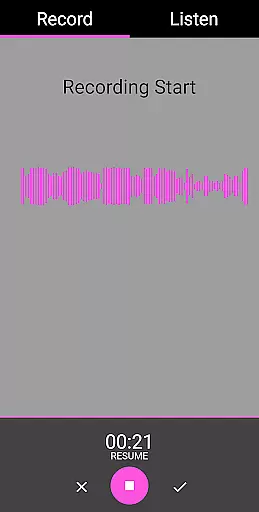
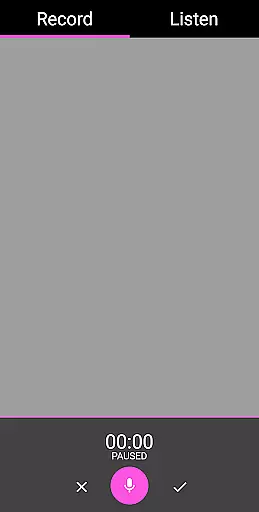
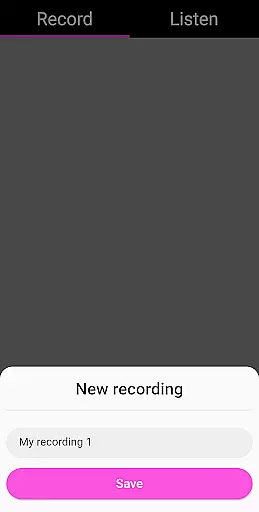
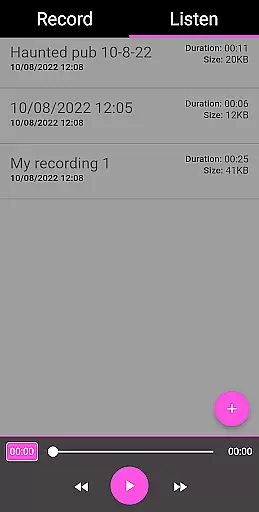
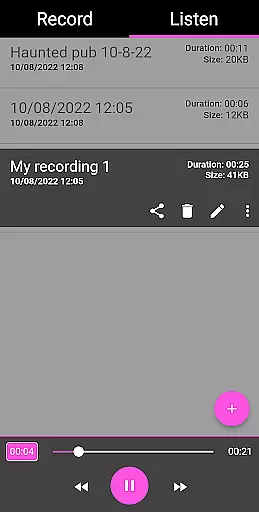
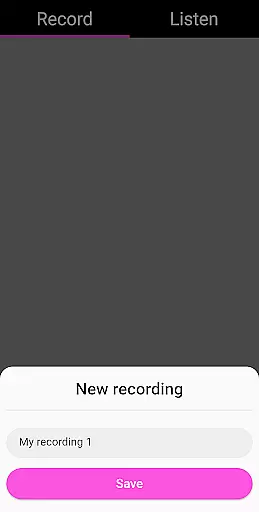
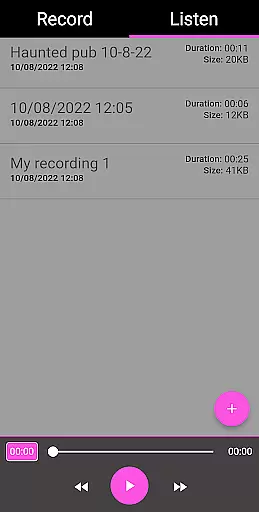
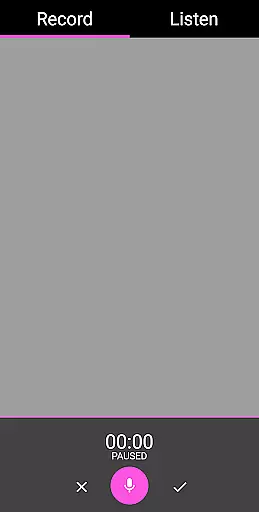
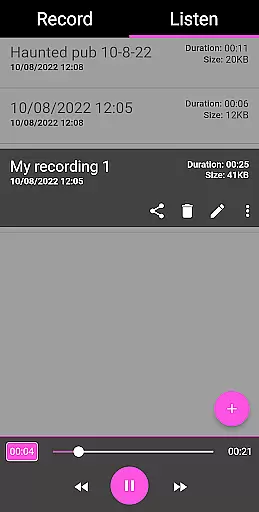
EVP Recorder is a specialized application designed for paranormal enthusiasts and ghost hunters. This app transforms your mobile device into a powerful tool for capturing Electronic Voice Phenomena (EVP), which are believed to be responses from spirits. With its user-friendly interface, the app allows users to record, save, and review audio sessions with ease.
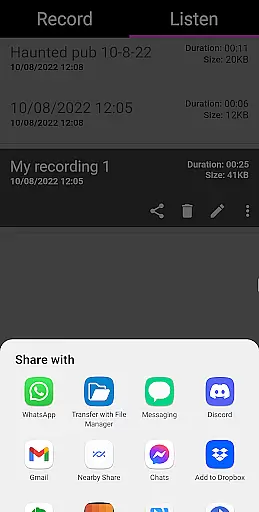
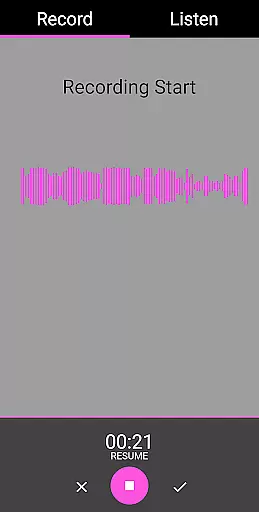
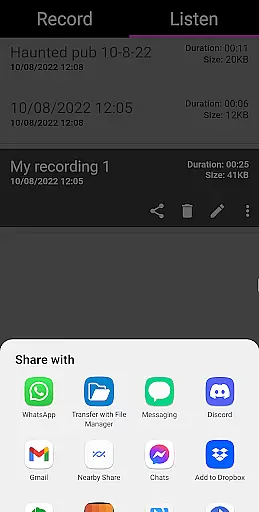
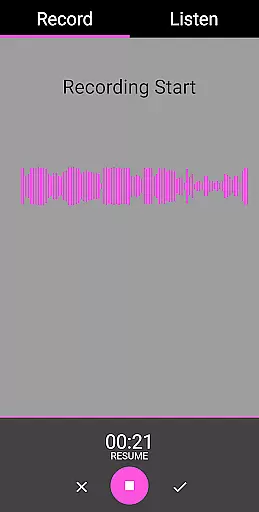
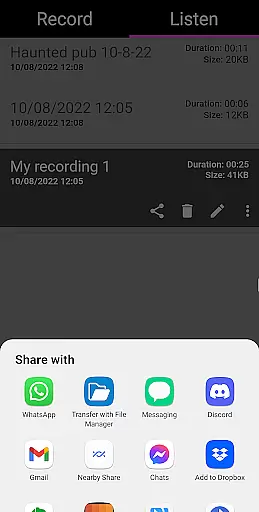
One of the standout features of EVP Recorder is its ability to provide both audio and visual feedback during recordings. Users can not only listen but also visually monitor responses in real-time. The app supports various sharing options, enabling users to distribute their findings across multiple platforms like Facebook and WhatsApp. Whether you're a seasoned paranormal investigator or simply curious about the spirit world, this app offers a reliable solution for all your EVP recording needs.
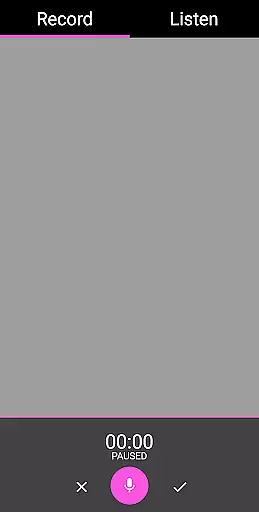
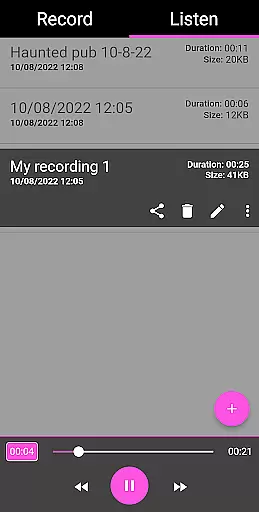
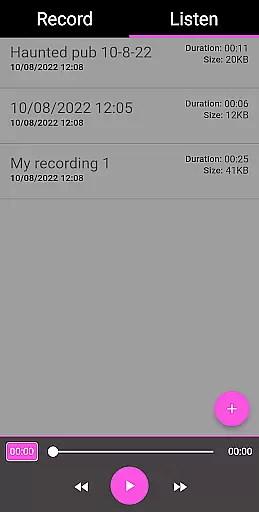
EVP Recorder stands out with its comprehensive set of features tailored specifically for ghost hunting. The app includes essential functionalities such as pause during recording, allowing users to manage their sessions effectively. Additionally, it provides advanced playback controls, including fast forward and reverse, making it easier to analyze captured EVPs.
Another notable feature is the ability to import existing recordings, which enhances the app's versatility. Users can rename and delete files directly within the app, streamlining their workflow. The absence of ads and in-app purchases ensures an uninterrupted experience, while lifetime free updates guarantee that users always have access to the latest improvements and features.
The EVP Recorder app offers a unique blend of entertainment and paranormal exploration, making it a standout in the Entertainment category. With its specialized focus on ghost hunting, the app provides users with an engaging way to interact with the supernatural world.
One of the key features that contribute to content variety is the app's ability to record Electronic Voice Phenomena (EVP). Users can capture mysterious voices and sounds, adding an element of surprise and discovery to each session. The inclusion of advanced functionalities such as pause during recording, fast forward, and reverse options during playback enhances the overall user experience.
In terms of freshness, the EVP Recorder app ensures that every session is distinct. By allowing users to ask questions and listen for responses in real-time, the app creates a dynamic environment where new content is generated with each use. This interactive approach keeps the experience fresh and exciting, encouraging users to return for more ghostly encounters.
Additionally, the app supports sharing recordings via social media platforms like Facebook and WhatsApp. This feature not only broadens the reach of the content but also allows users to engage with a community of like-minded individuals. By continuously updating and refining its features, the EVP Recorder app maintains a high level of content variety and freshness, ensuring sustained user interest and enjoyment.
User engagement duration and retention are critical factors for any app in the Entertainment category, and the EVP Recorder excels in these areas through its captivating features and user-friendly design. The app's primary function of recording EVPs taps into the curiosity and fascination people have with the paranormal, encouraging prolonged usage sessions.
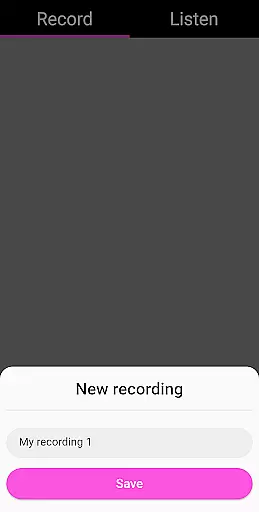
The EVP Recorder app includes several features that enhance user engagement. For instance, the ability to save, delete, and rename recordings allows users to manage their sessions effectively. This organizational capability ensures that users can easily access their previous recordings, fostering a sense of accomplishment and encouraging them to continue exploring.
Another significant aspect contributing to user retention is the app's audio visualization feature. By providing visual feedback during recordings, users can see potential responses from spirits in real-time. This multi-sensory experience captivates users' attention and makes each session more immersive and memorable. Furthermore, the playback feature lets users relive their experiences, analyzing recordings for any missed EVPs and thus extending engagement duration.
Finally, the app's beautiful and easy-to-use interface ensures that users remain engaged without frustration. With no ads or in-app purchases, the EVP Recorder app offers a seamless experience that keeps users coming back. By combining intriguing content with a user-centric design, the app successfully maximizes user engagement duration and retention, establishing itself as a must-have tool for both novice and experienced ghost hunters.
User-friendly interface
Real-time audio visualization
Comprehensive sharing options
Lifetime free updates
No in-app advertisements
Limited to paranormal use
Requires quiet environments
Not scientifically validated
Dependent on device microphone quality
Potential battery drain during long sessions

The OFFICIAL PeeWee Purpdrank Soundboard!
 4.80
4.80
Watch short films, dramas, reels, series and movies anytime on Micro Drama.
4.60
A companion app for the game Elite Dangerous
4.10
Best of icon for christmas
4.30
Series,Películas y Telenovelas
4.50
Experience the video editing experience brought by our intuitive interface
4.10
Unleash Your AI Imagination
4.60
Christmas Globe: Transform your Wear OS device into a festive timekeeper!
4.2
The classic game of rock, paper, scissors
4.5
Pathfinder 2e initiative tracker with bestiary, HP, reaction, conditions, etc
4.80
Exclusive creator communities
4.70
Stream Online TV - Watch Live IPTV Playlist & Channel with Built-In Player
4.50
Everything FOX in one place. Watch FOX News, NFL, MLB, TV shows and more.
4.50
Himnario LLDM - Fast and Easy to read , updated Hymnal 2019 Edition Official
4.20
Official KennysGifs Stickers
4.20
Browse popular images and videos from Reddit on Android TV!
3.90
Stream videos to VIDAA & VEWD TVs from Hisense, Sharp, Skyworth, Vestel & TiVo
3.00
With the credits you earn play more games
2.90
Ultimate VR movie player for android mobile videos
4.0


User Reviews