





Facebook is a leading social networking platform that connects people worldwide. It allows users to explore interests, connect with communities, and share their world in unique ways. With features like Marketplace for shopping, Meta AI for instant answers, and personalized Feed options, it offers a tailored experience.
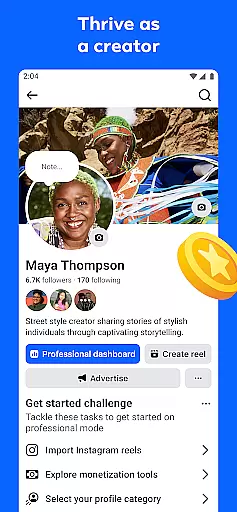
The app excels in content creation and sharing through tools like generative AI for custom images and a full suite of video editing capabilities. Users can engage with others via groups, private messages, or video calls, making it an all-encompassing social experience. Facebook's versatility helps users build meaningful connections and discover new opportunities.
Facebook stands out with its comprehensive feature set designed for modern social interactions. The Marketplace allows users to shop for unique items, while the Feed customization ensures relevant content delivery. Meta AI provides instant information access, enhancing user engagement.
Creative expression is supported through advanced tools like AI-generated stickers, full-featured reel editing, and story creation. Community building is facilitated by group functionalities, friend networks, and private messaging options. Video and voice calling features ensure seamless personal communication.
Privacy controls allow users to manage their online presence effectively. Regional feature availability ensures compliance with local regulations. These robust features collectively create a dynamic and secure social networking environment.
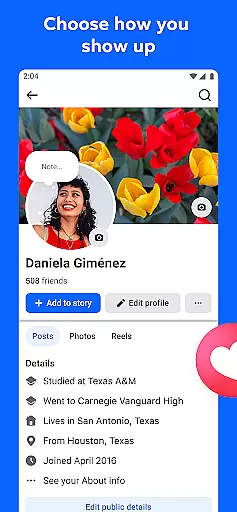
User profile customization is a crucial aspect of any social platform, allowing individuals to express their identity and control their online presence. Facebook offers extensive options for users to personalize their profiles, from choosing profile pictures and cover photos to detailed 'About' sections.
The platform provides granular control over privacy settings, enabling users to decide who can see their posts, personal information, and even specific activities. This level of customization extends to managing friend lists, controlling post visibility, and setting up restricted audiences for sensitive content.
Regarding authenticity verification, Facebook employs a multi-layered approach to ensure user credibility. The platform uses automated systems and human review to verify account information, detect suspicious activities, and prevent the creation of fake accounts.
This combination of robust customization features and stringent verification processes helps users maintain genuine connections while protecting their digital identity across the network.
Connection discovery represents the core mechanism through which social platforms help users expand their networks and find relevant communities. Facebook's sophisticated algorithms analyze user behavior, interests, and existing connections to suggest meaningful relationships and groups that align with individual preferences.
The platform's recommendation engine considers various factors including mutual friends, shared interests, location data, and engagement patterns to propose potential connections. These suggestions appear throughout the application, from friend recommendations to group invitations and event suggestions.
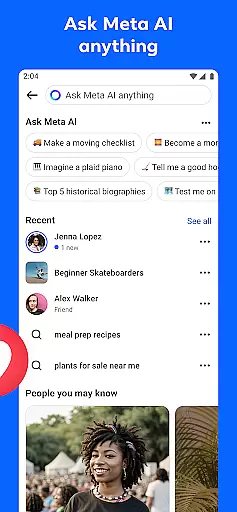
Facebook also facilitates connection discovery through its Marketplace feature, where users can connect with others based on shared commercial interests. Additionally, the platform's Meta AI assistant helps users discover new content and connections by providing intelligent search results and interactive responses.
This comprehensive approach to connection discovery ensures users can continually expand their social circles while finding communities that genuinely enhance their online experience.
User-friendly interface
Extensive community reach
Versatile content creation
Robust privacy controls
AI-powered assistance
Regional restrictions apply
Privacy concerns exist
Feature learning curve
Ad-heavy interface
Technical issues occur

The video chat to meet people in the blink of an eye!
 3.90
3.90
Follow the Truth! Join America's leading free-speech social platform.
3.10
Sell unwanted items and buy preloved stuff in your local community.
4.10
Social App Used By Millions
4.40
Build Your Team With One App
4.30
Go Live, Chat & Meet New People! Friends. And more than friends.
3.80
This version of Facebook uses less data and works in all network conditions.
4.60
Create & share photos, stories, & reels with friends you love
3.90
Join your friends and discover videos you love, only on TikTok
4.10
Widget Together, Share Whatever! Keep Pets & Share Sleep, Poop, Moods on Screens
4.70
Watch super live shows 24/7, chat & meet friends in Plamfy social networking app
4.70
Watch 24/7 great live stream, or go live to boost your social followers!
4.50
TikTok Lite - Designed for speed, simplicity, and saving your phone’s space!
4.40
Free texting (SMS) to US, Canada & more. Free new number. Call free & Text free.
4.30
Discover an open-minded dating experience when you download today
4.10
Chill and Chat with Tagged Live Video with millions of peeps
4.10
Video call, live video chat & talk to strangers. Meet people on Omega!
3.60
Find your next obsession.
3.50
This is to support the developer of Infinity for Reddit. No exclusive features.
4.2


User Reviews