
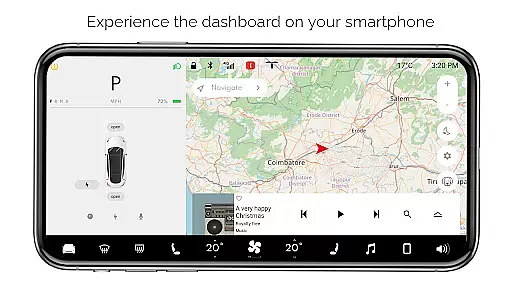
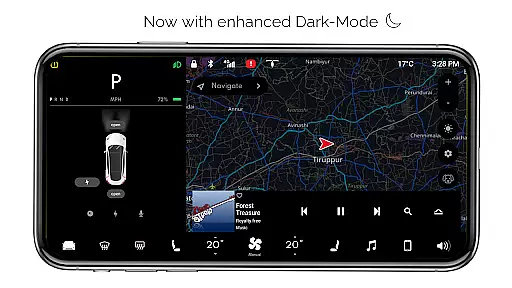
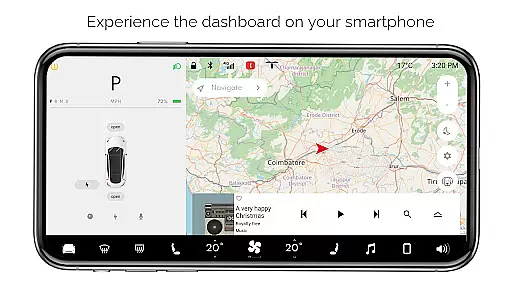
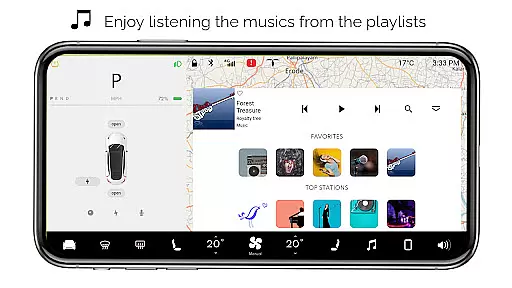
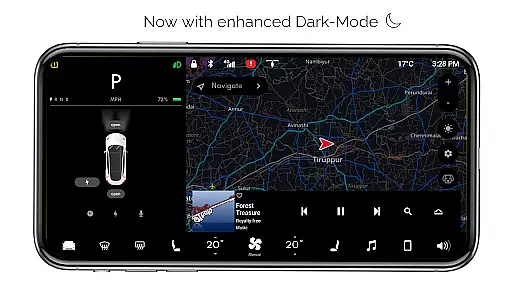
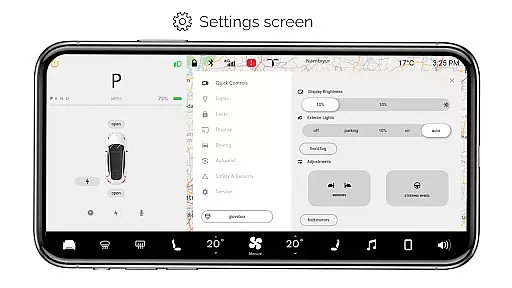
For Tesla is a premium simulator app that recreates the native dashboard experience of a Tesla vehicle on your smartphone. Designed exclusively for Tesla enthusiasts, it offers an interactive touchscreen interface that mirrors the car's system.
The app provides a comprehensive preview of Tesla's dashboard features without requiring an actual vehicle. Users can explore functionalities like interactive maps, headlight controls, temperature adjustments, and battery monitoring. It also includes entertainment features such as a music player with playlists and specialized modes like Dog Mode.
Ideal for Tesla fans who want to experience the innovative UI design of Tesla vehicles on their mobile devices, this app serves both educational and recreational purposes.
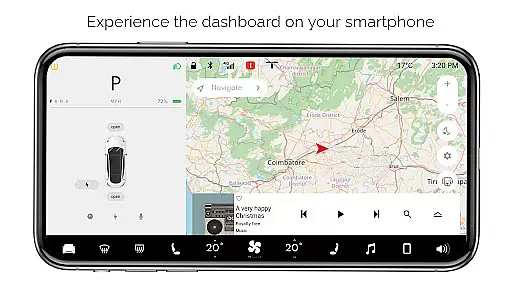
For Tesla boasts an array of simulated features inspired by the actual Tesla dashboard. The app includes interactive maps that display live location tracking, allowing users to engage with navigation tools.
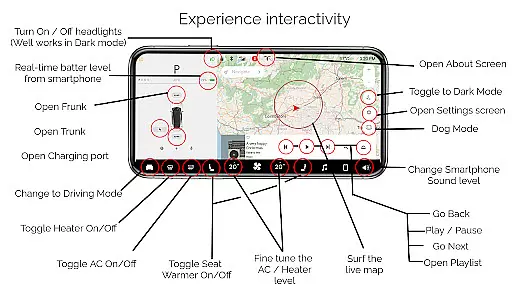
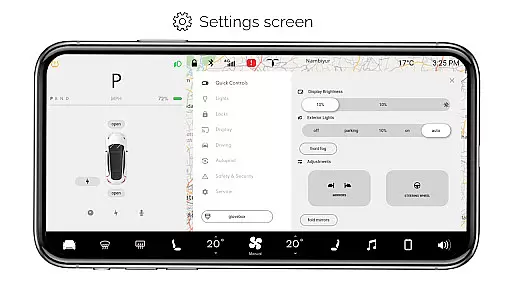
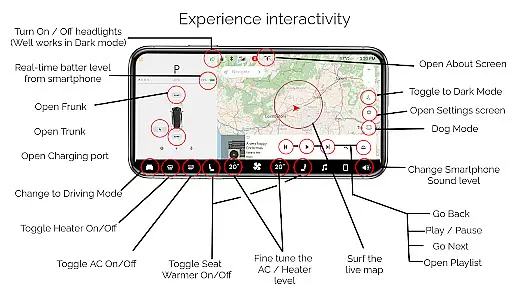
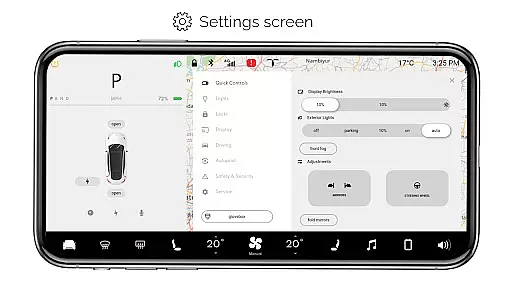
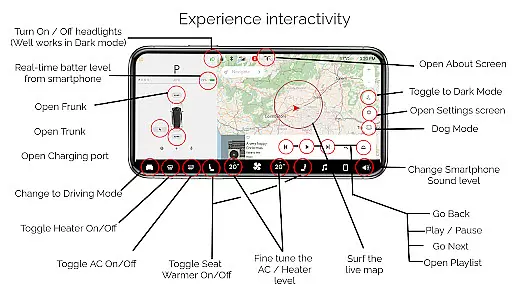
Key functionalities let users toggle headlights, adjust cabin temperature, monitor smartphone battery levels, and simulate opening or closing the trunk, frunk, and charging port. Driving mode offers a glimpse into the vehicle's driving screen, while the settings screen provides access to various configurations.
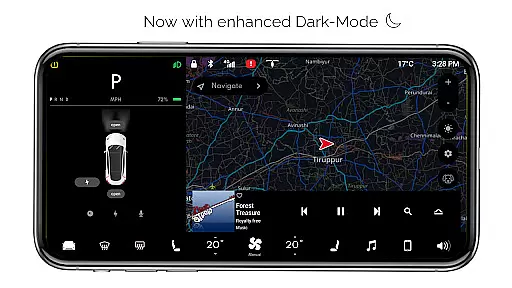
Additional highlights include dark mode, dog mode for pet safety, an about screen detailing model information, and an interactive music player with customizable playlists. These features collectively deliver an immersive Tesla-like experience tailored for entertainment and exploration.
Content variety and freshness are crucial for maintaining user engagement in entertainment applications. For Tesla, this app offers a rich simulation of the Tesla dashboard experience on your smartphone, providing users with an interactive and engaging platform that changes over time.
The app includes numerous features such as Interactive Maps, real-time battery level tracking, and various car controls like turning ON/OFF headlights, opening or closing the trunk, frunk, and charging port. These simulated functionalities give users a fresh experience each time they interact with different features, mimicking the native user experience of a Tesla vehicle's dashboard.
Moreover, the Driving mode and Settings Screen offer snapshots of driving scenarios and access to multiple settings options, respectively. This ensures that users have a dynamic interaction with the app, keeping the content feeling current and varied. The inclusion of Dog Mode and an Interactive Music player further diversifies the available entertainment options.
By regularly updating these features and potentially adding new ones, the app can maintain its appeal, encouraging users to return frequently. This ongoing freshness in content helps sustain user interest and enhances overall satisfaction with the application.
User engagement duration and retention are key metrics for evaluating the success of entertainment apps. For Tesla, the app is designed to captivate users by offering a realistic simulation of the Tesla vehicle's dashboard, which inherently encourages longer usage sessions.
With features like Dark Mode, Fine-tune temperature, and Driving mode, users can explore different aspects of the virtual Tesla environment. These elements provide a multifaceted experience that can keep users engaged for extended periods as they discover and interact with the diverse functionalities.
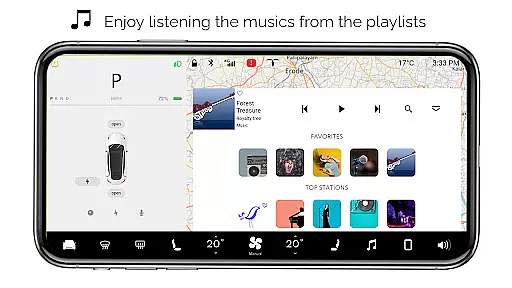
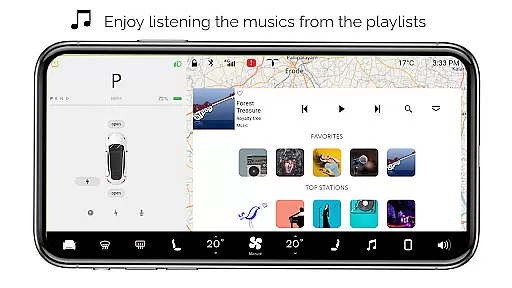
The app also includes an Interactive Music player with playlists, which not only entertains but also personalizes the user experience. By allowing users to engage with a feature that resonates personally with them, the app increases the likelihood of prolonged engagement and repeated use.
Retention is further supported by the app's ability to simulate real-life scenarios through features like real-time Battery level tracking and location services via Interactive Maps. By consistently delivering value through updates and enhancements, the app can ensure that users remain interested and continue to use it over time, solidifying its place as a staple entertainment application for Tesla enthusiasts.
User-friendly interface
Interactive simulations
Comprehensive feature set
Realistic design
Engaging for Tesla fans
Limited real-world use
No car connectivity
Some features inactive
Purely recreational
Fan-made limitations

Binge-worthy short dramas on DramaRush—engaging stories that fit your day.
 3.90
3.90
Practice and master your ESP and intuition with five mode trainer.
4.20
Music visualizer and party effects for Hue
3.90
The JBL Portable app works with JBL portable Bluetooth speakers.
4.60
Your choice of 350+ networks plus movies and full TV series on-demand.
3.70
Build and Share AI
4.20
Raise Christmas Magic with daily missions, magical scanners, and kindness.
4.1
Everything FOX in one place. Watch FOX News, NFL, MLB, TV shows and more.
4.50
World's largest dedicated anime collection
4.70
Pathfinder 2e initiative tracker with bestiary, HP, reaction, conditions, etc
4.80
Scan sets, track your builds, and enjoy intuitive digital instructions.
4.70
Watch Reels, Drama Shorts & TV Series Anytime. Download DramaWave Now!
4.70
Unleash Your AI Imagination
4.60
Stream Online TV - Watch Live IPTV Playlist & Channel with Built-In Player
4.50
The Xbox app keeps you connected to your gaming community.
4.50
Come and watch short dramas, reels with diverse genres!
4.40
Binaural Brainwave Doses for Every Imaginable Mood
3.60
Air Horn - Siren Sounds Prank, Fun way to wake up your Friends and Family
4.0
Disney Stickers: Zootopia 2
4.5


User Reviews