
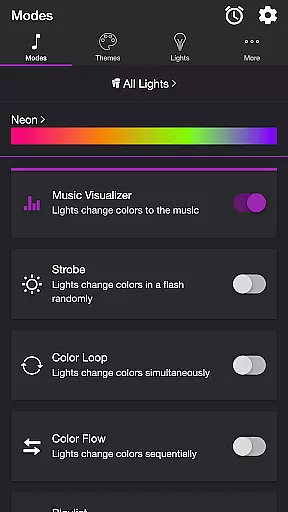
Soundstorm for Hue is an innovative entertainment app that transforms your Philips Hue lights into a dynamic party experience. The app allows users to sync their smart lights with music, creating stunning visual effects through various customizable modes.
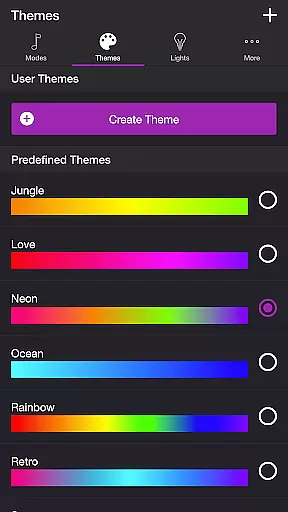
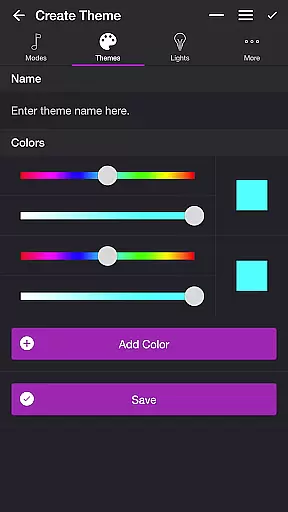
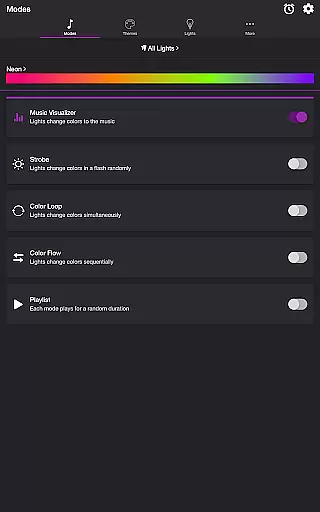
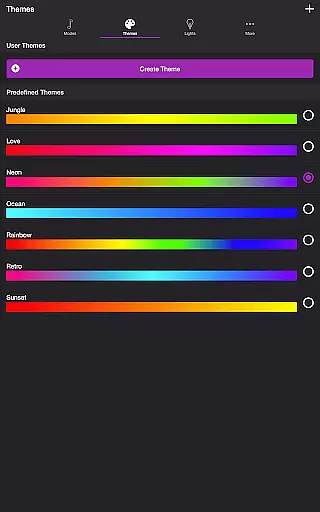
With features like Music Visualizer, Strobe, Color Loop, and Playlist modes, the app caters to diverse preferences. Users can choose from predefined themes or create custom ones, adjusting brightness, transition effects, and frequency triggers. Whether you want a pulsating dance floor or a relaxing light show, Soundstorm for Hue delivers both functionality and fun.
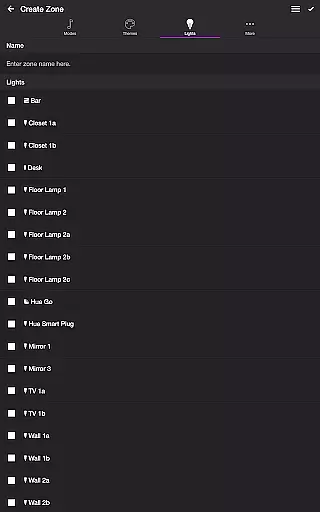
The app's versatility extends beyond parties, offering practical uses like sleep timers and customizable end states. Compatible with individual lights or groups/zones, it provides complete control over your lighting setup. Ideal for enhancing home entertainment systems or creating unique atmospheres for special occasions.
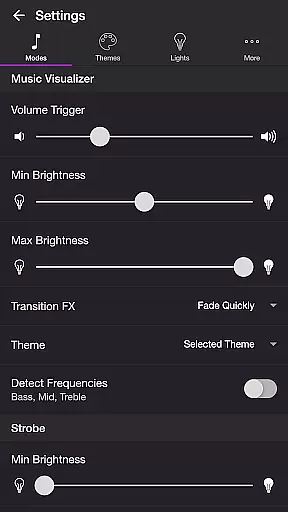
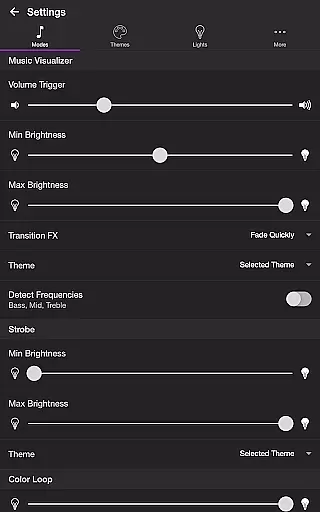
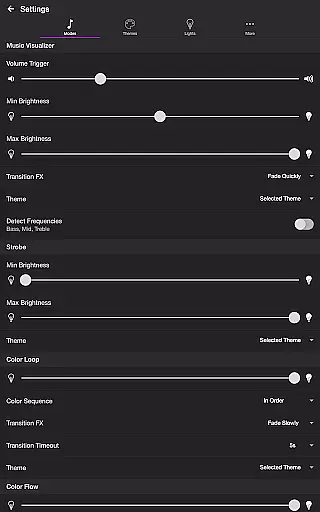
Soundstorm for Hue stands out with its comprehensive feature set tailored for entertainment enthusiasts. The Music Visualizer mode uses device microphone access to synchronize lights with real-time audio, while offering precise control over bass, mid, and treble frequencies.
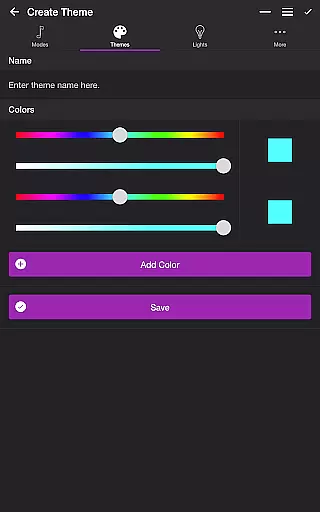
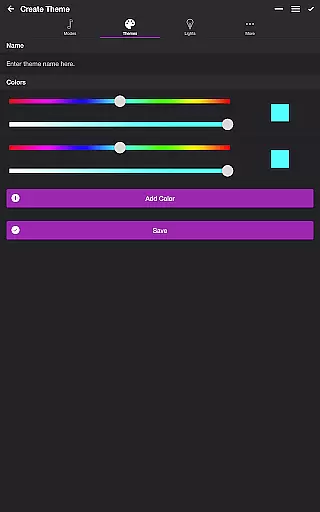
Advanced customization options include multiple transition effects (Random, Pulse, Fade Quickly/Slowly), adjustable brightness levels, and color sequence controls. The app supports complex configurations through its Themes tab, where users can create, edit, and reorder custom color schemes for different modes.
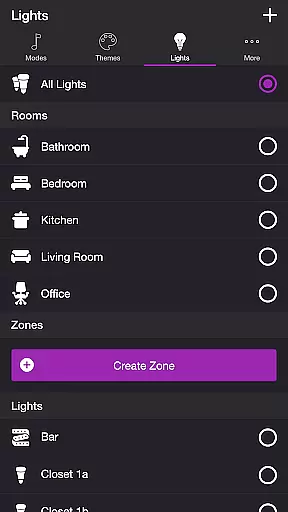
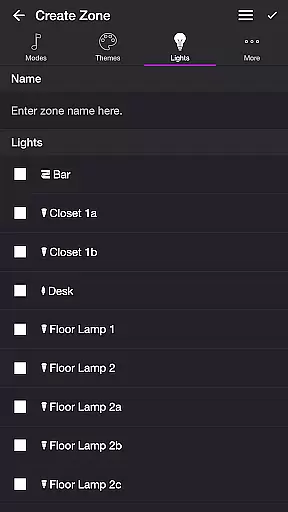
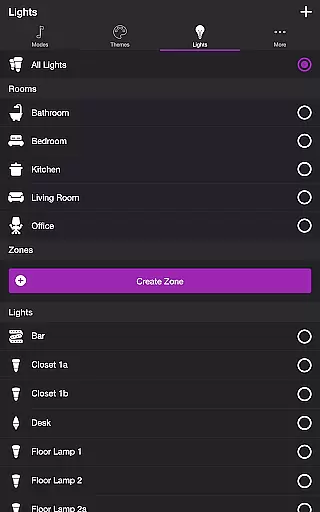
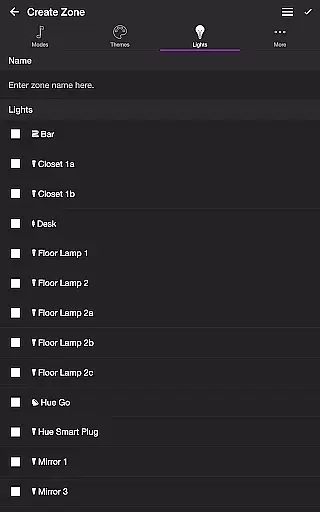
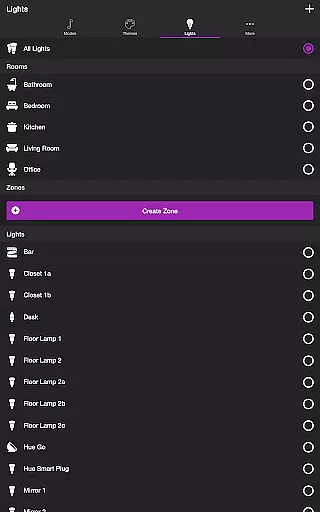
Unique capabilities like Playlist mode enable randomized mode durations, while the General Settings provide automation features such as default end states and automatic mode starts. The Lights/Groups management system offers intuitive controls for organizing and refreshing light setups, making it perfect for both casual users and lighting enthusiasts.
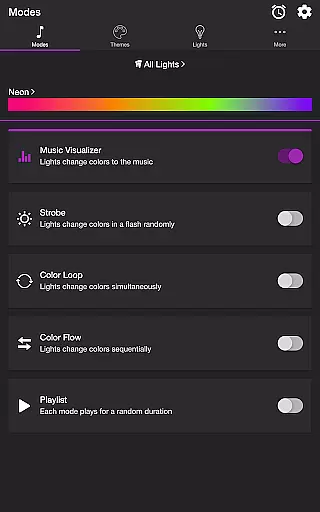
Soundstorm for Hue offers a diverse range of content through its various modes and themes, ensuring users have multiple entertainment options. The app includes modes such as Music Visualizer, Strobe, Color Loop, Color Flow, and Playlist, each providing a unique way to enjoy Philips Hue lights.
The Music Visualizer mode listens to the ambient sound or music and changes the lights' colors accordingly, creating an immersive experience. With customizable settings like volume triggers, brightness levels, and transition effects, users can tailor the visualizer to their preferences.
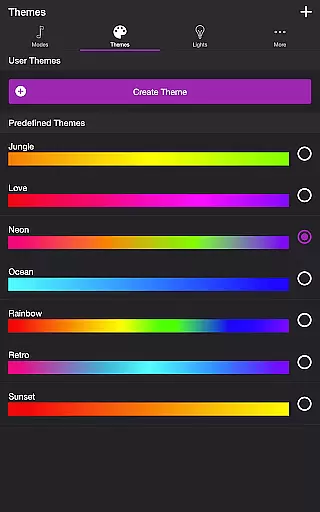
Themes add another layer of personalization, allowing users to choose from predefined themes or create their own. This feature ensures that the light shows remain fresh and engaging, adapting to different moods or occasions.
One of the key strengths of Soundstorm for Hue is its ability to maintain user engagement over extended periods. The app's multiple modes and detailed settings invite users to experiment and find their preferred configurations, encouraging longer usage sessions.
Features like the Sleep Timer and automatic mode start contribute to user retention by providing convenience and automation. Users can set the lights to turn off after a certain period or have a favorite mode launch automatically upon opening the app.
Additionally, the ability to customize and fine-tune every aspect of the light show, from color sequences to transition effects, gives users a reason to return to the app frequently. This high level of personalization helps in building a loyal user base that finds ongoing value in the app's offerings.
User-friendly interface
Extensive customization
Versatile entertainment
Precise light control
Automation features
Hue Bridge required
Microphone access needed
Complex for beginners
Limited without premium
Device compatibility

Simulation of Dashboard / Touch Screen for Tesla. (Works without actual Tesla).
 4.4
4.4
Disney Stickers: Zootopia 2
4.0
Fun brain twisting challenge with trending Whirlpool Filter.
4.70
Practice and master your ESP and intuition with five mode trainer.
4.20
Scan sets, track your builds, and enjoy intuitive digital instructions.
4.70
Control your AWTRIX 3 easily
4.2
Everything FOX in one place. Watch FOX News, NFL, MLB, TV shows and more.
4.50
Stream, Watch, Chat. Live.
4.00
Play casual games to get gift cards and money. More playing, more earning.
4.70
Stories that spark in seconds.
4.80
Hand-drawn, cartoon OC creator - original character creator
4.70
Watch Reels, Drama Shorts & TV Series Anytime. Download DramaWave Now!
4.70
Unleash Your AI Imagination
4.60
Browser for Chromecast to stream webvideos, online movies, IPTV & HD livestreams
4.40
Come and watch short dramas, reels with diverse genres!
4.40
Start EVP/Spirit Box tonight: real EMF, offline, recording. One-time purchase.
4.10
Fool your friends & Family with Fake ultrasound test report
3.60
With the credits you earn play more games
2.90
Journey to the world’s oldest rainforest and meet its Indigenous Custodians.
4.0


User Reviews