
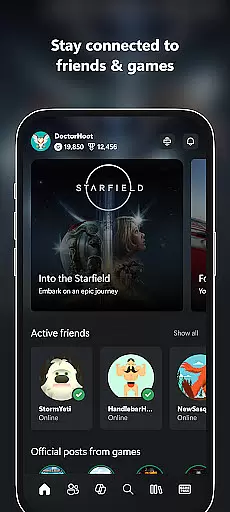
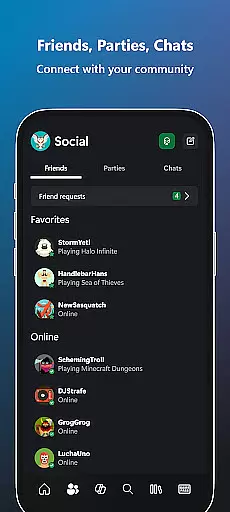
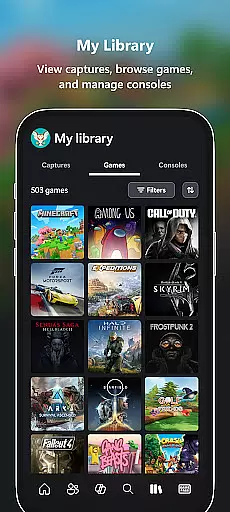
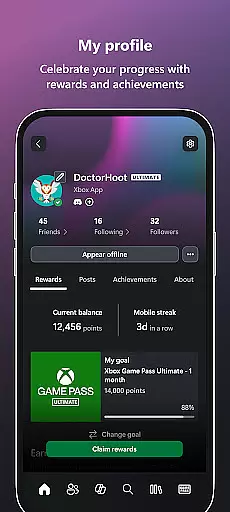
Xbox app is your ultimate entertainment companion, bringing the power of Xbox gaming to your mobile device. With seamless integration across platforms, it allows users to stay connected with friends through voice and text chat, regardless of whether they're on console, PC, or mobile. The app provides real-time notifications for game launches, achievements, and messages, ensuring you never miss important updates.
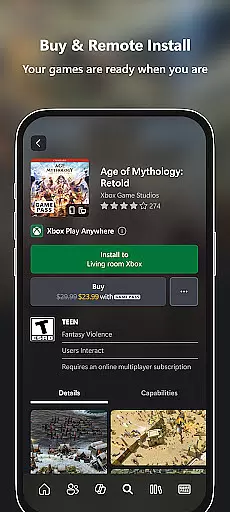
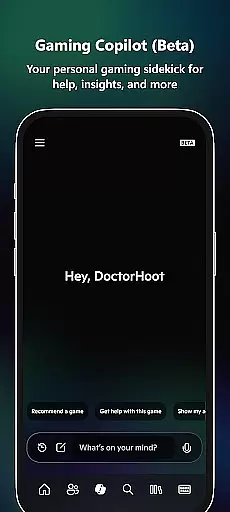
One of the standout features is the ability to purchase games and add-on content directly within the app, eliminating the need to switch devices. Gamers can also download games remotely to their console, making them instantly ready to play when they return home. Additionally, the Gaming Copilot (Beta) serves as a personal assistant, offering gameplay recommendations and helping users overcome in-game challenges.
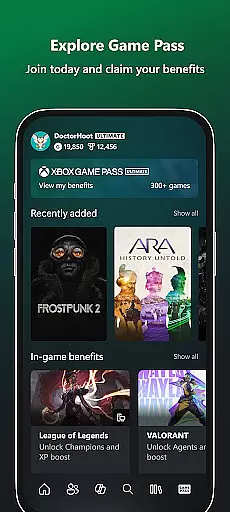
This app is particularly valuable for Xbox Game Pass subscribers, who can explore the extensive catalog, view exclusive Perks, and redeem special offers. The integrated sharing functionality makes it easy to post game clips and screenshots directly to social networks, enhancing the overall gaming community experience. Whether you're a casual player or a dedicated gamer, the Xbox app ensures you remain immersed in your gaming world.
The Xbox app boasts an impressive array of features designed to enhance the gaming experience. A key highlight is its cross-platform communication capabilities, allowing users to engage in voice and text chat with friends on console or PC. This ensures that no matter where your friends are playing from, you can maintain constant contact and coordination.
Another significant feature is the remote game management system. Users can browse, purchase, and download games directly to their console without needing to be physically present. This saves time and allows gamers to maximize their playtime. The app also provides detailed notifications about new game releases, party invites, and friend activities, keeping users informed and engaged.
For Xbox Game Pass members, the app offers exclusive tools to explore the vast game library, view available Perks, and redeem rewards seamlessly. The inclusion of Gaming Copilot (Beta) adds another layer of utility by providing personalized assistance, tips, and insights to improve gameplay. These comprehensive features make the Xbox app an indispensable tool for modern gamers seeking convenience and connectivity.
In the realm of digital entertainment, content variety and freshness are paramount for user engagement. The Xbox app excels in this area by offering a dynamic range of features that cater to gamers' multifaceted needs. With integrated voice and text chat, notifications, achievement tracking, and game purchasing options, the app ensures users have access to an ever-evolving suite of tools and information.
The application's ability to deliver real-time updates on friends' activities, new game launches, and messages keeps its content perpetually current. This constant flow of fresh information encourages daily usage, as players seek to stay connected with their gaming community and up-to-date with the latest industry offerings.
Moreover, the Xbox app introduces innovative features like Gaming Copilot (Beta), which provides personalized assistance and insights. Such additions not only diversify the app's offerings but also enhance user experience by helping players overcome in-game challenges or improve their skills. These elements combine to create a vibrant ecosystem that entices users to remain actively engaged with the platform.
User engagement duration and retention are critical metrics for any entertainment platform, and the Xbox app addresses these aspects through thoughtful design and functionality. By integrating essential gaming features such as friend lists, party management, and messaging services, the app becomes a central hub for gamers' social interactions. This consolidation of functions encourages prolonged app usage as users rely on it for both communication and gaming management.
Furthermore, the app's capability to notify users about significant eventsu2014such as party invites, messages, or new game releasesu2014serves as a powerful retention tool. These timely alerts draw users back into the app, fostering habitual use and increasing overall time spent within the platform. The anticipation of receiving important updates or engaging with new content creates a compelling reason for users to return frequently.
Additionally, the inclusion of Game Pass catalog exploration and exclusive perks adds another layer of value, incentivizing continued engagement. By providing users with regular access to new games and special offers, the Xbox app successfully cultivates a loyal user base that remains committed to the platform over time.
User-friendly interface
Seamless cross-platform integration
Remote game purchasing and downloading
Real-time notifications and alerts
Exclusive Game Pass features
Limited functionality for non-subscribers
Beta features may be unstable
Occasional connectivity issues
Requires Xbox Live account
Some features locked behind subscription

Ultimate VR movie player for android mobile videos
 4.0
4.0
Create, chat & bond with AI souls who truly listen.
4.50
Exclusive Short Drama Video! All in HD. Bringe trending reels & enjoy drama time
3.80
Stream Movies & TV Series: Original Shows, Family Movies & New Releases Weekly
4.60
Fun brain twisting challenge with trending Whirlpool Filter.
4.70
Triple A is a highly complex, kinetic, and interactive visualizer.
4.50
SpiritWave is paranormal ITC application.
5.00
Unleash Your AI Imagination
4.60
Catch the latest episodes of The Voice or live stream NFL games with The NBC App
4.20
Your Avatar, Endless Fun
4.60
Series,Películas y Telenovelas
4.50
Everything FOX in one place. Watch FOX News, NFL, MLB, TV shows and more.
4.50
Play games. Earn real rewards. Cash out in 3hours via PayPal or gift cards.
4.40
Music visualizer and party effects for Hue
3.90
Necrophone is spirit box ghost hunting app made for spirit communication.
3.70
Binaural Brainwave Doses for Every Imaginable Mood
3.60
NFL, NBA, NHL, MLB, local sports coverage, shows, movies & news!
3.20
Stream videos to VIDAA & VEWD TVs from Hisense, Sharp, Skyworth, Vestel & TiVo
3.00
With the Steam Mobile App, you can take Steam with you anywhere.
3.00


User Reviews