
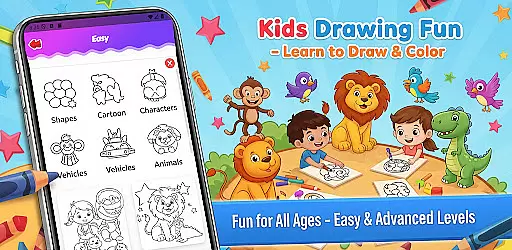
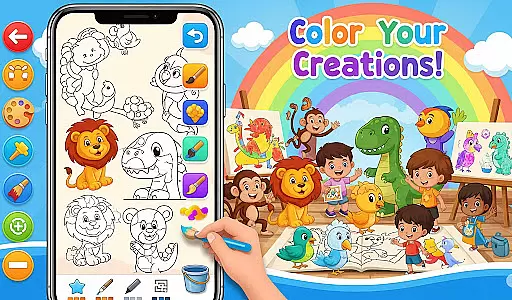
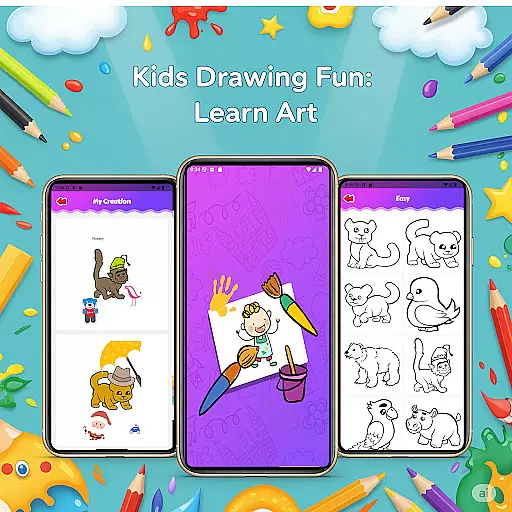
Fun Drawing & Color: Learn Art is an innovative educational app that brings the joy of art to users of all skill levels. Designed for both beginners and experienced artists, this app offers a complete suite of drawing tools and creative features. The app provides step-by-step drawing guides, making it easy to learn how to draw animals, vehicles, objects, food, and characters using simple shapes. With its ad-free environment, users can fully immerse themselves in their artistic journey without interruptions.
In addition to guided lessons, Fun Drawing & Color includes vibrant coloring tools, playful stickers, customizable text options, and a variety of brush types. These features allow users to create unique and colorful artwork while expressing their creativity. Whether you're looking to improve your drawing skills or simply enjoy some creative relaxation, this app offers a seamless experience across Android tablets and smartphones. Its intuitive interface and comprehensive toolset make it an ideal choice for both kids and adults who want to explore the world of art.
Fun Drawing & Color: Learn Art stands out with its rich set of creative features designed to enhance the drawing experience. One of the key highlights is the step-by-step drawing guides, which break down complex drawings into manageable steps using basic shapes. This makes learning approachable for beginners while still offering challenges for more advanced users. The app also includes a diverse selection of stickers and decorative elements, allowing users to add fun details to their artwork and truly personalize their creations.
The app's versatility extends to its text tools, which offer multiple font styles, colors, and sizes for adding customized messages or names to drawings. Users can experiment with different brush types, including pencil, brush, and magic brush, each providing a unique texture and style. The color fill and palette tools enable effortless coloring of large areas, while the erase, undo, and redo functions ensure flexibility during the creative process. Additionally, all artwork is automatically saved in a personal gallery, where users can revisit, edit, or continue working on their projects anytime they wish.
In the realm of educational drawing apps, content authority and curriculum alignment are crucial for ensuring that learning is both effective and credible. Fun Drawing & Color: Learn Art positions itself as not just a creative outlet but also an authoritative source for art education.
The app provides step-by-step drawing guides that cover a wide array of subjects such as animals, vehicles, objects, food, and characters. These lessons are crafted to build foundational drawing skills using simple shapes, which aligns well with art curriculums aimed at developing basic artistic competencies in learners.
Moreover, the availability of multiple skill levels from beginner to advanced ensures that users can progress at their own pace, mirroring the structured learning paths found in formal education settings. This makes the app suitable for self-learners and potentially complements school-based art education.
By offering a comprehensive suite of tools like stickers, text styles, brush types, and color palettes, the app encourages creativity while maintaining focus on educational outcomes. The ad-free environment further enhances its credibility as a serious learning tool, making it a reliable choice for students and educators alike.
Gamification has become a pivotal strategy in modern education, merging enjoyment with learning to enhance user engagement and retention. Fun Drawing & Color: Learn Art leverages gamification principles to create an interactive and enjoyable learning experience.
One of the standout features is the inclusion of playful elements such as stickers and fun fonts. Users can decorate their drawings with colorful stickers and add text with various font styles, colors, and sizes. These features make the learning process more engaging and entertaining, encouraging users to spend more time honing their skills.
The app also offers a personal gallery where all drawings are saved. This feature allows users to track their progress over time, providing a sense of achievement and motivating continued use. The ability to revisit and edit past creations adds a layer of interactivity akin to game mechanics, where users can continually improve their 'scores' or, in this case, their artwork.
Additionally, the app's compatibility with both tablets and smartphones ensures a seamless experience across devices, much like how games offer cross-platform play. By integrating these gamified elements with robust educational content, Fun Drawing & Color: Learn Art successfully blends fun with learning, making it an appealing choice for users seeking to develop their artistic abilities in an enjoyable way.
User-friendly interface
Variety of drawing tools
Step-by-step tutorials
No ads or subscriptions
Suitable for all ages
Limited advanced tools
Basic color options
Fewer lesson categories
No cloud backup
Premium-only access

Explore the world of reading and writing with Booker!
 4.2
4.2
Stack the States® 2 makes learning US geography fun!
4.50
Join the pirate math adventure!
3.60
Play the fun princess party game for kids with Cocobi the little dinosaurs.
4.10
Tracing, phonics & spelling games for toddlers, preschool & kindergarten kids!
4.50
Fun baby care game for kids with dinosaur friends. Enjoy the fun kids game.
4.00
Learn numbers, letters, and shapes playing toddler balloon pop games ►NoAds◄
4.60
Help your child improve their number literacy with Numberblocks: Card Fun!
2.60
Companion app for Cozmo, the educational toy robot who’s got a mind of his own.
3.30
Puzzles, Cats and Programming
4.80
Pro Doctor Dentist for PetsGame
4.60
This will quickly become your kids' favorite animals game!
4.40
Play and build with Bluey & friends in this fun LEGO® game!
4.40
Explore Fantasy Land, get to know the world and create stories!
4.30
CASHFLOW - The Investing Game
4.00
The Squirrels have been learning how to look after animal, now it's your turn!
3.90
Safe, fun, ad-free games for kids! For babies, toddlers, & kids age 2-6
3.60
Find the hidden Numberblocks, add them together and see what happens.
3.50
Discover the infinite cycles of the universe
4.1


User Reviews