




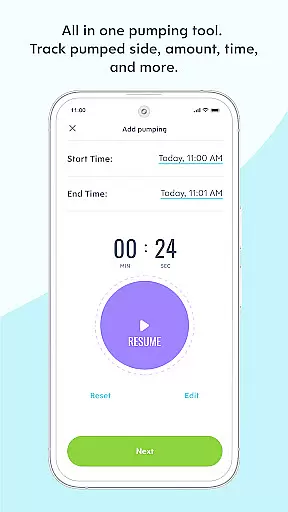










Huckleberry is a comprehensive parenting application designed to support families through every stage of their child's development. The app provides detailed sleep tracking and guidance features, helping parents understand and establish healthy sleep patterns for their children. With tools like SweetSpot® and AI-powered Berry assistant, the app delivers personalized recommendations and real-time support.
The application also includes robust tracking features for feeding, diaper changes, medicine schedules, and developmental milestones. Available in free, Plus, and Premium membership tiers, Huckleberry adapts to different parenting needs while maintaining a gentle, evidence-based approach. Its award-winning solutions have improved sleep patterns for millions of families worldwide.
Huckleberry stands out with its advanced tracking capabilities and personalized guidance features. The app's SweetSpot® technology uses smart algorithms to predict optimal nap times based on each child's unique rhythms and patterns. This feature, available in Plus and Premium memberships, eliminates guesswork and helps establish consistent sleep schedules.
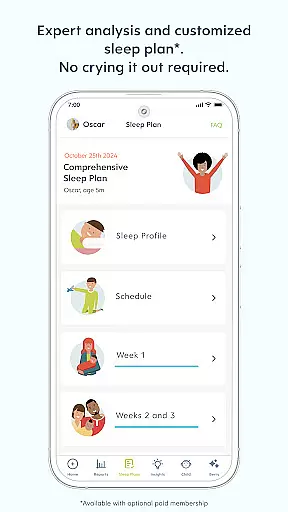
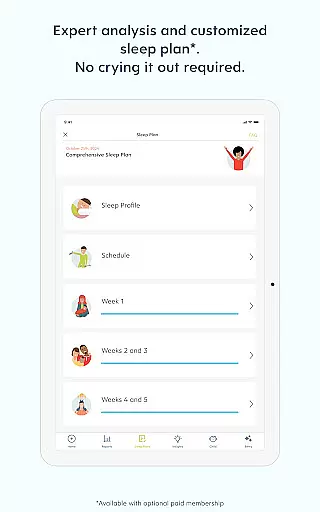
The AI-powered Berry assistant provides 24/7 parenting support through expert-vetted advice and customized recommendations. Parents can track multiple aspects of their child's daily routine using simple one-touch logging features. The app maintains individual profiles for multiple children and allows caregiver synchronization across devices. Premium members benefit from custom sleep plans and ongoing progress monitoring.
All features are backed by pediatric expertise and follow an evidence-based approach that respects individual parenting styles. The app's gentle methodology avoids extreme measures while delivering science-backed solutions for common parenting challenges.
When it comes to parenting apps, the credibility of content and expert validation are paramount for ensuring that families receive reliable guidance. Huckleberry stands out in this aspect by offering a comprehensive suite of tools developed with pediatric expertise. The app's features, such as the baby tracker and personalized sleep guidance, are backed by a team of pediatric experts who understand the nuances of child development.
Huckleberry's approach is deeply rooted in evidence-based practices. The app provides a gentle, scientific method to sleep training that never insists on outdated techniques like 'crying it out.' Instead, it offers family-centered solutions adaptable to individual parenting styles. This ensures that every recommendation aligns with the comfort level and unique needs of each family, making it a trusted companion for parents worldwide.
The integration of AI-powered guidance, known as Berry, further enhances the app's reliability. Available with Premium memberships, Berry delivers 24/7 expert-vetted advice through an intuitive chat interface. Whether tracking multiple aspects of your child's day or solving specific parenting challenges, Berry adapts to provide relevant support when needed most.
Ultimately, Huckleberry's commitment to expert validation and credible content empowers parents with peace of mind. By blending cutting-edge technology with time-tested pediatric knowledge, the app helps families navigate the complexities of parenting with confidence and ease.
Accurate growth tracking is essential for monitoring a child's development and ensuring they are meeting critical milestones. Huckleberry excels in providing precise tools that allow parents to track various aspects of their child's growth effectively. From logging diaper changes and feedings to recording sleep patterns and activities, the app offers a simple yet powerful one-touch baby tracker that consolidates all necessary information.
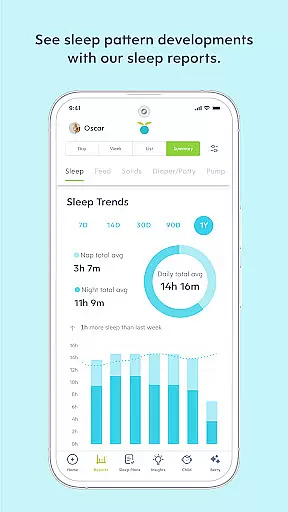
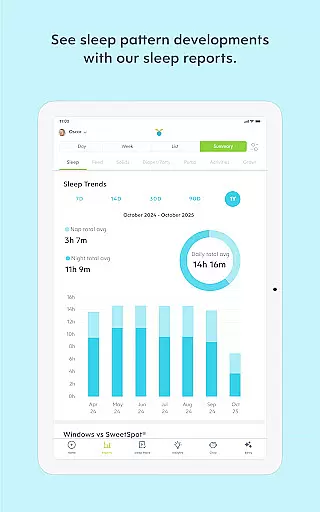
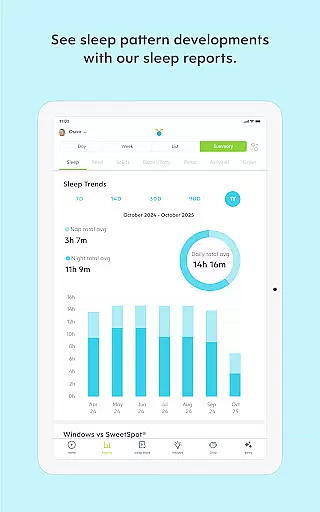
One standout feature is the detailed analytics provided by the appu2019s newborn tracker. Parents can access comprehensive summaries and histories of their baby's sleep, feeding schedules, and other vital metrics. These insights enable caregivers to identify trends and make informed decisions about their child's well-being. Additionally, the average sleep totals and enhanced reports available with Plus and Premium memberships offer deeper dives into behavioral patterns over time.
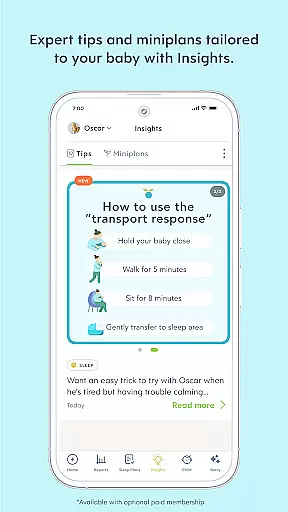
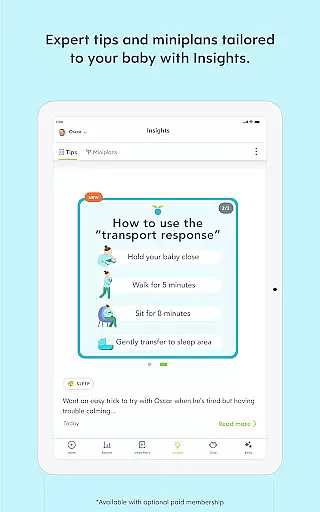
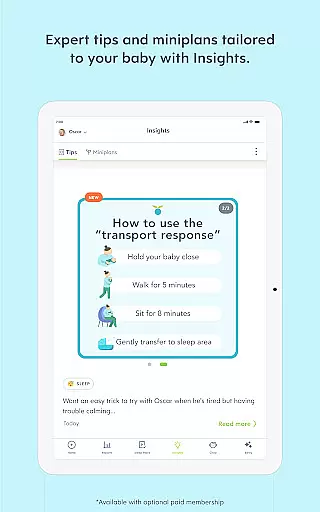
Huckleberry also supports tracking multiple children simultaneously, accommodating families with more than one young child. Each child receives an individual profile where data-driven tips and mini-plans for sleep, feedings, and milestones (up to 17 months) are tailored specifically to them. This personalized attention ensures that no detail goes unnoticed in a child's developmental journey.
By combining these robust tracking capabilities with reminders for medication and feedings, Huckleberry not only aids in accurate growth tracking but also fosters healthier routines. Families across 179 countries trust Huckleberry to help achieve better sleep patterns and overall developmental health, underscoring its effectiveness and reliability in nurturing everyday magic within households globally.
User-friendly interface
Comprehensive tracking tools
Personalized sleep guidance
Pediatrician-approved content
Multi-child support
Premium features costly
Advanced tools subscription-based
Limited free features
AI accuracy varies
Learning curve for new users

Educational resource for parents to inspire creativity in their children.
 4.00
4.00
Sleep better with white noise app! Discover rain sounds, fan noise and more.
4.70
Family GPS locator app — child location tracker. GPS kids tracker, family safety
4.70
Track your pregnancy, kick & contraction counter, baby & mom's heartrate monitor
4.60
The 10 development leaps of your baby | newborn milestones & leap days tracker
4.10
SemLog aims to raise awareness among families and their children
3.40
Track pregnancy health and wellness with pregnant tracker from healthcare advice
4.5
GeoLog - Real-Time Location Tracker
4.40
The Most Trusted Co-Parenting App.
4.60
Track your labor contractions
4.90
Kids story books for children. Baby reading books with audio for pre-k toddlers
4.70
Keep track of your stored breastmilk
4.40
Speech Therapy Exercises For All!
4.40
Find unique + popular baby names for your little peanut.
4.30
Watching baby, helping parents
4.10
Parental Control including Screen time control, GPS tracking, App/Game blocker.
3.90
Monitor screen time and build healthy habits with Family Safety
3.90
A Coloring for the Whole Family! Discover the Joy of Family Love Through Colors!
3.60
AI Motion Video Maker & Ideas
4.5


User Reviews