
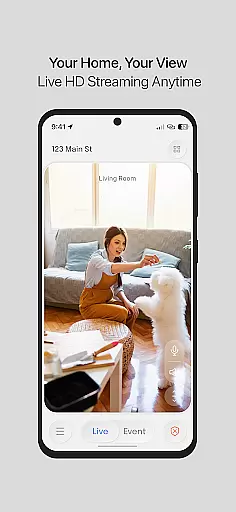
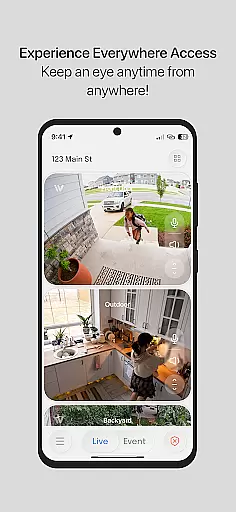
InstaVision is a comprehensive home security application that offers advanced monitoring tools to ensure the safety of your home. With features like HD live video streaming and two-way audio, users can keep an eye on their property in real-time while also communicating through the app. The application is designed for homeowners who want both basic surveillance and advanced AI-powered security options.
The InstaVision Smart Security plan takes protection to the next level by offering event tagging, enhanced user sharing, and secure cloud storage for recorded events. Developed by American experts, this solution prioritizes privacy and data security, making it ideal for households seeking reliable, cutting-edge home security.
InstaVision stands out with its robust feature set tailored for modern home security needs. Live HD video streaming provides crystal-clear footage, allowing users to monitor their homes with precision. Two-way audio adds another layer of interaction, enabling users to speak and listen through connected devices.
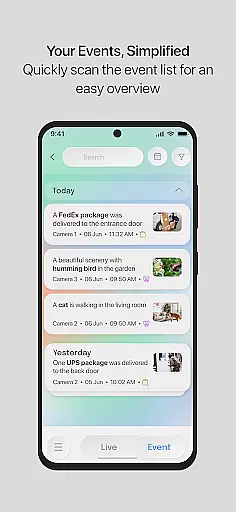
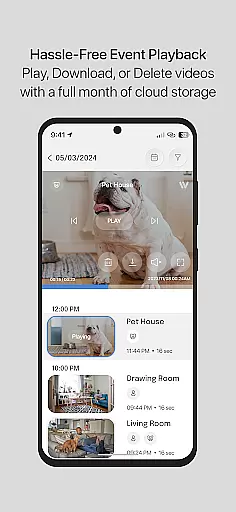
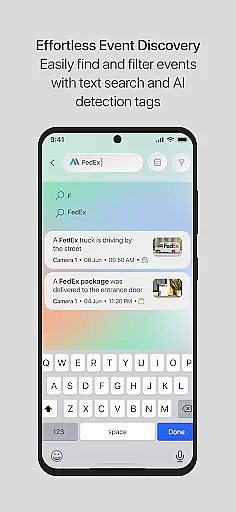
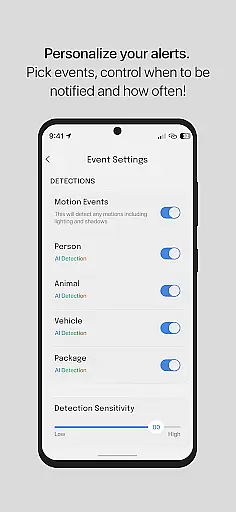
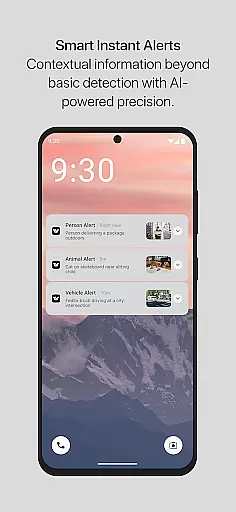
For those subscribing to the InstaVision Smart Security plan, additional benefits include AI-driven event tagging, which categorizes movements such as people or vehicles, sending relevant alerts along with video clips. Enhanced user sharing allows multiple family members to access cameras with customized permissions, ensuring collaborative security management. Secure cloud storage ensures all event videos are safely stored for 30 days, giving users peace of mind.
In the realm of home security, the authenticity of property listings is paramount. InstaVision ensures that every feature and capability listed is not only present but optimized for real-world application. This commitment to transparency means users can trust in the comprehensive nature of their security setup.
InstaVision provides detailed descriptions and specifications for its suite of security tools, ensuring users understand exactly what they are getting. From HD live video streaming to two-way audio communication, each feature is accurately represented, giving homeowners peace of mind about their security choices.
The app's dedication to authentic representation extends to its advanced AI-powered features available through the Smart Security plan. Users receive genuine alerts categorized by event type, such as people or vehicles, reinforcing the reliability of the system. This accuracy in reporting empowers users to respond appropriately to potential threats.
Effective home management is crucial for maintaining a secure environment, and InstaVision excels in providing robust features that simplify this process. The app offers live HD video streaming and two-way audio, allowing homeowners to actively monitor and communicate with their surroundings in real-time.
For those seeking enhanced control, the InstaVision Smart Security plan introduces advanced functionalities like event tagging and secure cloud storage. These features enable users to categorize movements, receive relevant alerts, and access recorded footage for up to 30 days, facilitating better home oversight.
Additionally, InstaVision supports collaborative security efforts through enhanced user sharing options. By granting custom permissions to multiple users, families can manage their home security collectively. This holistic approach to home management ensures that every household member contributes to maintaining a safe living space.
Advanced AI features
Secure cloud storage
HD live streaming
Two-way audio support
Customizable user access
Premium plan costly
Limited free features
Internet dependent
Subscription required
Complex setup

Use Home by ShowingTime to easily manage showings, tours, feedback and more
 3.60
3.60
Wobble Fix Tool
4.40
Draw your floor plan smartly. Make house design blueprint with home planner app
3.60
Convert your Phone to HiSense Smart TV Remote Control
4.70
Smart AI plant care schedules, Real plant experts, support & Thriving community!
4.20
Book your local plumber 24/7, track your service order & get exclusive coupons
4.00
Find your next home, house, apartment, condo, casa, flat, rental, studio, or bed
4.70
WiZ smart light system
4.40
3D House Design and AI Room Planner - from floor plans to full interior design.
4.40
Connect with reliable pros for maintenance services, plumbing, and home design!
4.80
Turn old phones into security cameras, baby monitors, pet cams, and more.
4.70
Make Renting Easy
4.40
Control your Vivint Smart Home with the next generation Vivint App.
4.30
Find contractors for all home renovation projects. Remodeling, repair, and more.
4.20
Universal Tv Remote Control for all Tv. Cast for chromecast & all Tv Controller
4.20
Floor Plan Creator Home Design with 2D interior design and 3d view.
3.90
This Fire TV Remote control's your Fire TV Device and Insignia Fire TV Remote
3.70
An easier way to make payments and maintenance requests from anywhere.
3.50
Universal TV remote Control for Roku TV brands via WiFi remote
4.2


User Reviews