
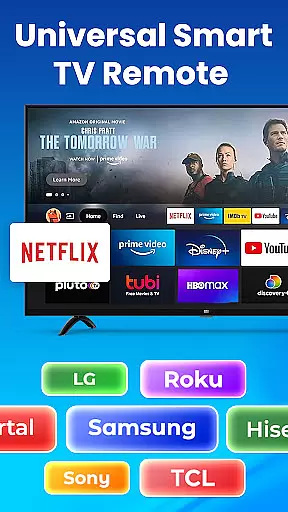
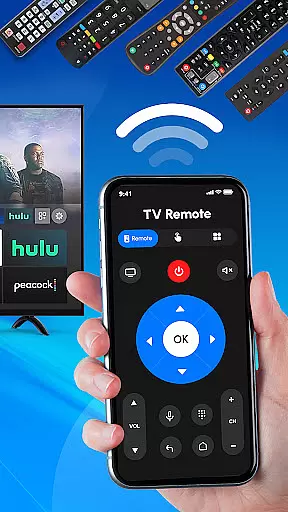
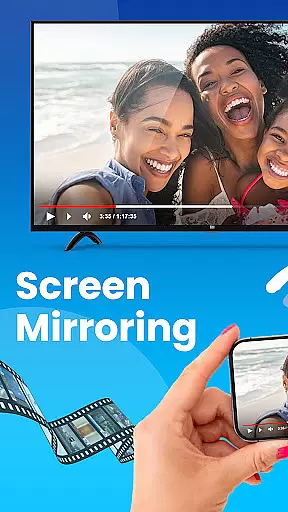
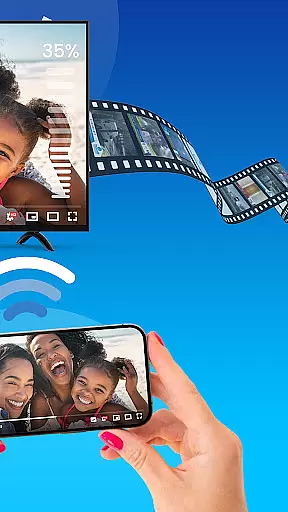
Universal TV Remote Control is a versatile application designed to replace traditional TV remotes for all major TV brands. This app supports Roku, Samsung, LG, Sony, and many other popular brands, offering seamless control over smart TVs and non-smart TVs alike. With features like Wi-Fi and Bluetooth support, users can easily manage their TV functions directly from their smartphones.
The app provides an all-in-one solution for controlling multiple TVs in your home, whether you need to adjust the volume, change channels, or switch input sources. Its compatibility with various TV brands makes it an essential tool for modern households, ensuring that you never have to search for the physical remote again.
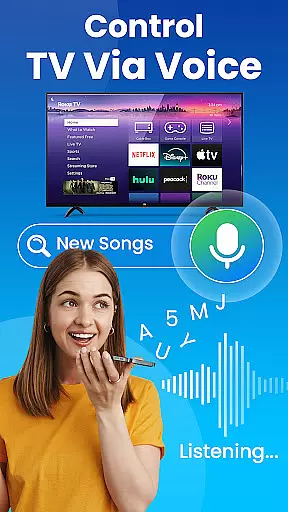
Perfect for streamlining your entertainment experience, Universal TV Remote Control allows users to enjoy hands-free management of their TVs through voice control (if supported). The app's intuitive interface and easy setup process make it accessible for everyone, enhancing convenience without the need for additional hardware.
Universal TV Remote Control stands out with its comprehensive feature set tailored for ease and versatility. One of its key features is the universal compatibility with major TV brands such as Roku, Samsung, LG, and Sony. This ensures that regardless of the TV model you own, the app will seamlessly integrate into your setup.
The app leverages both Wi-Fi and Bluetooth technologies to offer reliable connectivity options. Users can control their smart TVs over Wi-Fi, while also having the option to use Bluetooth for devices that support it. This dual approach ensures stable and responsive performance, making it easier than ever to manage your TV functions.
Additionally, the app includes dedicated support for Roku streaming devices, allowing users to manage their Roku TV or streaming stick effortlessly. With functionalities ranging from basic operations like changing channels and adjusting volume to more advanced features like voice control, Universal TV Remote Control delivers a complete package for modern TV management.
In the context of smart home management, ensuring the authenticity and reliability of connected devices is crucial. The Universal TV Remote Control app excels in this area by providing verified compatibility with a wide range of TV brands, including Roku, Samsung, LG, Sony, and more.
The application maintains an up-to-date database of supported devices, ensuring that users can trust the remote's functionality with their specific TV models. This commitment to accuracy means users don't have to worry about compatibility issues when setting up the app.
By offering precise control options for both smart and non-smart TVs, the app delivers a consistent and reliable user experience across different television types. This ensures that whether you're using a modern smart TV or an older model, the remote functions will work as intended.
The verification process extends to supporting features like Wi-Fi and Bluetooth connectivity, giving users confidence that all listed functionalities are tested and operational. This attention to detail provides peace of mind and saves valuable time during setup and daily use.
A comprehensive home management system should offer more than just basic control functions. The Universal TV Remote Control app demonstrates this through its sophisticated feature set that goes beyond simple channel surfing and volume adjustment.
The application integrates multiple control protocols including Wi-Fi and Bluetooth, enabling users to manage various aspects of their entertainment system from a single interface. This unified approach streamulates household operations by consolidating multiple remotes into one convenient solution.
Advanced functionality allows users to switch between input sources, adjust picture settings, and even control streaming devices like Roku sticks - all from their mobile device. These capabilities represent significant improvements in home entertainment management efficiency.
Furthermore, the app's support for voice commands (where available) and its ability to control both new smart TVs and older models demonstrate its versatility in modern home management scenarios. This flexibility makes it an invaluable tool for organizing and optimizing home entertainment systems.
User-friendly interface
Wide brand compatibility
Wi-Fi and Bluetooth support
Voice control functionality
No additional hardware required
Limited to compatible devices
Requires stable internet
Possible latency issues
Permissions needed for Wi-Fi
Not all features on older TVs

For all of your Airthings devices
 4.30
4.30
Technology powering many in-home services for residents across the United States
3.80
Tailored Care Guides For Houseplants, Indoor Plants, Garden Plants & Flowers.
4.60
Turn your phone into a wifi cam with smart features and umlimited reach.
4.20
This Fire TV Remote control's your Fire TV Device and Insignia Fire TV Remote
3.70
AI Home Designer & Room Planner: Decorate your interior space with AI
4.40
Your guide to apartments & rental homes. Find your next place to rent with AG.
4.60
Find your next home, house, apartment, condo, casa, flat, rental, studio, or bed
4.70
WiZ smart light system
4.40
B-hyve Pro App for landscape irrigation professionals
4.70
Looking for the perfect apartment finder app? Find beautiful rental homes here!
4.60
Make Renting Easy
4.40
Make your phone a surveillance camera remote with a home camera app for Android!
4.40
Control your Vivint Smart Home with the next generation Vivint App.
4.30
Find contractors for all home renovation projects. Remodeling, repair, and more.
4.20
Design your dream home with 3D planning app, Visualize your dream home in 3D.
4.20
Design house plans in 2D & 3D, style furniture, and preview renovation layouts
3.70
Control Fire TV & mirror your phone screen instantly over Wi-Fi.
3.30
Universal TV Remote for TV, control all Smart TVs with your mobile phone.
4.1


User Reviews