
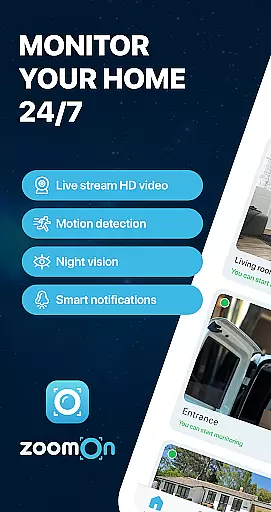
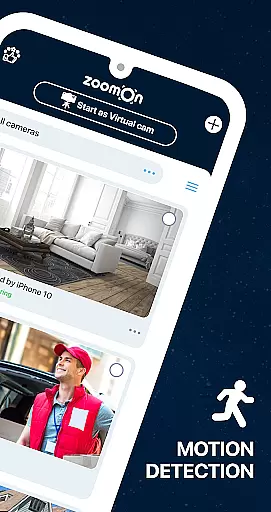
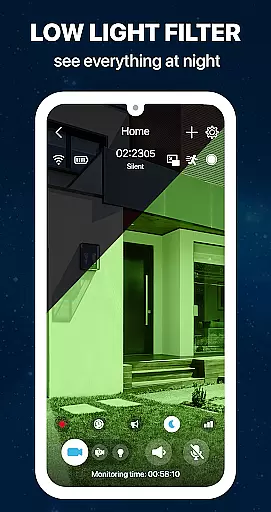
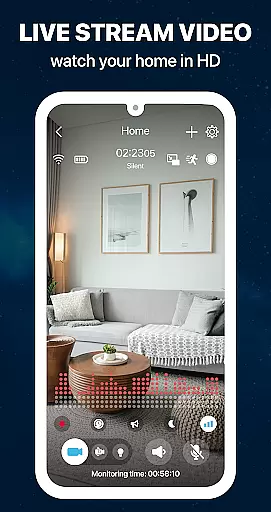
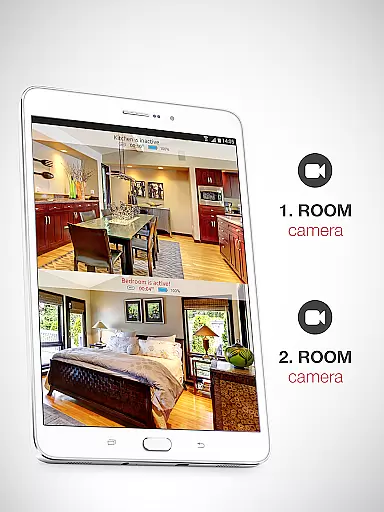
ZoomOn Home Security Camera is a smart home security solution that transforms any two smartphones into a comprehensive monitoring system. The app provides real-time HD video streaming, unlimited reach across various networks, and advanced features like night vision, motion detection, and two-way audio communication.
This innovative application allows users to repurpose old devices, turning them into dedicated security cameras. With support for multi-room monitoring, smart notifications, and secure encrypted connections, ZoomOn offers a cost-effective alternative to traditional security systems. Whether you're at work or on vacation, this app ensures your home remains protected.
The app's versatility extends beyond home security - it can function as a baby monitor, elderly care system, or pet camera. With a free 3-day trial and flexible subscription options, users can test all features before committing to a purchase. This makes ZoomOn an excellent choice for those seeking peace of mind without significant investment.
ZoomOn distinguishes itself through its unique device-pairing system and extensive feature set. The app utilizes a simple numeric/QR code pairing process to connect devices, creating a secure private cloud connection between them. This innovative approach eliminates the need for dedicated hardware while maintaining industry-standard encryption protocols.
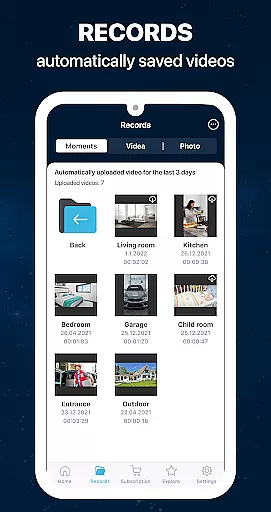
The application's capabilities include advanced monitoring features such as motion and noise detection, continuous recording with playback functionality, and time-based activity charts. Its compatibility with ONVIF-compliant security cameras expands its utility, allowing integration with existing security infrastructure while offering additional control through smart notifications and customizable monitoring schedules.
What sets ZoomOn apart is its adaptability - users can adjust settings like noise sensitivity, create specific monitoring zones, and access historical data through detailed activity logs. The app's ability to function across different platforms (Android/iOS) and network types (WiFi, 3G, 4G, 5G, LTE) ensures reliable performance regardless of technical constraints, making it a versatile solution for modern home security needs.
In the context of home security, ensuring the authenticity and reliability of your monitoring setup is crucial. ZoomOn Home Security Camera app guarantees that every connected device is verified through a secure pairing process using numeric or QR codes.
This verification ensures that only authorized devices can access your live video streams, maintaining the integrity of your home security system. The app's compatibility with ONVIF-compliant cameras further enhances this authenticity by allowing seamless integration with professional-grade security equipment.
Users benefit from complete peace of mind knowing that their monitoring system is both genuine and tamper-proof. This level of security verification is particularly valuable when monitoring multiple rooms or properties simultaneously.
The application's robust authentication protocols, combined with industry-standard encryption, create a trustworthy environment for home security management. This focus on authenticity extends to all aspects of the app's functionality, from device pairing to cloud-based data transmission.
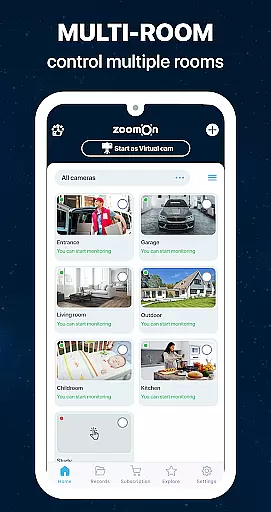
Beyond basic monitoring, ZoomOn offers comprehensive home management features that transform your old smartphones into sophisticated security solutions. The app supports multi-room monitoring, enabling users to oversee different areas of their property simultaneously through strategically placed devices.
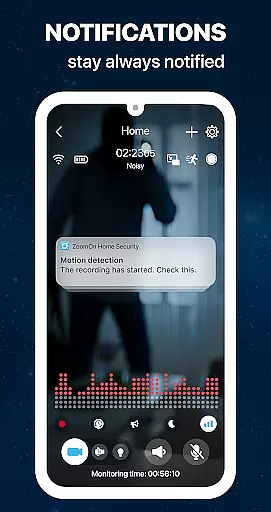
Advanced features like motion detection, noise alerts, and smart notifications provide proactive home management capabilities. Users can customize sensitivity settings and establish time-based monitoring schedules to match their specific needs and routines.
The inclusion of two-way audio communication and remote control functions allows homeowners to interact with their environment in real-time. These features are particularly useful for managing deliveries, communicating with visitors, or checking on family members remotely.
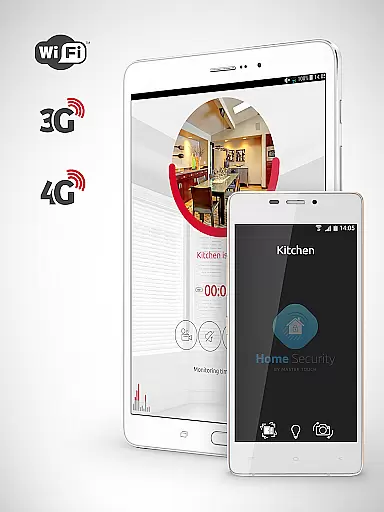
Additional practical functions include low battery alerts, continuous recording options, and compatibility with various network types (WiFi, 3G, 4G, 5G). These features collectively create a robust home management ecosystem that goes beyond simple surveillance to offer comprehensive property oversight.
User-friendly interface
Multi-platform support
Flexible subscription plans
HD video quality
Secure encryption protocols
Requires two devices
Dependent on network stability
Limited free trial period
Premium features locked behind paywall
Device compatibility issues possible

Wobble Fix Tool
 4.40
4.40
B-hyve Pro App for landscape irrigation professionals
4.70
Control your Daikin, Amana & Goodman heating & cooling systems from anywhere
4.40
Design house plans in 2D & 3D, style furniture, and preview renovation layouts
3.70
Download today to join the community to help bring lost pets home faster.
4.70
Plants, Beauty, Collectibles
4.60
The only mappable smart lights for custom decoration.
4.50
Security App with HD Video, 2-way Audio, and event detection for Home monitoring
4.40
Find homes for sale and apartments for rent in the best neighborhood.
4.70
MLS-powered real estate app to find homes for sale & apartments for rent
4.70
Innovative and budget-friendly housing options
4.60
Looking for the perfect apartment finder app? Find beautiful rental homes here!
4.60
WiZ smart light system
4.40
3D House Design and AI Room Planner - from floor plans to full interior design.
4.40
For all of your Airthings devices
4.30
Control your thermostat, comfort, and home monitoring from your phone
4.30
AI floor creator to design your dream house, plan rooms & style your home
4.00
IP camera view and playback, for your WiFi cam or home security cctv system.
3.70
An easier way to make payments and maintenance requests from anywhere.
3.50


User Reviews