
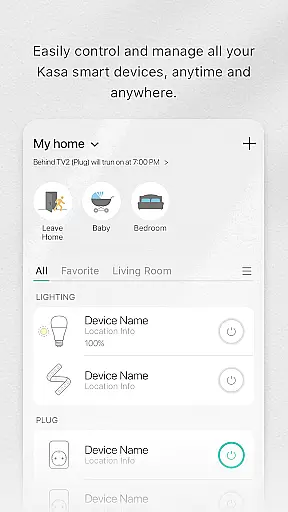
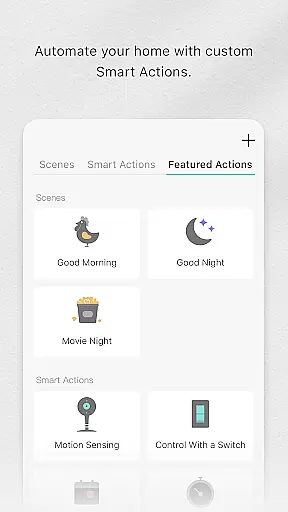
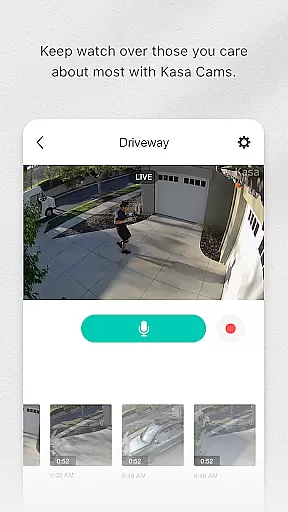
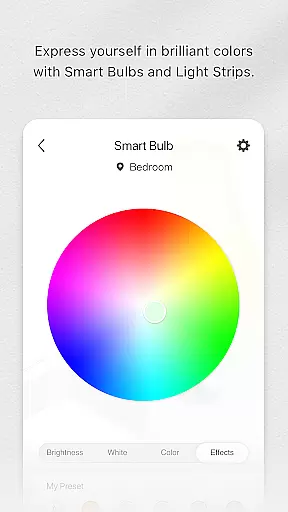
Kasa Smart is a comprehensive home automation application designed specifically for TP-LINK smart devices. This app allows users to remotely manage their smart home ecosystem, including smart plugs, switches, power strips, bulbs, cameras, routers, and range extenders. With its intuitive interface, Kasa Smart makes it easy to control connected devices from anywhere in the world.
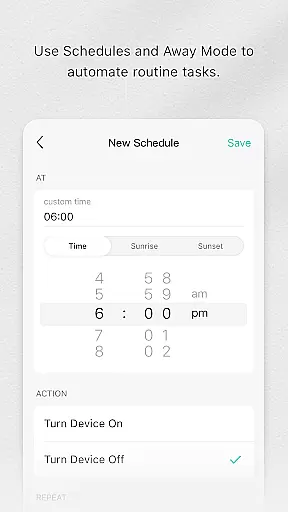
One of the standout features of Kasa Smart is its scheduling capability. Users can program their devices to turn on or off at specific times, ensuring energy efficiency and convenience. The app also offers an Away Mode feature that simulates occupancy by turning lights on and off randomly, deterring potential intruders. Whether you're looking to automate your home or enhance security, Kasa Smart provides practical solutions tailored to modern lifestyles.
Kasa Smart stands out with its extensive compatibility across various TP-LINK smart devices, offering seamless integration into existing home setups. The app supports advanced functionalities such as remote control, scheduling, and scene creation, allowing users to customize their smart home experience. For instance, users can create scenes that adjust multiple devices simultaneously, like dimming lights and turning on music for a relaxing evening.
Security is another key aspect of Kasa Smart's feature set. The app enables real-time monitoring through IP cameras, providing peace of mind whether you're at home or away. Additionally, notifications and alerts keep users informed about any unusual activities. With regular updates and new device support, Kasa Smart continues to evolve, ensuring users have access to the latest smart home technologies.
Kasa Smart by TP-LINK offers a comprehensive range of smart home devices that cater to various lifestyle needs. The app supports an extensive lineup including smart plugs, switches, power strips, bulbs, IP cameras, routers, and range extenders.
With this broad selection, users can automate and control multiple aspects of their home environment. Whether it's managing lighting, securing the home with cameras, or optimizing network coverage, Kasa Smart ensures all essential areas are covered.
The integration of these devices into one platform provides a seamless user experience. Homeowners can conveniently schedule appliances, set away modes for security, and monitor energy usage, enhancing daily living.
This wide-ranging compatibility makes Kasa Smart a versatile choice for those seeking to build a connected home ecosystem that adapts to different lifestyle requirements.
When it comes to smart home management, content authenticity is crucial for user trust. Kasa Smart ensures all device information and functionalities presented through the app are accurate and verified by TP-LINK's technical experts.
The application provides genuine data about device performance, energy consumption, and security features. This commitment to transparency helps users make informed decisions about their smart home setup.
Moreover, the app's content undergoes regular updates and expert reviews to maintain high standards of accuracy. These updates reflect the latest technological advancements and best practices in smart home management.
By prioritizing content authenticity and expert validation, Kasa Smart establishes itself as a reliable tool for homeowners looking to enhance their living spaces with smart technology.
User-friendly interface
Wide device compatibility
Advanced scheduling options
Remote access and control
Regular feature updates
Limited third-party integration
Requires stable internet connection
Some features need premium subscription
Occasional connectivity issues
Privacy concerns with camera feeds

Unique informative Dial with Live Moon Phase at a glance!
 3.60
3.60
This minimalist yet classic board design brings a futuristic twist to your wrist
4.20
Discover the "To Be a Christian" App: Your Guide to Deepening Faith!
5.00
SmartHQ: Your Connected Home Command Center
4.10
Retro animated weather with hourly forecast Watch Face for Wear OS
4.60
Futuristic watchface inspired by Back to the Future: sleek, retro, timeless
4.2
The App can control Roborock vacuum cleaners from anywhere with rich features.
4.60
DailyGift can help you record your habits and get rewards along the way!
4.60
Earn money for every survey and game you play, and get real rewards every time
4.50
Play fun games, complete quick surveys, and earn money. It's fun and easy!
4.40
Use your device sensors to detect energy and convert it into spoken words.
4.10
Spiritus Ghost Box is an Audio and Visual ITC tool for paranormal research.
4.00
Do you want to communicate with spirits?
3.80
Subwoofer school’s in session! You’ve now enrolled into KICKER U.
3.80
Unique BIG BOLD TIME with amazing colors and customisations.
3.70
Falling Fruit is a massive collaborative map of food in our cities.
3.20
Duo Watch Face (animated)
4.1
A daily quote for success
4.3
Big bold hybrid watch face with 30 colors, 5 fonts & 5 complications.
4.3


User Reviews