
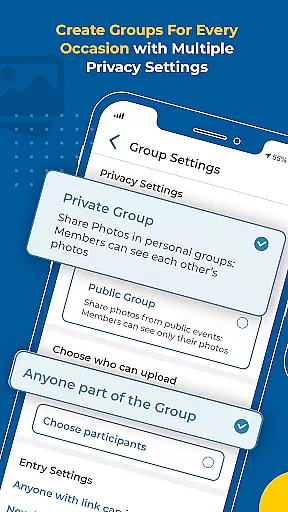


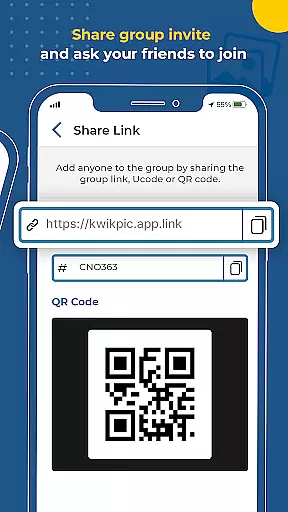
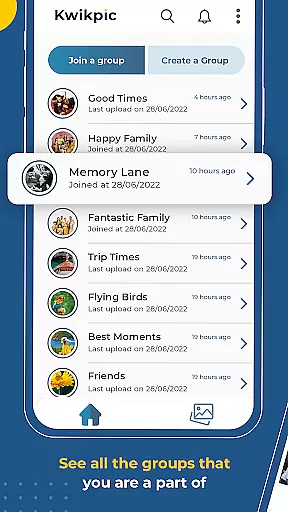
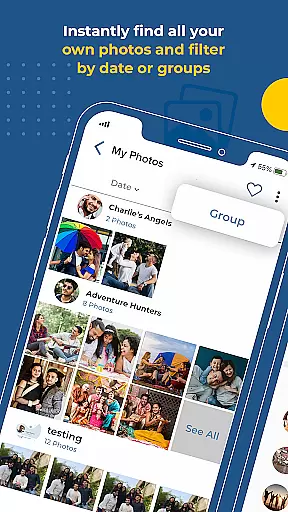
Kwikpic is an innovative photo management app designed specifically for event organizers and participants. The app's core functionality revolves around AI-powered face recognition technology that enables automatic photo sorting, tagging, and sharing. Users can effortlessly upload high-quality images from various sources including device galleries and cloud storage platforms like Google Drive.
What sets Kwikpic apart is its ability to instantly match faces, tag individuals, and notify them about new photos. This makes it an invaluable tool for weddings, conferences, birthdays, and vacations where numerous photographs are taken by different people. The app also provides useful analytics features, allowing users to track metrics such as total impressions and downloads.
The app offers a comprehensive suite of features that streamline the photo-sharing process for event attendees. Its most notable capability is the advanced facial recognition system that automatically sorts and delivers countless photos to their respective recipients without any quality loss. This feature alone saves hours of manual work that would otherwise be required to identify and distribute images.
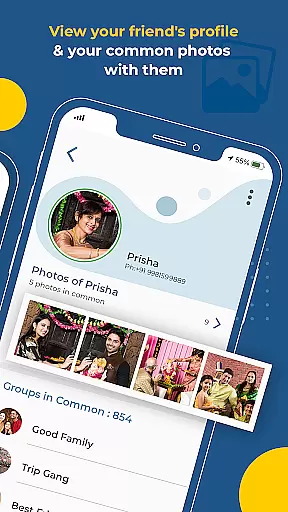
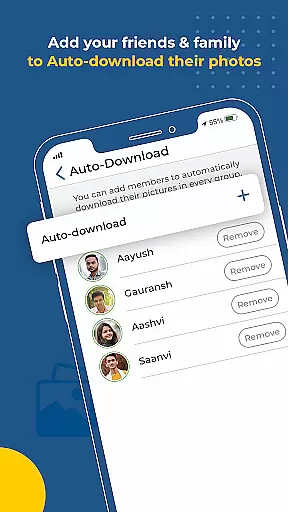
Additional features include group photo organization tools that help find common pictures among members, and robust analytics dashboards showing engagement metrics. The application supports multiple upload sources and maintains original image quality throughout the sharing process. Furthermore, its notification system ensures that tagged individuals are immediately alerted when new photos are available, enhancing real-time collaboration and sharing experiences.
Task creation and detail customization are essential features for any event management app. Kwikpic excels in this area by providing users with the ability to effortlessly upload photos from various sources, including their device's gallery and cloud storage platforms like Google Drive.
The app leverages advanced AI technology to instantly face match, tag, and notify individuals in the photos. This feature streamlines the process of organizing and sharing event photos, allowing users to focus on capturing moments rather than getting bogged down with manual sorting.
With Kwikpic, you can expect a seamless experience when managing your photo tasks. The app ensures that every uploaded picture is sorted using facial recognition, making it easy to find common photos with group members and deliver them to respective owners without hassle.
Reminder settings play a crucial role in ensuring that users never miss an important moment or deadline. Kwikpic enhances user engagement by providing timely notifications once photos are uploaded, sorted, and ready for sharing.
The notification system within Kwikpic is designed to keep everyone informed. Once the AI has processed the images, tagged faces, and matched them with corresponding contacts, all parties involved receive instant alerts so they can view and download their pictures immediately.
This proactive approach not only keeps participants engaged but also helps maintain the momentum of events as people can relive moments through shared photos almost instantly after they happen. With these reminder settings, Kwikpic ensures no memory fades away unnoticed.
User-friendly interface
Advanced AI technology
High-quality photo sharing
Comprehensive analytics
Instant notifications
Requires internet connection
Free version limitations
Occasional processing delays
Limited customization options
Privacy concerns with facial data

Audio guide companion APP for SEE's Michelangelo's Sistine Chapel
 3.50
3.50
Microsoft Build is an annual developer conference hosted by Microsoft
4.20
Local events, contests, and giveaways for local dads
3.70
Invitation card maker for birthday party & Wedding. Digital greeting card editor
4.90
Create invitation cards for birthdays, weddings, Christmas and more.
4.80
Everything you need for the Best Thursday Ever.
4.40
Soft Proxy for Your Online World
4.3
Find Live Event Ticket Deals to Sports, Concerts, Festivals, & Comedy For Less!
4.80
Buy and sell tickets to sports, concerts, theater, festivals, and comedy events
4.10
Clubs, Festivals, Discounted Tickets, Guest Lists & VIP Tables
4.90
TodayTix is the easiest way to get tickets to the best shows in your city.
4.90
Birthday Greetings provides Birthday Card, Frames, Gifs & Father's day Wishes
4.80
Text message invitations for birthday party, wedding, graduation, baby shower +
4.60
Events, Meetings, Photo Shoots
4.50
Invitation Card Maker, Design & share wedding, birthday & party invites fast
4.40
Manage all your events, leads, ticketing, payments and check-ins.
4.30
Microsoft Ignite is an event that showcases latest advancements in technology
4.00
RAISE-365 makes fundraising easy and fun!
3.20
Some connections are better kept private
4.2


User Reviews