
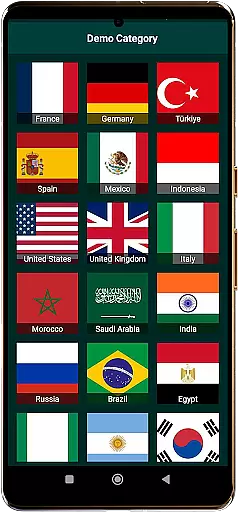
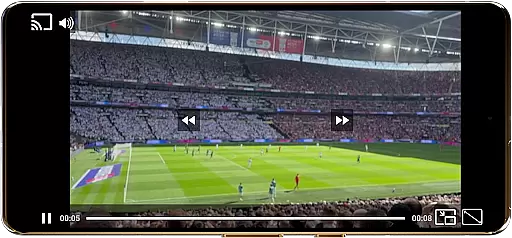
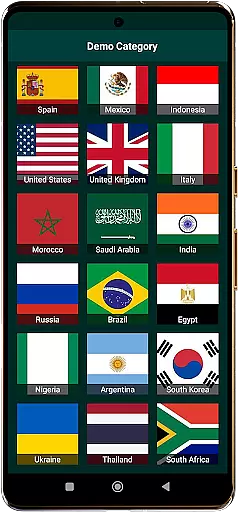
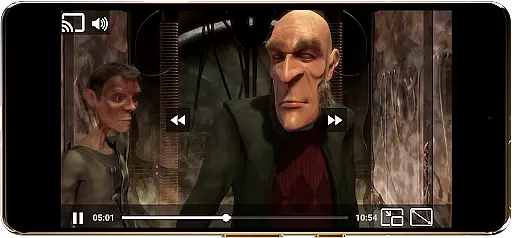
World TV Garden Videos Player is a versatile media player app designed for seamless global TV viewing. The application allows users to watch international TV channels by importing their own streaming links, supporting formats like DASH, HLS, and MP4. With its user-friendly interface, viewers can access Live News, Sports, Entertainment, and more from countries worldwide including USA, UK, India, and Arabic regions.
The app's key strength lies in its customizable features that enhance the viewing experience. Users can enjoy lag-free streaming, Picture-in-Picture mode for multitasking, and Chromecast support for big-screen viewing. Whether you're looking to stay updated with global news or relax with cultural programs, TV Garden provides a flexible platform to create your personalized TV channel lineup using legal streaming links.
TV Garden stands out with its broad format compatibility, supporting various streaming protocols and direct links. This ensures smooth playback of Live TV Streams regardless of source. The app includes advanced features like Picture-in-Picture mode, allowing users to multitask while watching their favorite channels in a floating window.
Customization is at the core of TV Garden's functionality. Users can adjust scaling modes, playback settings, and enjoy enhanced audio quality for an immersive experience. The Favorites List feature enables quick access to preferred channels, while full-screen mode delivers cinema-like viewing. Additionally, the Chromecast integration brings your mobile TV experience to larger screens for shared viewing pleasure.
In the context of TV Garden, task creation refers to the ability to add and organize your personal streaming links into a structured viewing schedule. This feature is crucial for users who want to curate their TV watching experience according to their preferences.
The app allows you to create tasks by saving your favorite streaming links into a dedicated Favorites section. Each link can be labeled and organized based on content type or country of origin, making it easy to access specific channels whenever you want.
Users benefit from this feature by having complete control over their viewing schedule. Whether it's international news in the morning or live sports in the evening, you can customize each task with exact details such as channel name, category, and preferred viewing time.
This level of customization ensures that users can tailor their TV watching experience exactly how they want it, enhancing both convenience and enjoyment. The ability to organize streams by categories like Live News, Music TV Channels, or Entertainment Channels provides a personalized and efficient way to enjoy global TV content.
Reminder settings in TV Garden allow users to set notifications for their preferred TV programs or events. This functionality is essential for ensuring you never miss important broadcasts, whether it's a live sports event, breaking international news, or a special documentary airing.
The app enables users to configure reminders when adding streaming links to their Favorites section. You can set specific times for alerts, choose repetition options for regular broadcasts, and even receive reminders for one-time events.
This feature offers significant value by keeping users informed and up-to-date with their favorite content. Whether you're following a particular sports league or tracking news from different countries, the reminder system helps maintain an organized viewing schedule.
By providing flexible notification options, TV Garden enhances the overall user experience. The ability to customize reminder settings ensures that viewers can engage with their preferred content at optimal times, making TV consumption more intentional and enjoyable.
User-friendly interface
Wide format support
Smooth streaming performance
Picture-in-Picture functionality
Chromecast integration
No built-in channels
Requires manual link input
Link legality responsibility
Limited customer support
Dependent on internet speed

Some connections are better kept private
 4.0
4.0
Microsoft Build is an annual developer conference hosted by Microsoft
4.20
Greeting card maker with photos best app| Birthday cards| All wishes eCards FREE
4.50
Find tickets to upcoming concerts, sports events, festivals, shows, attractions
4.70
Local events, contests, and giveaways for local dads
3.70
Rocket Monkey - Space rocket launch schedule for launch sites around the world
4.20
TV.Garden is a video player to play your own TV streams from around the world!
3.40
RAISE-365 makes fundraising easy and fun!
3.20
Save money on concert, sport, and theater tickets, and discover upcoming events.
4.80
TodayTix is the easiest way to get tickets to the best shows in your city.
4.90
Discover events, experiences, and things to do near you - Anytime, Anywhere!
4.70
Here you can choose tickets for films, performances, concerts and other events
4.60
Create Wedding Invitation and Wedding Anniversary Cards using our app
4.60
Invitation Card Maker, Design & share wedding, birthday & party invites fast
4.40
The calendar app in this 2026 year see all dates.
4.20
Track birthdays, habits & goals. Unlimited countdowns and count-ups
4.20
Watch live football matches and streaming events on our Arabic TV app!
3.50
Create Birthday Cards in Birthday Invitation Maker and Birthday Card Creator App
3.00
Browse events, find transportation, keep up with the latest news from your team
4.4


User Reviews