
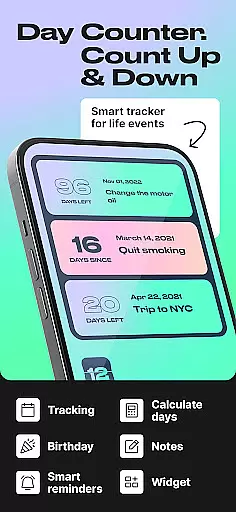
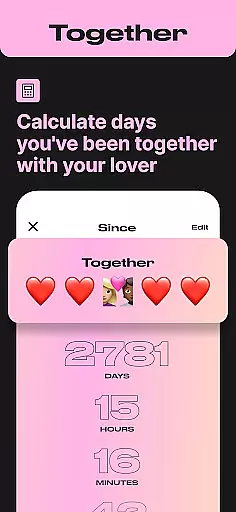
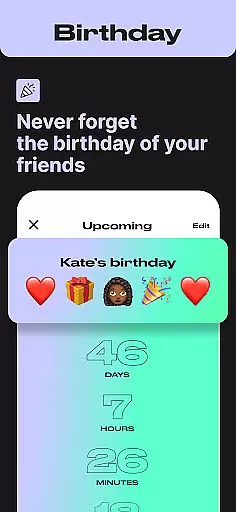
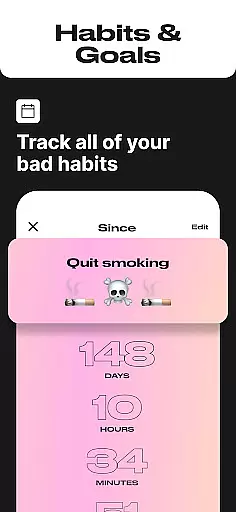
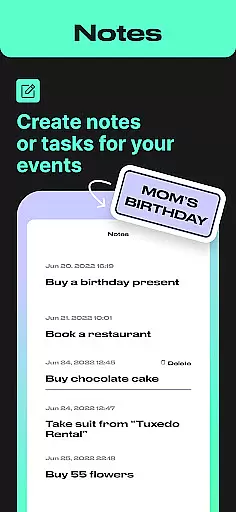
Day Counter is an intuitive Events app designed to help users effortlessly track important dates and milestones. The core functionality revolves around two powerful modes: count up and countdown timers, allowing you to monitor days since or until any significant event. Whether it's personal goals, work deadlines, or special occasions like birthdays and holidays, this app keeps you organized with its unlimited counters feature.
The app stands out with its clean, minimal design and customizable notifications that ensure you never miss a key date. You can create dedicated countdowns for events like Christmas, weddings, or exams, while also tracking ongoing achievements such as habit streaks or sober days. Its versatility makes it suitable for both professional productivity and personal life management.
A great use case is in professional environments where meeting deadlines is crucial. Day Counter helps you stay on top of project timelines by setting precise countdowns for each milestone. This ensures timely completion of tasks while also freeing up mental space to focus on quality work. The app's ability to seamlessly blend into both work and personal routines demonstrates its practical value for users seeking better time management.
Day Counter offers a rich set of features that cater to various time-tracking needs. One standout aspect is the dual-mode functionality, allowing users to switch between counting up for ongoing events and counting down for upcoming ones. This flexibility is enhanced by the unlimited counters feature, enabling you to manage multiple events simultaneously without any constraints.
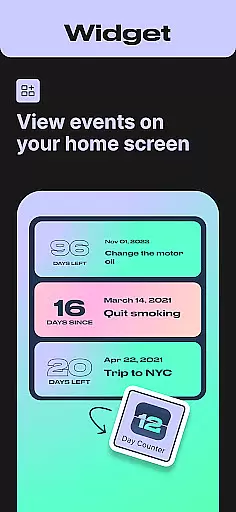
The app provides beautiful widgets and reminders that integrate directly with your device's home screen, keeping you constantly updated without needing to open the app. Custom notifications add another layer of personalization, letting you tailor alerts based on your priorities. These features collectively create a comprehensive time management solution that adapts to different lifestyles.
What sets Day Counter apart is its ability to handle both professional and personal tracking needs. For instance, the sober day counter and habit tracker are perfect for personal development journeys, while the event countdown feature is invaluable for work-related deadlines. This combination of specialized tools within a single app showcases its innovative approach to modern time tracking solutions.
Task creation and detail customization are essential features for any event management app, allowing users to tailor their tracking experience to specific needs. Day Counter excels in this area by offering versatile tools that cater to both personal and professional requirements.
The app provides two powerful modes: count up and countdown. Users can create unlimited counters for various events, from work deadlines to personal milestones like birthdays or anniversaries. Each counter can be named and assigned a specific date, ensuring accurate tracking of time intervals.
Customization extends beyond basic naming and date setting. Users can personalize notifications to never miss an important moment. Whether it's a reminder for an upcoming exam, vacation, or a sobriety milestone, the app ensures timely alerts. This level of personalization enhances user engagement and helps maintain focus on long-term goals.
The ability to review past events by week, month, or year adds another layer of value. This feature enables users to analyze their progress over time, making it particularly useful for habit tracking or monitoring streaks in activities like reading or fitness routines. Such comprehensive customization options make Day Counter a versatile tool for managing various aspects of daily life.
Reminder settings play a crucial role in ensuring users stay on top of their scheduled events and milestones. Day Counter offers robust notification features that keep users informed and prepared for upcoming important moments.
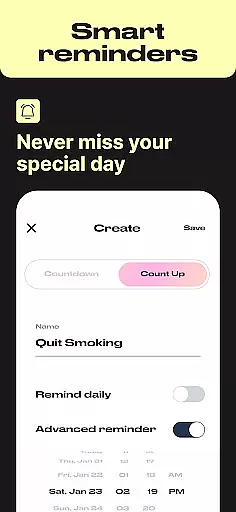
The app allows users to set personalized notifications for each created counter. Whether tracking days until a major exam, counting down to a birthday celebration, or monitoring progress in a new habit, users receive timely reminders. These custom notifications can be tailored to individual preferences, ensuring they never miss a significant event or milestone.
What sets Day Counter apart is its flexibility in managing these reminders. Users can choose specific times for notifications, creating a personalized alert system that fits their daily routine. This feature proves especially valuable when preparing for multiple events simultaneously, such as work deadlines and personal celebrations.
Furthermore, the app's clean and minimal design ensures that these reminders don't become intrusive or overwhelming. The distraction-free interface maintains user focus while still providing essential alerts. With its comprehensive reminder system, Day Counter transforms simple date tracking into a powerful personal productivity assistant, helping users maintain better control over their time management.
User-friendly interface
Unlimited event tracking
Customizable notifications
Clean minimalist design
Versatile functionality
Limited advanced analytics
No team collaboration features
Premium version required
Occasional widget glitches
Basic reminder options

Manages display and transfer of tickets from the Mundo Tickets platform
 3.80
3.80
Fantasy of Lights Event App
5.00
Events, Meetings, Photo Shoots
4.50
Microsoft Ignite is an event that showcases latest advancements in technology
4.00
TV Garden - World Live TV : Play & cast your videos seamlessly!
3.20
Find Live Event Ticket Deals to Sports, Concerts, Festivals, & Comedy For Less!
4.80
Buy tickets for any event!
3.90
Save money on concert, sport, and theater tickets, and discover upcoming events.
4.80
Buy and sell tickets to sports, concerts, theater, festivals, and comedy events
4.10
Buy and Sell Tickets for Concerts, Sports, and Theater.
4.70
Wedding planner app with wedding venues, wedding checklist, countdown & budget.
4.60
Listen Full Quran MP3 Offline - Qibla Compass, Salah Timing & 99 Names of Allah
4.60
Greeting card maker with photos best app| Birthday cards| All wishes eCards FREE
4.50
The calendar app in this 2026 year see all dates.
4.20
Microsoft Build is an annual developer conference hosted by Microsoft
4.20
ETH Mining provides secure way to mine Ethereum & earn ETH in Cloud mining app
3.50
Some connections are better kept private
4.4
Browse events, find transportation, keep up with the latest news from your team
4.0
Thanksgiving Wishes, Thanksgiving Stickers & Animated GIF for Whatsapp Stickers
4.2


User Reviews