
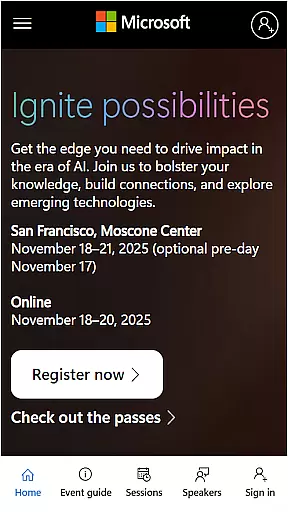
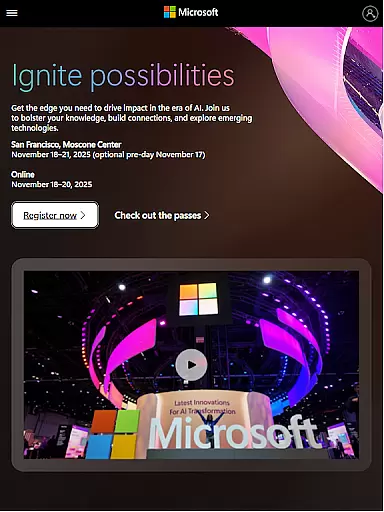
Microsoft Ignite is a premier annual event hosted by Microsoft, designed to showcase the latest advancements in technology, particularly in AI, cloud computing, and productivity tools. The event serves as a hub for tech enthusiasts, developers, and industry leaders to explore new solutions, enhance their skills, and connect with the broader tech community.
Key highlights of Microsoft Ignite include innovations and announcements, networking opportunities, sessions for learning, and social engagement. Attendees can expect to gain valuable insights into cutting-edge technologies and practical applications that can be implemented in their own organizations.
Whether you're looking to stay ahead of technological trends or seeking professional development opportunities, Microsoft Ignite offers a comprehensive platform to achieve these goals. With its diverse range of activities and resources, it's an essential event for anyone involved in the tech industry.
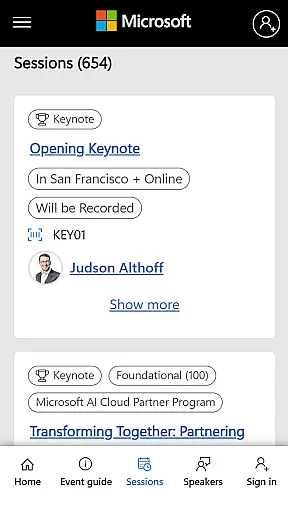
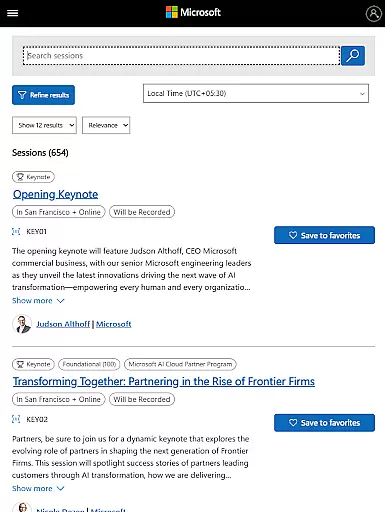
Microsoft Ignite features a wide array of activities and resources tailored for tech professionals. One of the standout features is the series of keynote speeches and breakout sessions led by industry experts, providing deep dives into the latest technological advancements and best practices.
In addition to educational content, the event emphasizes networking and community building. Attendees have numerous opportunities to connect with peers, share experiences, and collaborate on potential projects. This focus on community helps foster long-term professional relationships.
Furthermore, Microsoft Ignite offers hands-on workshops and interactive demos, allowing participants to engage directly with new tools and technologies. These practical experiences are invaluable for understanding how to implement innovative solutions in real-world scenarios.
Task creation and detail customization are essential features for any event management app, allowing users to tailor their schedules according to personal or professional interests. Microsoft Ignite offers a comprehensive platform where attendees can create tasks based on the sessions they wish to attend, keynotes they do not want to miss, and workshops they plan to participate in.
The app provides detailed customization options, enabling users to set reminders for each session with specific time alerts. This ensures that attendees can manage their time effectively during the event, moving seamlessly from one session to another without missing out on important discussions or networking opportunities.
Furthermore, the ability to add notes or special instructions to each task enhances user engagement. Attendees can jot down questions they wish to ask or points they want to discuss during particular sessions, making their participation more meaningful and productive.
Reminder settings play a crucial role in ensuring attendees make the most of their event experience by keeping them informed and on track with their planned activities. Microsoft Ignite incorporates advanced reminder functionalities that allow users to configure notifications based on their preferences and urgency levels.
Users can choose between different types of alerts such as push notifications, email reminders, or SMS messages sent at predefined intervals before each scheduled activity. This flexibility ensures that all participants remain aware of upcoming sessions and events without feeling overwhelmed by constant interruptions.
Additionally, the app's intelligent system learns from user behavior over time, offering personalized suggestions for optimal reminder timings. By analyzing past interactions and feedback, it refines its notification strategy, providing an increasingly tailored experience that aligns perfectly with individual needs and preferences.
Cutting-edge tech insights
Extensive networking opportunities
Expert-led sessions and workshops
Interactive demos and exhibits
Community-focused environment
High registration fees
Limited virtual participation options
Overwhelming content volume
Advanced topics may not suit beginners
Intense schedule demands

Manages display and transfer of tickets from the Mundo Tickets platform
 3.80
3.80
Some connections are better kept private
4.2
Rocket Monkey - Space rocket launch schedule for launch sites around the world
4.20
Listen Full Quran MP3 Offline - Qibla Compass, Salah Timing & 99 Names of Allah
4.60
Clubs, Festivals, Discounted Tickets, Guest Lists & VIP Tables
4.90
Digital Income Wallet of the Final Libertadores 2025
4.5
Beautiful invitation cards + easy RSVP tracking for any event. Design Invites.
4.80
Events, Meetings, Photo Shoots
4.50
Discover events, experiences, and things to do near you - Anytime, Anywhere!
4.70
Create invitation cards for birthdays, weddings, Christmas and more.
4.80
Find Live Event Ticket Deals to Sports, Concerts, Festivals, & Comedy For Less!
4.80
Save money on concert, sport, and theater tickets, and discover upcoming events.
4.80
The Ultimate Tournament Hub
4.70
Discover events & experiences in NYC, LA, Chicago, DC, Miami and more!
4.70
Fast Scans. Happy Fans. For Every Hometown!
4.60
Track birthdays, habits & goals. Unlimited countdowns and count-ups
4.20
Audio guide companion APP for SEE's Michelangelo's Sistine Chapel
3.50
Create Birthday Cards in Birthday Invitation Maker and Birthday Card Creator App
3.00
An App for Bhutanese
4.2


User Reviews