



MapQuest is a comprehensive GPS navigation app that provides turn-by-turn directions for both walking and driving. The app offers up-to-date satellite imagery and maps, real-time traffic updates, and optimized routing to help users save time, gas, and money. With features like a speedometer, favorites for storing frequently visited locations, alternate route choices, and multipoint routes, MapQuest equips users with the tools needed to navigate efficiently across the United States and Canada.
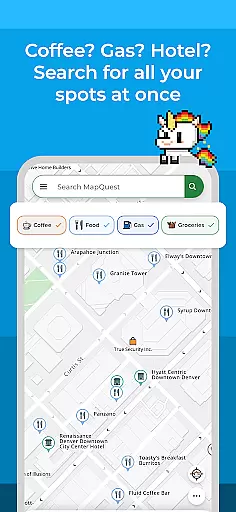
Beyond basic navigation, MapQuest allows users to search and explore nearby points of interest such as restaurants, bars, gas stations, and hotels. Users can also book hotel deals, browse restaurant menus, make reservations, order food, compare gas prices, view local weather, and even access on-demand roadside assistance. This makes MapQuest not just a navigation tool but a complete travel companion.
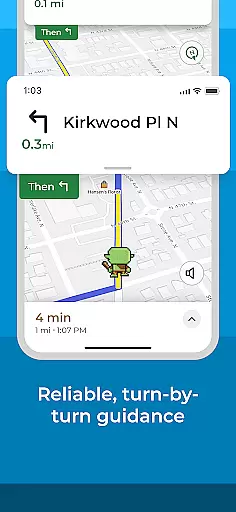
MapQuest stands out with its robust set of features designed to enhance the navigation experience. The app provides real-time traffic updates and optimized routing which collectively ensure the fastest routes to destinations. Its voice navigation system offers clear, turn-by-turn instructions for both walking and driving, making it easier for users to follow along without needing to look at their screens constantly.
Additional functionalities include a speedometer for monitoring current speed against speed limits, a favorites feature for saving frequent locations, and settings to avoid highways or toll roads. MapQuest also supports multipoint routes and planning routes from locations other than the user's current position. Furthermore, the app extends beyond navigation by integrating services like OpenTable and GrubHub for restaurant bookings and food orders, offering hotel deals, and providing local weather updates and roadside assistance.
Map accuracy is essential for reliable navigation and location-based services. MapQuest ensures this by providing up-to-date satellite imagery and maps, which are crucial for accurate route planning and exploration.
The application employs advanced mapping technologies to deliver precise location data, ensuring users can trust the information when traveling through unfamiliar areas. This commitment to accuracy helps users make informed decisions about their routes and estimated travel times.
With detailed maps covering the United States and Canada, MapQuest offers comprehensive coverage that travelers can depend on. The clarity and precision of these maps enhance the overall user experience, making every journey smoother and more predictable.
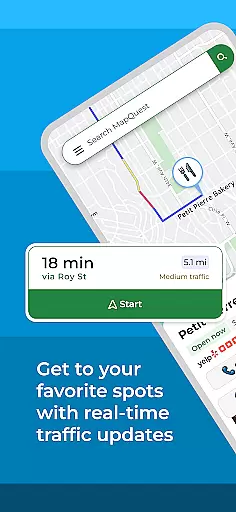
Effective route planning is a cornerstone of the MapQuest app, designed to save users time, gas, and money. By offering optimized routing, the app provides the fastest and most efficient paths to destinations, adapting in real-time to traffic conditions.
Users have the flexibility to choose alternate routes, which is particularly beneficial when avoiding highways, toll roads, or other obstacles. This feature empowers drivers with multiple options, ensuring they can select the most suitable path based on their preferences and current road situations.
Additionally, MapQuest supports multipoint routes, allowing users to plan trips with several stops. This functionality not only simplifies complex travel itineraries but also enhances the practicality of the app for both everyday commutes and longer journeys.
User-friendly interface
Real-time traffic updates
Optimized routing saves time
Comprehensive POI database
Voice-guided navigation
Battery consumption is high
Limited offline functionality
Occasional inaccurate directions
Ads in free version
Subscription required for premium features

Easy, Moderate and difficult offroad adventures.
 4.00
4.00
Complete offline 1:50k South Island topo map including DOC Hunting Permit Areas
4.60
Maps, Driving Directions & GPS navigation using directions app & GPS App
4.30
Your real-time window to the world. Explore anywhere, anytime.
3.30
Explore Earth with live GPS, satellite view & street navigation
3.60
Navigate seamlessly with Real-Time Traffic, Offline Maps, and Voice Navigation.
4.10
GPS navigation offers route finder, compass, translator, currency converter, etc
4.30
Use GPS Maps and GPS Voice Navigation to find your way and get directions
4.10
Rideshare, taxi cabs, and more for your airport travels and everyday trips.
4.50
Get there with the Waymo Driver — The World’s Most Experienced Driver™
4.90
This app is military GPS coordinate systems helper. (MGRS, UTM & DMS Maps)
4.80
Order a cab online. An affordable taxi ride and driver in no time. What a bolt!
4.80
GPS Speedometer & Odometer: Track car, bike, truck speed & distance in real-time
4.70
Park in Chicago, NYC, Boston, SF, Houston & more!
4.70
Affordable rides and food delivery with incredible discounts in just one app.
4.50
Phone Tracker and GPS Location Sharing
4.20
Simple & easy to use a compass app. Get accurate directions.
4.20
Your guide to the recreational opportunities of the Bureau of Land Management!
3.40
Fully offline 1:50k New Zealand topographical map North Island
4.2
Complete Lyft review—pricing comparison, driver quality, safety features, rewards program, and how it stacks up against Uber and competitors.



User Reviews