



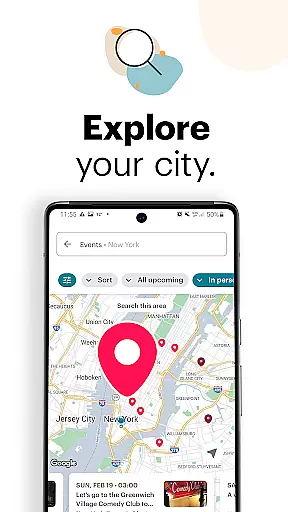
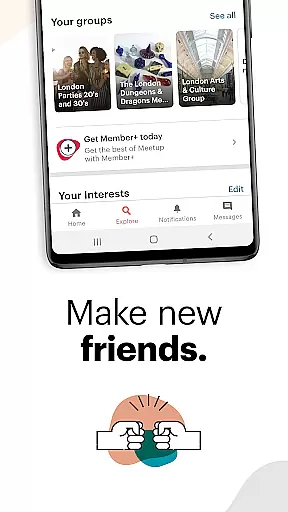



















Meetup is a social networking app that connects individuals with shared interests, both online and offline. With over 60 million members, it facilitates career networking, tech community discovery, personal branding, and hobby engagement. The app's core function is to help users find like-minded people through interest-based groups, making it easy to build friendships and professional connections.
The platform offers access to more than 330,000 groups and hosts 100,000 weekly events, ranging from tech conferences to local yoga classes. Meetup also supports direct messaging, event saving, and personalized event recommendations based on user preferences. Whether you're looking to expand your network or engage in meaningful discussions, Meetup provides the tools to create and sustain impactful relationships.
Meetup stands out with its robust set of features designed to enhance social interactions. One key feature is its advanced matching system, which connects users to groups and events based on their specific interests. This ensures that every interaction is relevant and engaging, whether it's an online discussion or an in-person meetup.
Another notable feature is the ability to create and manage your own groups. Users can host events, schedule meetings, and personalize group settings directly from the app. Additionally, Meetup allows users to save events for later, send direct messages, and share photos within groups. These capabilities foster deeper connections and keep communities active between events, creating a dynamic and interactive experience for all members.
User profile customization is a crucial aspect of any social platform, allowing individuals to express their identity and interests. Meetup offers a comprehensive profile system that enables users to showcase their hobbies, professional background, and affiliations with various groups.
The platform emphasizes authenticity by encouraging members to use real names and photos. This transparency fosters trust among community members and helps create meaningful connections based on shared interests and genuine interactions.
Meetup's verification process includes email confirmation and optional social media linking, which adds credibility to user profiles. These features ensure that members can engage with confidence, knowing they are interacting with real people who share their passions.
Discovering new connections is at the heart of Meetup's value proposition. The platform's sophisticated algorithms analyze user interests and activity patterns to suggest relevant groups and events, facilitating valuable networking opportunities.
Through advanced search capabilities and personalized recommendations, Meetup helps users find communities that align with their professional aspirations or personal hobbies. This targeted approach ensures members can quickly identify and join groups where they'll meet like-minded individuals.
The app's location-based services enhance connection discovery by highlighting nearby events and local groups. This geographical focus enables users to build stronger, more meaningful relationships through face-to-face interactions while still maintaining robust online connections.
User-friendly interface
Vast community network
Customizable event options
Direct messaging capability
Personalized group creation
Limited free event hosting
Occasional app instability
Geographic limitations
Premium subscription costs
Privacy concerns with location data

Video call and chat, live stream and making friends around the world!
 4.60
4.60
A gathering place for 300 million people's life interests and hobbies
4.30
Live video chat to connect with people around the world. Video chatting on Olive
4.40
Date single & make friend
4.60
Online group games like Mafia, Word War, Scattergories, Ludo, Uno, and many more
4.30
Widget Together, Share Whatever! Keep Pets & Share Sleep, Poop, Moods on Screens
4.70
Go Live, Chat & Meet New People! Friends. And more than friends.
3.80
This version of Facebook uses less data and works in all network conditions.
4.60
Connect and share ideas
4.10
Raise cute Pengus with friends
4.70
The hottest live chat app so far. Video chat and meet great people...
4.60
live inside your fandom
4.60
A video app from OpenAI - AI video generation by the maker of ChatGPT
4.60
Connection Beyond Content
4.50
Live Chat & Match! Explore Real-Time Dating and Make Friends!
4.40
The official Skool app. Stay connected to your communities on the go.
4.20
Instant messaging — simple, fast, secure, and synced across all your devices.
4.00
Random chat & meet online. Find your soulmate or someone special and have fun!
3.90
Find your next obsession.
3.50


User Reviews