


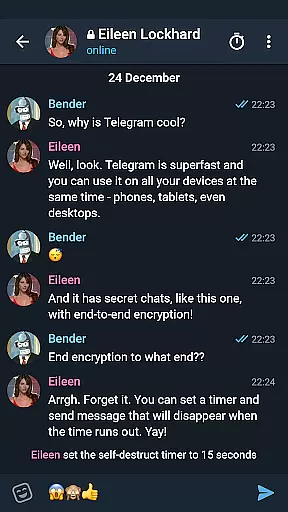

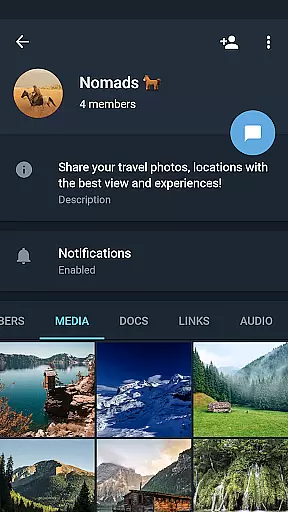
Telegram X represents a streamlined alternative client for the popular Telegram messaging platform, leveraging the TDLib library to deliver enhanced performance. This application is specifically optimized for faster speeds and smoother animations, making it an ideal choice for users who prioritize efficiency in their communication tools. With its experimental features, Telegram X offers early access to functionalities that may eventually be integrated into the main Telegram app, providing tech-savvy users with a testing ground for what's to come.
The app caters to those who are interested in exploring the boundaries of instant messaging technology without compromising on stability or security. It supports all core Telegram services such as sending messages, sharing media, and participating in group chats, while introducing new customization options and interface tweaks not yet available in the standard version.
Among its standout characteristics, Telegram X boasts significantly improved loading times and responsiveness thanks to its reliance on TDLib. The application also introduces exclusive animation effects that enhance user interaction without draining device resources. These visual enhancements contribute to a more engaging experience when navigating through conversations or managing chat settings.
Furthermore, Telegram X serves as a sandbox for trying out novel concepts before they reach mainstream adoption. Users can experiment with upcoming privacy controls, notification management systems, and other innovative tools designed to improve personal productivity and streamline group interactions. As an added benefit, this version maintains full compatibility with existing Telegram accounts, ensuring seamless transition between clients.
User profile customization is a crucial aspect of any social application, allowing users to express their identity and preferences. Telegram X offers a range of options for personalizing profiles, from profile pictures to status updates.
The app ensures authenticity verification through its secure login process and two-factor authentication. This guarantees that user accounts are protected against unauthorized access while maintaining the integrity of their personal information.
With TDLib's advanced capabilities, Telegram X provides a seamless experience when updating and managing user profiles. The interface is intuitive, making it easy for users to modify their details without hassle.
Overall, these features enhance user engagement by fostering a trustworthy environment where individuals can confidently share and connect with others.
Connection discovery in social apps refers to the ability to find and connect with other users who share similar interests or are part of one's social circle. Telegram X leverages TDLib to offer enhanced search functionalities and recommendations.
The app supports various methods for discovering new connections, including searching by usernames, joining groups based on topics, and participating in channels that align with specific interests.
Telegram X also introduces experimental features aimed at improving how users discover each other. These innovations include smarter algorithms for suggesting potential contacts and more interactive ways to engage within communities.
By focusing on speed and slicker animations, Telegram X ensures that connection discovery is not only efficient but also visually appealing, encouraging users to explore and expand their networks effortlessly.
Enhanced speed
Exclusive animations
Experimental features
Full account sync
Advanced privacy
Limited support
Less stable
Fewer updates
Smaller community
No official backup

Second phone number for phone calls & texts. Text & SMS me now with a 2nd number
 4.20
4.20
Meet Strangers Online, Live Video Chat & Make Random Video Calls on Joi!
4.30
Follow the Truth! Join America's leading free-speech social platform.
3.10
Online group games like Mafia, Word War, Scattergories, Ludo, Uno, and many more
4.30
A warm, simple dating app for adults seeking real connection.
4.20
Reddit is where you’ll find your people and feel at home in every conversation.
4.60
Connect and share ideas
4.10
A video app from OpenAI - AI video generation by the maker of ChatGPT
4.60
Create & share photos, stories, & reels with friends you love
3.90
A little connection can go a long way
4.60
live inside your fandom
4.60
Live video chat to connect with people around the world. Video chatting on Olive
4.40
Live Chat & Match! Explore Real-Time Dating and Make Friends!
4.40
Looking for a date or a friend? Swipe to match and meet open-minded singles.
4.20
Honest dating app where real people find genuine love and real matches.
4.20
Discover an open-minded dating experience when you download today
4.10
Join your friends and discover videos you love, only on TikTok
4.10
Instant video chat with cool people. Live video call & make friends with Monkey!
3.80
Go Live, Chat & Meet New People! Friends. And more than friends.
3.80


User Reviews