
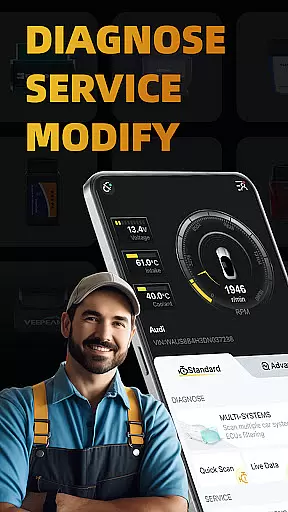
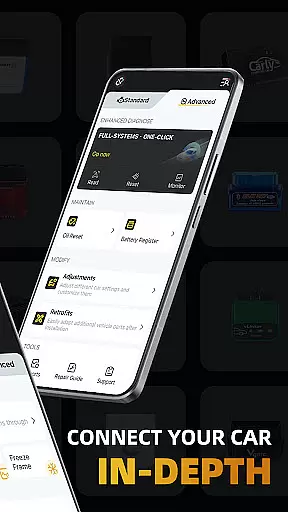
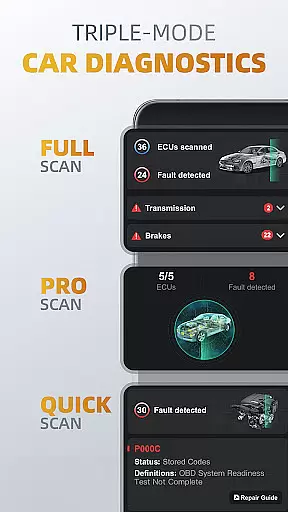
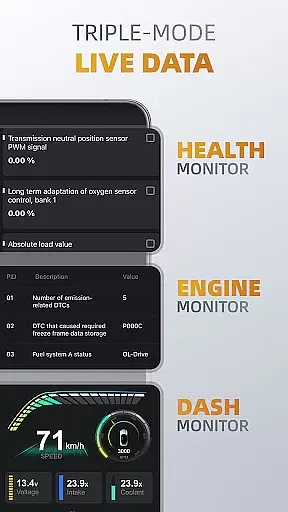
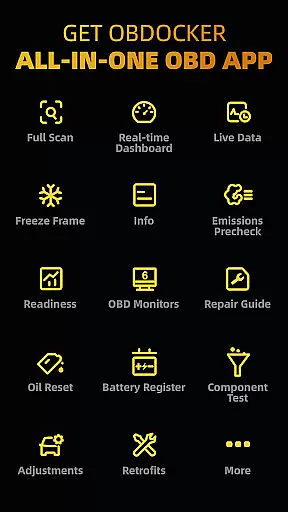
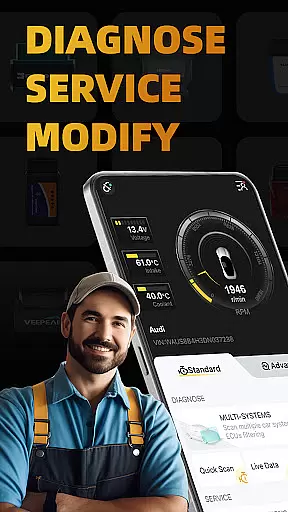
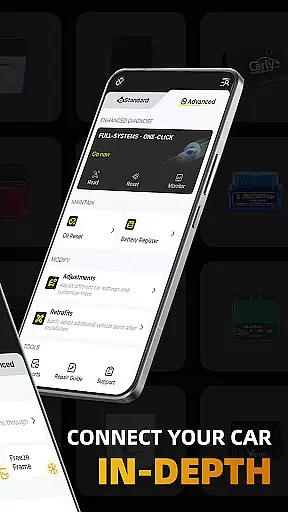
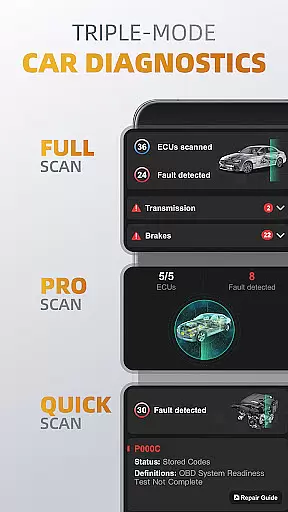
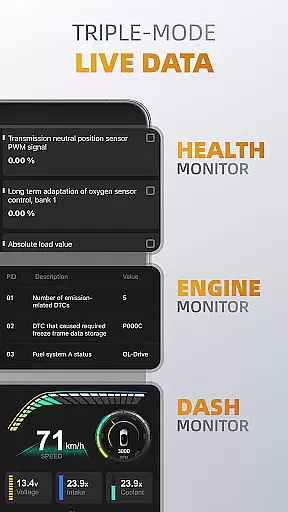
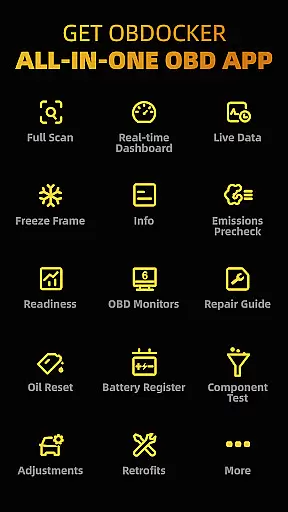
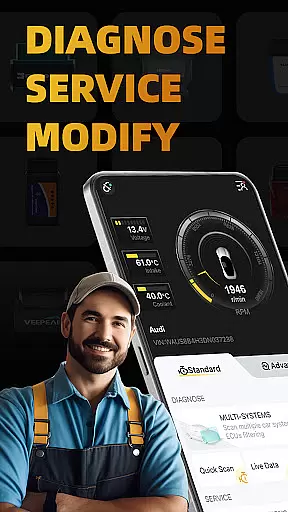
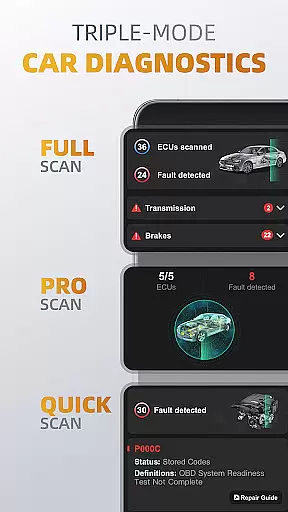
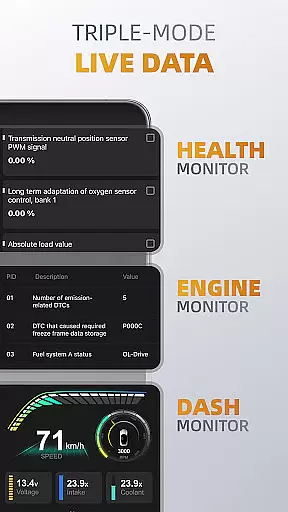
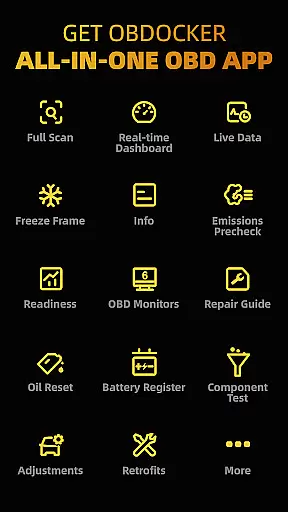
OBDocker is a professional OBD2 car scanner app designed for vehicle diagnostics, servicing, and customization. It offers triple-mode diagnostics including full-systems, multi-systems, and quick scans, allowing users to efficiently identify and resolve vehicle issues. The app also provides real-time monitoring of vehicle performance through its triple-mode live data feature.
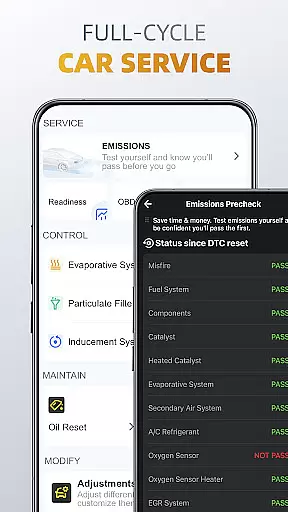
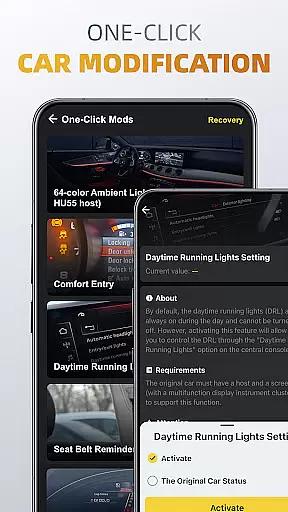
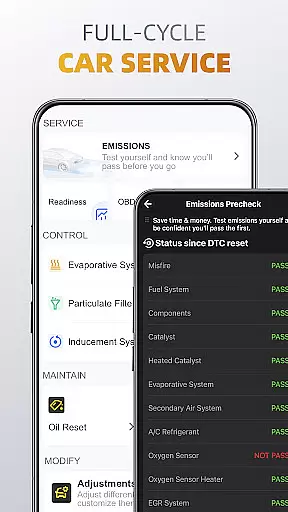
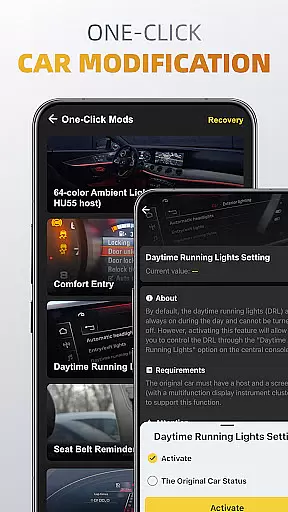
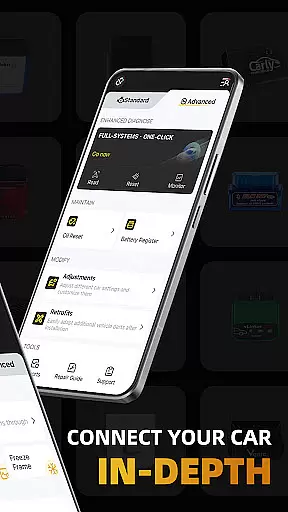
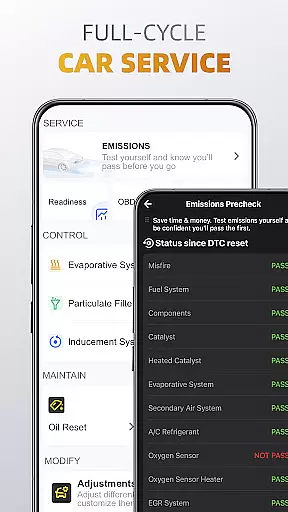
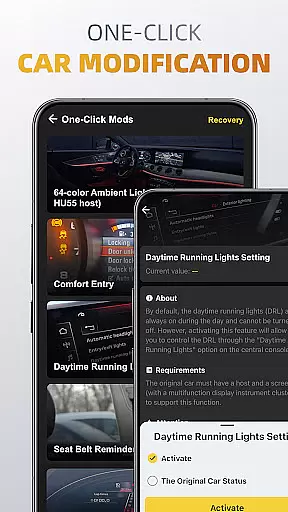
With comprehensive service options like emissions pre-check, control tests, oil reset, and battery registration, OBDocker ensures complete vehicle maintenance. Its one-click modification feature allows easy adjustments and retrofits. Compatible with a wide range of vehicles and OBD adapters, this app is an essential tool for both DIY enthusiasts and professional mechanics.
OBDocker stands out with its advanced diagnostic capabilities. The triple-mode diagnostics allow users to perform full-system checks, scan multiple ECUs, and quickly read or clear engine fault codes. This versatility ensures thorough vehicle analysis and problem resolution. The app's compatibility with various vehicle brands in both standard and advanced modes makes it widely applicable.
The triple-mode live data feature provides real-time monitoring of vehicle health, engine performance, and dashboard metrics. Users can track system parameters and visualize vehicle metrics for better maintenance decisions. Additional features include full-cycle service options such as EVAP leak tests, DPF reinitialization, and oil reset functions, plus one-click modifications for easy vehicle customization.
For optimal performance, OBDocker recommends using high-quality OBD adapters from trusted brands. The app supports different subscription plans, offering a free trial and premium options for unlimited access to all features. This flexible pricing model caters to both casual users and professional mechanics.
Accessing detailed vehicle information is crucial for effective car maintenance and diagnostics. OBDocker provides comprehensive data across multiple systems, allowing users to understand their vehicle's condition in depth.
The app's triple-mode diagnostics feature enables users to perform full-system scans, multi-system checks through ECU filtering, and quick engine fault code readings. This ensures that every critical component, from the transmission management system (TMS) to the supplemental restraint system (SRS), is thoroughly examined.
With real-time parameter tracking in its triple-mode live data display, users can monitor engine performance, system health, and visualize metrics on a virtual dashboard. These capabilities empower car owners and mechanics to make informed decisions about necessary repairs or adjustments.
This level of detailed information helps prevent unexpected breakdowns and allows for timely maintenance, ultimately saving users time and money while extending their vehicle's lifespan.
Price transparency in automotive services is essential for consumers to make informed financial decisions. OBDocker addresses this need by offering clear pricing structures for its diagnostic services and subscription plans.
The application provides a free trial period that gives users complete access to all features, allowing them to evaluate the service before committing financially. For continued use, customers can choose between Pro and Pro Max subscriptions, with each tier's benefits and costs clearly outlined.
OBDocker also saves users potential expenses by enabling them to perform many diagnostic functions themselves, rather than paying for professional mechanic services. The app's compatibility with various OBD adapters, including recommended high-performance options, ensures users can select tools that fit their budget.
This transparent approach to pricing, combined with the cost-saving benefits of DIY diagnostics, makes vehicle maintenance more predictable and affordable for users.
User-friendly interface
Comprehensive diagnostics
Real-time monitoring
Wide vehicle compatibility
Flexible subscription plans
Requires compatible adapter
Premium features locked
Complex for beginners
Dependent on car sensors
Subscription costs

The Smarter Way Forward
 3.30
3.30
Take Control of Your Car
4.80
App Mirroring for Tesla Car's Browser
2.80
Theme for Car Launcher
4.1
Buy and sell your boat
4.70
Take state-specific DMV permit tests and ace the exam.
3.90
O'Reilly Pro will streamline your parts lookup and ordering process!
3.20
Marathon ARCO Rewards members earn rewards & apply the rewards for fuel savings!
4.80
Browse millions of cars, track vehicle listings or sell your car today
4.70
Play what you want through Android Auto
4.90
Car Values, Research and More
4.80
1M+ high-quality auto parts at your fingertips. Fitment guaranteed.
4.70
On the CarShield app, you can view contracts, make payments, & request roadside.
4.40
Digital Car Key/Launcher, Screen Mirror, Android Dashboard, Remote Wireless Link
4.40
A smarter way to park and reserve your spot ahead of time.
4.40
* This app needs an adapter cable and a certain OBD2 adapter to work *
4.20
Monitor your behind-the-wheel behavior to become a safer driver and save.
4.10
Discover new and used cars in Syria easily! Browse ads and connect with sellers.
3.70
Club Car Wash Mobile App—the fast lane to managing your wash membership.
3.30


User Reviews