
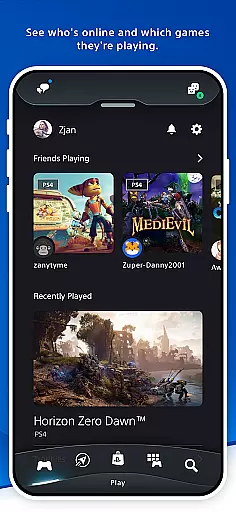

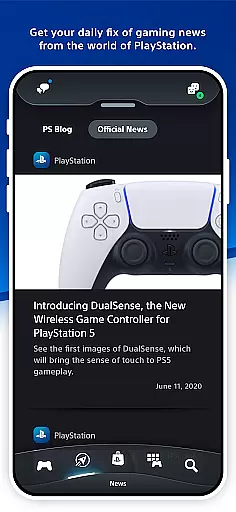
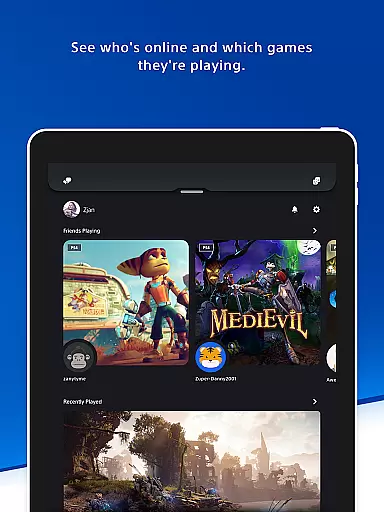
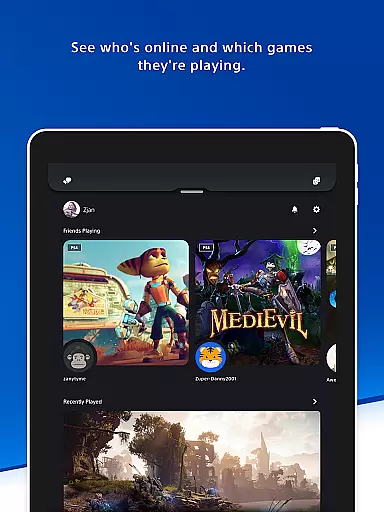
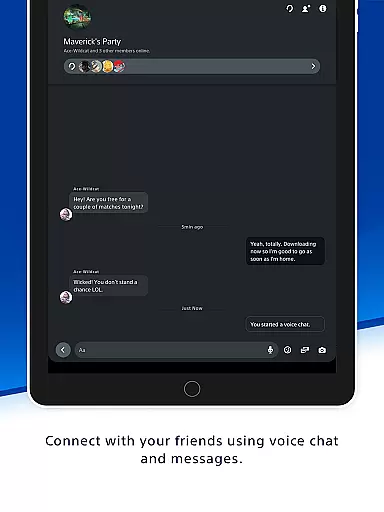
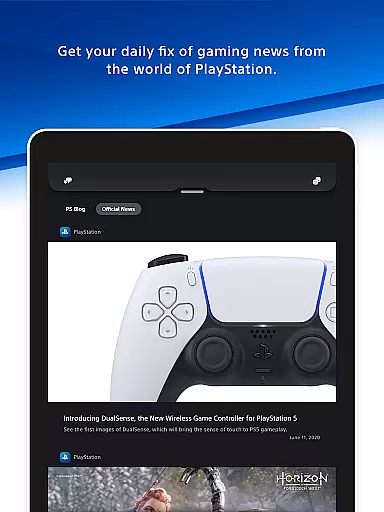
The PlayStation App is your ultimate companion for staying connected to the PlayStation gaming ecosystem. This entertainment-focused application allows users to maintain social connections with their gaming friends, keep tabs on their favorite games, and manage their PlayStation consoles remotely. With a sleek interface and robust functionality, it bridges the gap between mobile convenience and console gaming.
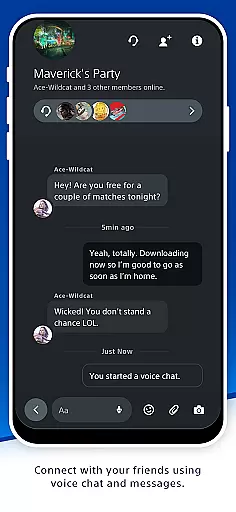
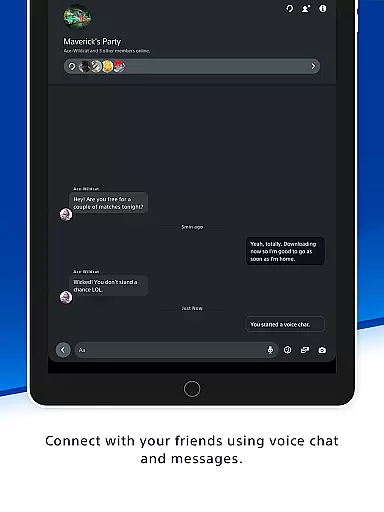
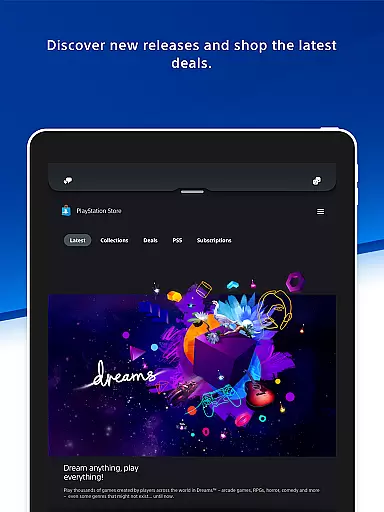
Key features include real-time friend activity tracking, voice chat capabilities, and messaging options that enhance multiplayer coordination. The app also provides direct access to PlayStation Store, where users can discover new games, check out exclusive deals, and expand their gaming library from their mobile devices. Whether you're planning your next gaming session or looking for the latest PlayStation news, this app keeps you in the loop.
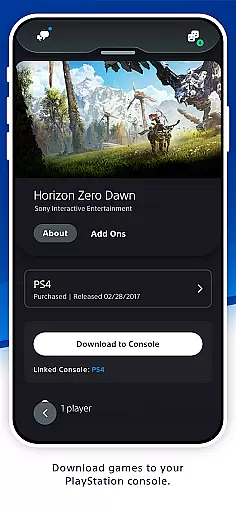
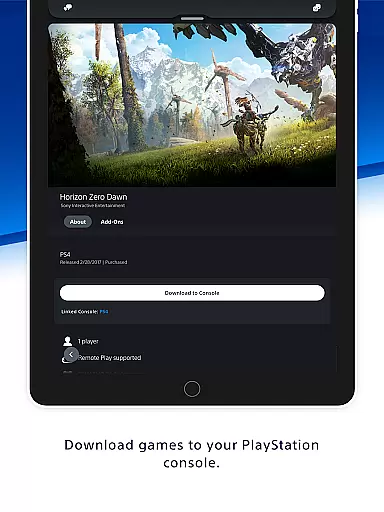
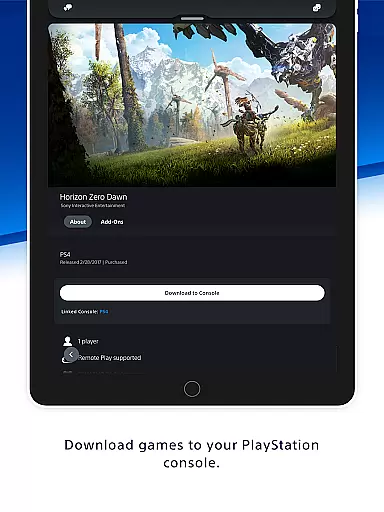
For users who want to optimize their gaming experience, the PlayStation App offers remote management tools. You can download games directly to your console, manage storage space, and even launch games remotely. These features ensure that your console is always ready for action when you are, making it an indispensable tool for any PlayStation enthusiast.
The PlayStation App boasts an impressive array of features designed to enhance the gaming experience. One of its standout capabilities is the comprehensive social networking system that lets users see who's online, view their profiles, and check their trophy collections. This feature fosters a sense of community among gamers and makes organizing multiplayer sessions seamless and efficient.
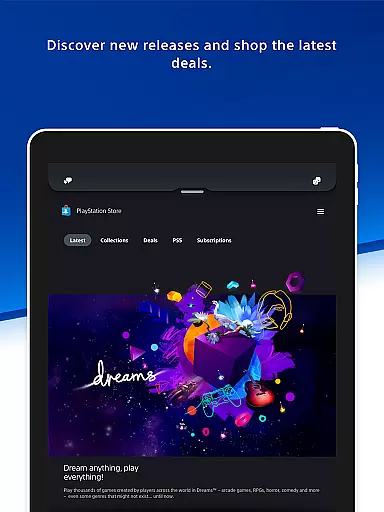
In addition to its social functions, the app serves as a gateway to the PlayStation Store. Here, users can shop for new releases, pre-order upcoming titles, and browse through the latest deals and discounts. The inclusion of gaming news updates ensures that users are always informed about the newest developments in the PlayStation universe. These features collectively create a one-stop-shop for all gaming-related activities.
Another innovative aspect of the PlayStation App is its remote console management system. Users can download games and add-ons to their console directly from their mobile device, freeing up valuable time. The app also allows for storage management and quick sign-in options, ensuring that your console is optimized for performance. These practical tools demonstrate Sony's commitment to providing a user-friendly and efficient gaming experience.
The PlayStation App offers a diverse range of content that caters to various gaming interests and needs. Users can explore new game releases, pre-order upcoming titles, and access exclusive deals on the PlayStation Store directly from their mobile devices. This ensures gamers are always in the loop with the latest offerings and can plan their purchases according to their preferences.
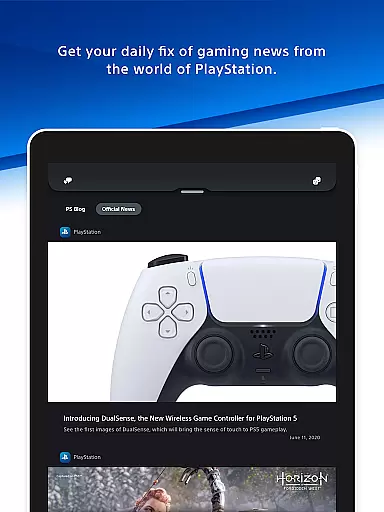
In addition to shopping, the app provides daily updates on gaming news, keeping users informed about events, announcements, and updates from the world of PlayStation. The notifications system is designed to alert users with timely information, ensuring they never miss out on important updates or invitations, even when they're away from their consoles.
One of the key strengths of the PlayStation App is its ability to integrate seamlessly with both PS5 and PS4 consoles. This allows for remote management capabilities such as downloading games and add-ons, freeing up storage space, and even launching games remotely. Such features ensure that players can optimize their console's performance and get ready to play without delay.
User engagement is at the heart of the PlayStation App's design, aiming to keep gamers connected to their gaming world around the clock. By providing features like real-time friend activity, voice chat, and messaging, the app fosters continuous interaction among the PlayStation community. These social tools encourage users to maintain regular contact with their gaming friends, enhancing the overall experience beyond just playing games.
To further boost retention, the app offers convenient management options for the user's console. Gamers can download new titles or manage their consoleu2019s storage remotely, which means less downtime and more playtime. Quick sign-in and remote game launch capabilities make it easier than ever to jump into gaming sessions, thus maintaining high levels of user interest and participation.
Moreover, personalized notifications and lock screen alerts ensure that users remain engaged with relevant content tailored to their interests. Whether it's an invitation to join a multiplayer session or breaking news from the gaming world, these timely updates help sustain long-term user retention by keeping the PlayStation community tightly knit and constantly engaged.
User-friendly interface
Comprehensive social features
Remote console management
Exclusive deals on PS Store
Latest gaming news updates
Requires PSN account
Some features need PS5/PS4
Content varies by region
Occasional connectivity issues
Limited without PlayStation Plus

Pathfinder 2e initiative tracker with bestiary, HP, reaction, conditions, etc
 4.80
4.80
Watch short films, dramas, reels, series and movies anytime on Micro Drama.
4.60
NFL, NBA, NHL, MLB, local sports coverage, shows, movies & news!
3.20
Necrophone is spirit box ghost hunting app made for spirit communication.
3.70
Explore the unknown!
3.00
Daily immersive workout plan: Body warm up & finger yoga exercises
3.80
Everything FOX in one place. Watch FOX News, NFL, MLB, TV shows and more.
4.50
World's largest dedicated anime collection
4.70
Watch TV shows, movies, and stream Live TV channels without a subscription!
3.80
Original short dramas with diverse genres for a rich viewing experience!
4.80
Stream Live TV, News & Documentaries. Watch Full Seasons with PBS Passport.
4.80
Fetch money rewards all just for playing games. Cash out for gift cards in app.
4.50
Create melty bead designs by numbers, photos or your imagination
4.40
Stream live TV shows, sports, news, movies & more - all without cable.
3.00
With the Steam Mobile App, you can take Steam with you anywhere.
3.00
With the credits you earn play more games
2.90
Watch everything you want.
2.90
Unofficial Game Companion App” “Guides • Builds • Tips • Progression
4.5
Music visualizer and party effects for your Nanoleaf devices
4.2


User Reviews