
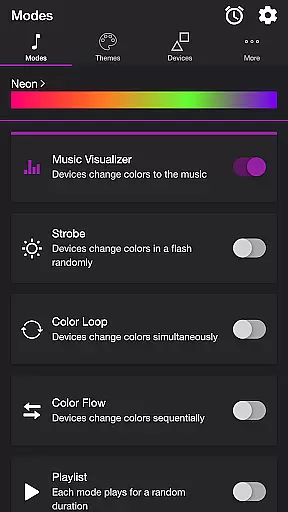
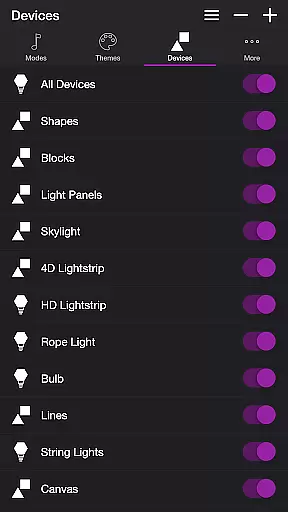
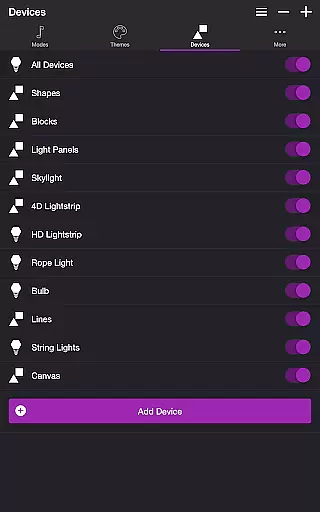
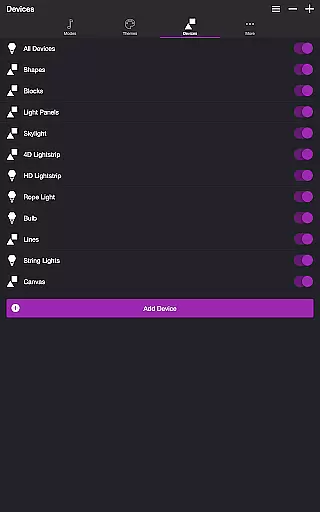
Soundstorm for Nanoleaf is an entertainment app designed to elevate your party experience through synchronized light shows with Nanoleaf devices. The app supports both Nanoleaf Wall Lights and Nanoleaf Matter (Wi-Fi) Smart Devices, offering users a variety of modes to choose from. Whether you want your lights to pulse to the beat of your favorite songs or create dynamic color sequences, this app delivers a customizable and immersive lighting experience.
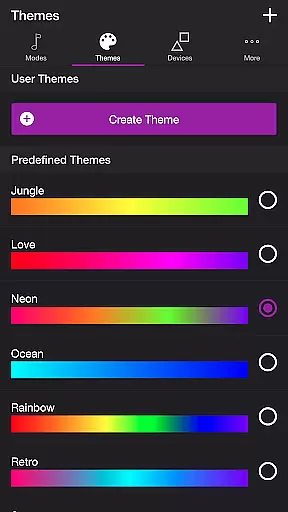
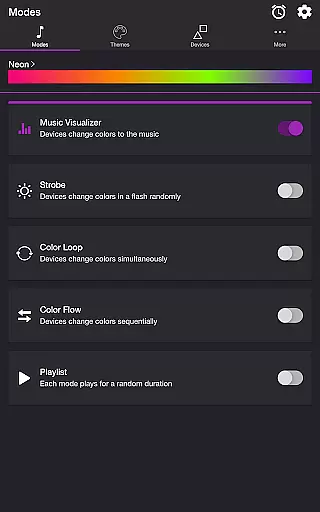
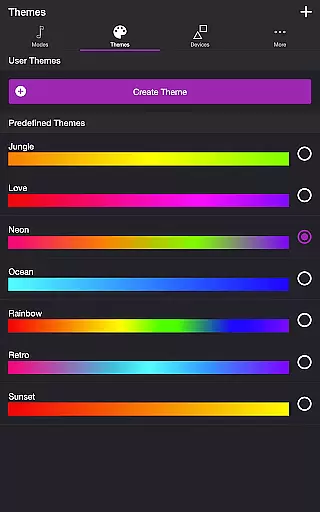
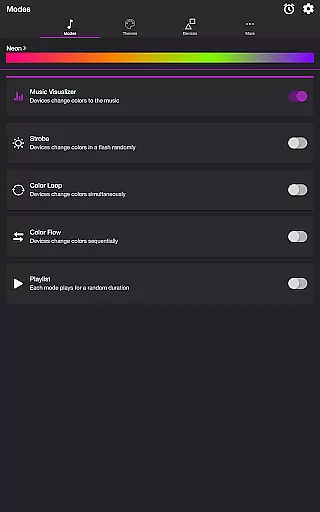
The app features multiple modes including Music Visualizer, Strobe, Color Loop, Color Flow, and Playlist. Each mode uses customizable themes that allow users to tailor the light show to their preferences. With intuitive controls for adjusting brightness, transition effects, and frequency detection, Soundstorm for Nanoleaf ensures every setting is optimized for maximum enjoyment. Perfect for parties or creating ambient environments, this app brings your music and lighting together in perfect harmony.
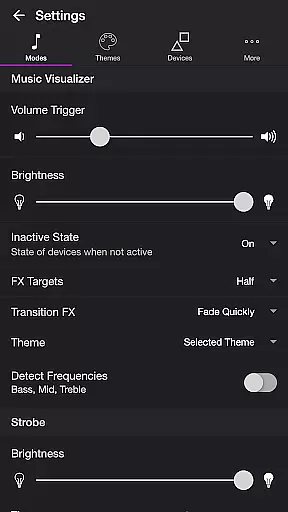
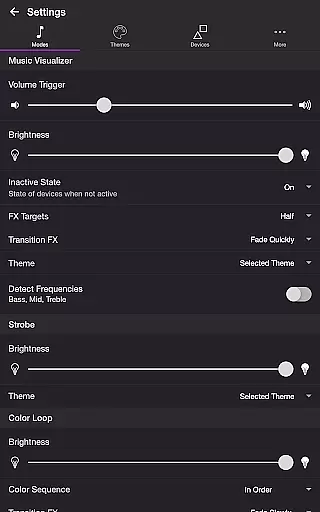
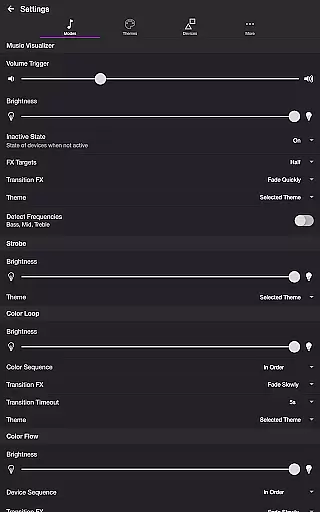
Soundstorm for Nanoleaf offers a rich set of features that cater to diverse user needs. One standout feature is the Music Visualizer mode, which uses microphone access to sync light effects with music in real-time. Users can customize volume triggers, brightness levels, and transition effects like Pulse or Fade Slowly, ensuring the light show perfectly matches the audio input.
In addition to Music Visualizer, the app includes several other modes such as Strobe, Color Loop, and Color Flow. These modes provide options for random flashes, simultaneous color changes, or sequential lighting patterns. The Playlist mode cycles through different modes at random durations, adding variety to the experience. Advanced settings allow users to fine-tune each mode's behavior, including frequency range triggers and device sequence orders, making it highly versatile for any occasion.
Soundstorm for Nanoleaf offers a diverse range of content through its multiple modes and themes, ensuring users have a fresh experience with every use. The app includes modes such as Music Visualizer, Strobe, Color Loop, Color Flow, and Playlist, each providing unique ways to interact with Nanoleaf devices.
The Music Visualizer mode listens to the ambient sound or music and translates it into color changes on the Nanoleaf lights, creating an immersive atmosphere. With customizable settings like volume trigger, brightness, and transition effects, users can tailor their experience to match their preferences.
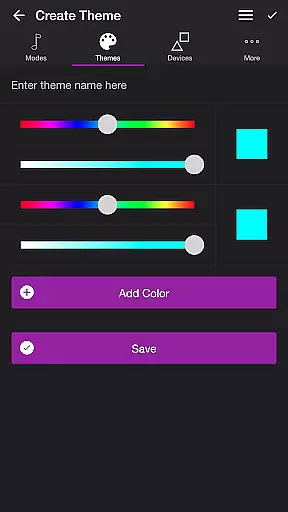
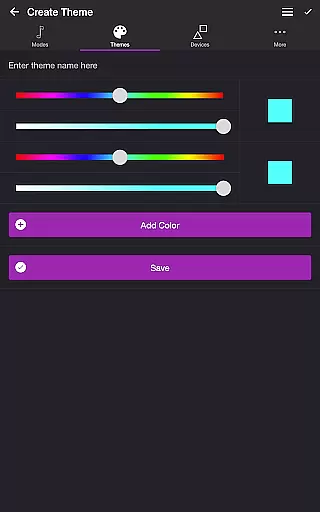
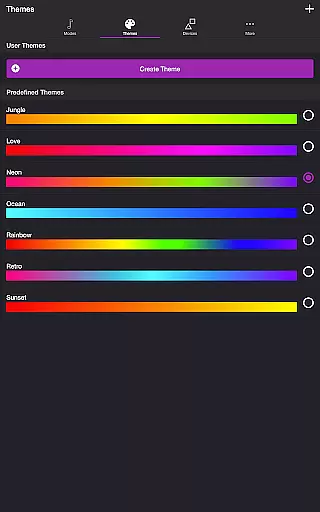
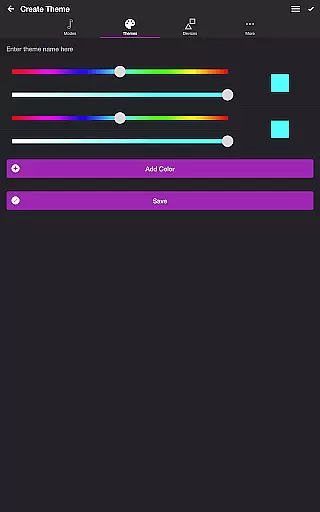
Moreover, the app allows users to choose from predefined themes or create their own, adding another layer of personalization. Each mode uses the colors in the selected theme, and users can even reorder colors specifically for the Color Loop mode, ensuring that the visual output is always aligned with their tastes.
User engagement is at the heart of Soundstorm for Nanoleaf's design, with features crafted to keep users interacting with the app over extended periods. The app's various modes, including Strobe, Color Loop, and Color Flow, offer dynamic light shows that captivate users' attention and encourage prolonged use.
In particular, the Playlist mode plays different modes for random durations, keeping the experience unpredictable and engaging. Users can customize the sequence and duration of each mode, allowing them to create personalized light shows that suit their mood or event.
Additionally, the app provides a Sleep Timer feature, which automatically stops the selected mode after a chosen time, promoting healthy usage habits. By offering extensive customization options and considering user wellbeing, Soundstorm for Nanoleaf ensures high retention rates among its users.
User-friendly interface
Highly customizable themes
Real-time music synchronization
Multiple lighting modes
Compatible with various Nanoleaf devices
Requires specific hardware
Microphone access needed
Limited free themes
Complex setup process
Premium features may require payment

Watch whatever you want, whenever you want, wherever you want.
 3.30
3.30
Binge-worthy short dramas on DramaRush—engaging stories that fit your day.
3.90
Triple A is a highly complex, kinetic, and interactive visualizer.
4.50
Browser for Chromecast to stream webvideos, online movies, IPTV & HD livestreams
4.40
Atomus is a 10-finger multi-touch interactive visualizer.
4.30
Create melty bead designs by numbers, photos or your imagination
4.40
With the credits you earn play more games
2.90
NFL, NBA, NHL, MLB, local sports coverage, shows, movies & news!
3.20
Everything FOX in one place. Watch FOX News, NFL, MLB, TV shows and more.
4.50
Find out if you're on Santa's Naughty or Nice List with this magical scanner!
4.60
The JBL Portable app works with JBL portable Bluetooth speakers.
4.60
Unleash Your AI Imagination
4.60
Come and watch short dramas, reels with diverse genres!
4.40
Practice and master your ESP and intuition with five mode trainer.
4.20
Your choice of 350+ networks plus movies and full TV series on-demand.
3.70
Binaural Brainwave Doses for Every Imaginable Mood
3.60
With the Steam Mobile App, you can take Steam with you anywhere.
3.00
Disney Stickers: Zootopia 2
4.0
Christmas Globe: Transform your Wear OS device into a festive timekeeper!
4.2


User Reviews