
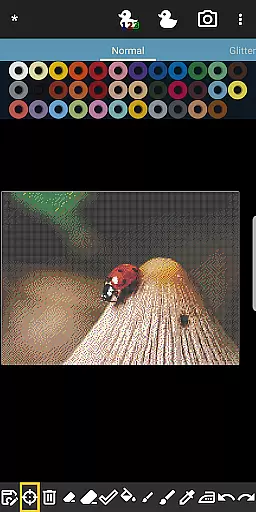
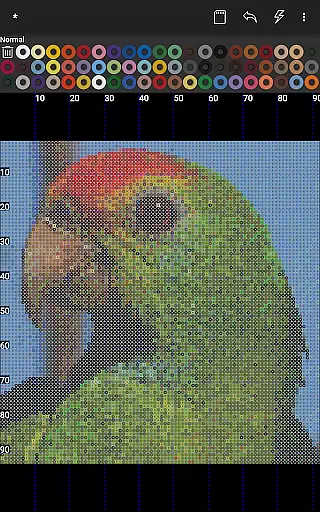

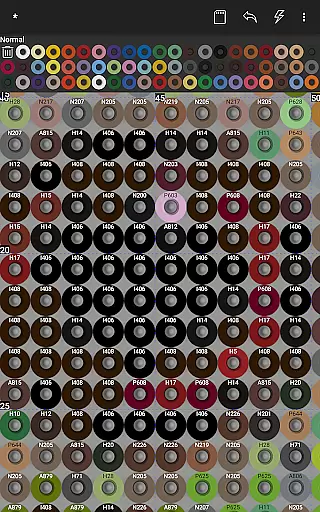
BeadStudio is a versatile digital platform that allows users to create intricate fuse or melty bead designs and patterns before transferring them to real pegboards. This app caters to a wide audience, from children to professional artists, providing a space for creativity without the physical constraints of traditional melty beads. Whether you're at home, in a car, or on a bus, BeadStudio lets you explore new ideas and designs comfortably.
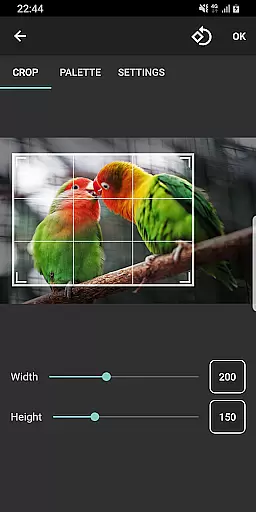
The app offers unique features such as a photo-to-bead conversion tool, which transforms any image into a design using specific brands and colors of beads available to the user. It supports major fuse bead brands like Hama Beads, Perler Beads, Artkal Beads, Nabbi Beads, and Pyssla Beads. Additionally, it includes an entertaining feature called Bead By Numbers, akin to Paint By Numbers, which helps improve motor skills, especially in children. With its easy-to-use interface, BeadStudio is suitable for both kids and adults, making it a comprehensive tool for creative expression.
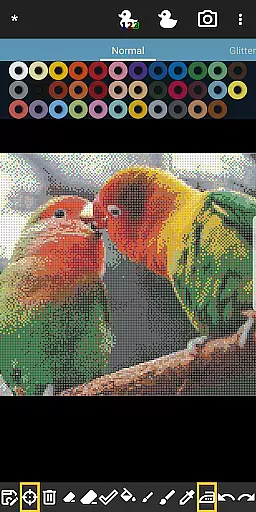
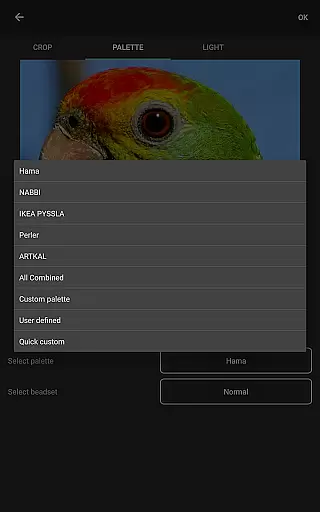
BeadStudio stands out with its robust set of features tailored for fuse bead enthusiasts. One of its key functionalities is the ability to convert photos into bead designs, allowing users to transform family photos, landscapes, or any image into beautiful bead art. The app supports all major fuse bead brands, including Hama Beads, Perler Beads, Artkal Beads, Nabbi Beads, and Pyssla Beads, and even allows mixing different types of beads in one custom palette, offering unparalleled flexibility.
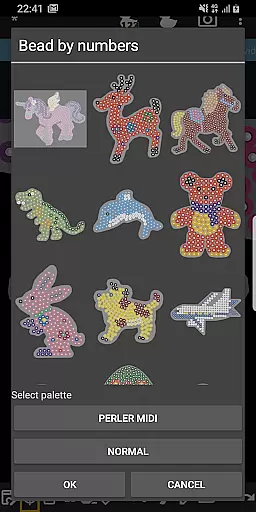
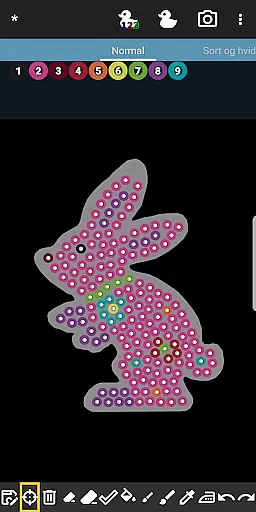
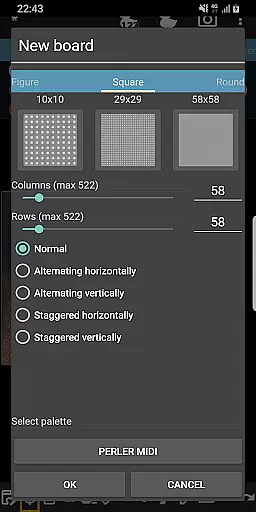
In addition to its photo conversion tool, BeadStudio offers a variety of templates, shapes, and figures such as unicorns, bunnies, and dinosaurs. Users can create standard rectangular boards or choose from these readymade templates. The app provides tools for placing single beads, drawing with a brush tool, and correcting mistakes with undo/redo and eraser functions. The Bead By Numbers feature adds another layer of engagement by letting users fill out numbered patterns, stimulating creativity and improving motor skills. These features collectively make BeadStudio a powerful tool for both recreational and professional fuse bead projects.
BeadStudio stands out in the Entertainment category by offering an extensive range of content that caters to various age groups and skill levels. From simple designs for children to photorealistic artworks for adults, the app provides a rich diversity of creative possibilities.
The application supports all major brands of fuse beads, including Hama Beads, Perler Beads, Artkal Beads, Nabbi Beads, and Pyssla Beads. This versatility allows users to work with their preferred materials while exploring new ideas and designs. The built-in photo-to-bead conversion tool adds another layer of creativity, enabling users to transform personal photos into bead patterns using specific brands and colors they have available.
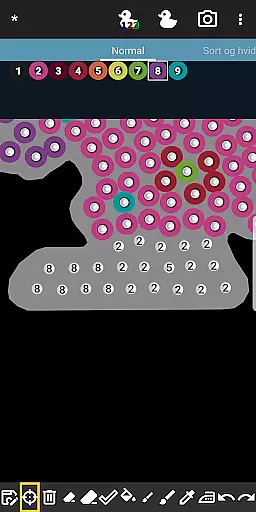
One of the most innovative features is Bead By Numbers, which operates similarly to Paint By Numbers. This function includes ready-made figures, shapes, and animals such as bunnies, unicorns, butterflies, dinosaurs, and dogs. Each peg is numbered, guiding users to select matching fuse beads from the palette and fill out the pattern. This feature not only entertains but also helps improve motor skills, especially for younger users.
The regular updates and addition of new templates ensure that the content remains fresh and engaging. Whether creating Christmas ornaments, jewelry, or home decor items, users will find continuous inspiration within BeadStudio.
User engagement is a crucial metric in the Entertainment category, and BeadStudio excels in this area through its meditative and calming design process. The app offers a unique blend of recreation and meditation, appealing to a wide audience from kids to professional artists.
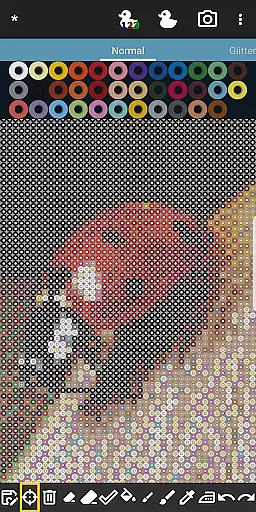
The ease of use and accessibility of BeadStudio contribute significantly to prolonged user sessions. Users can create designs anywhereu2014whether on the sofa, in the backseat of a car, or on a busu2014making it more convenient than working with physical melty beads. The ability to zoom in makes the beads large enough for even the smallest fingers, ensuring that both children and adults can comfortably engage with the app.
BeadStudio's support for mixing different types of beads in one custom palette enhances user retention. If a particular color is missing, users can easily create a custom palette, encouraging continued experimentation and creativity. Mistakes are part of the learning process, and the undo/redo and eraser tools make it easy to correct errors without frustration.
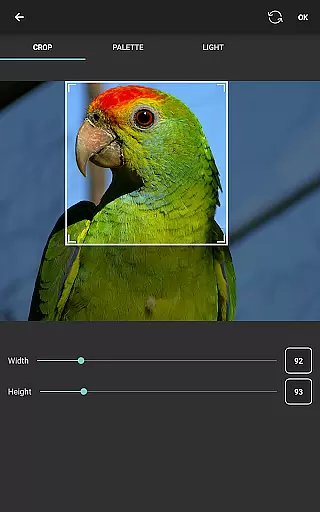
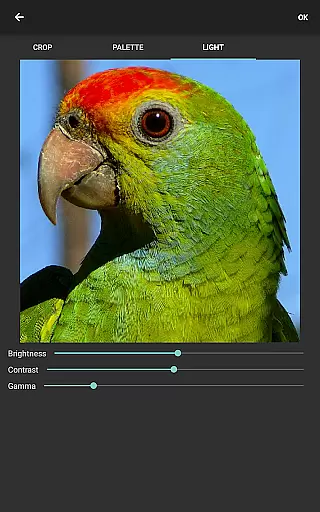
Furthermore, the app's capability to generate boards from photos adds a personalized touch, increasing user investment in their projects. Controlling aspects like dithering, coloring, and lighting before conversion ensures high-quality results, motivating users to return and create more designs.
User-friendly interface
Supports multiple bead brands
Photo-to-bead conversion
Customizable palettes
Engaging Bead By Numbers
Requires internet connection
Limited offline functionality
External storage permission
Premium features may cost
Learning curve for beginners

Watch short films, dramas, reels, series and movies anytime on Micro Drama.
 4.60
4.60
With the credits you earn play more games
2.90
Catalog & tracker of your DVD, Blu-ray & Digital Movie and TV Collection Library
4.80
Colorful flows will relax and calm you down, or get you trippy and creative!
4.90
Christmas Globe: Transform your Wear OS device into a festive timekeeper!
4.1
Companion app for Elden Ring to track quests, bosses, progress and more.
4.70
Hand-drawn, cartoon OC creator - original character creator
4.70
Watch Reels, Drama Shorts & TV Series Anytime. Download DramaWave Now!
4.70
Everything FOX in one place. Watch FOX News, NFL, MLB, TV shows and more.
4.50
Classic dynamic pixel art from Mark Ferrari.
4.70
Fetch money rewards all just for playing games. Cash out for gift cards in app.
4.50
Start EVP/Spirit Box tonight: real EMF, offline, recording. One-time purchase.
4.10
Music visualizer and party effects for Hue
3.90
Real ghost box scanner with echo, reverb, EMF, & multi-stream channels.
3.80
Necrophone is spirit box ghost hunting app made for spirit communication.
3.70
VR 360 Cinema Player is the ultimate VR player for playing videos on mobile
3.50
Stream live TV shows, sports, news, movies & more - all without cable.
3.00
Explore the unknown!
3.00
Simulation of Dashboard / Touch Screen for Tesla. (Works without actual Tesla).
4.3


User Reviews