
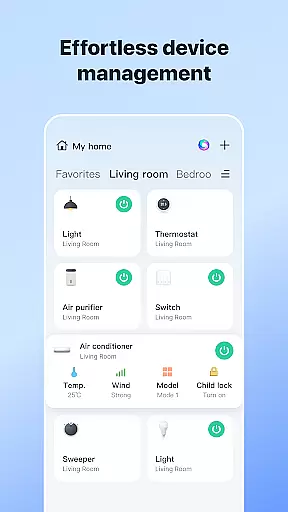
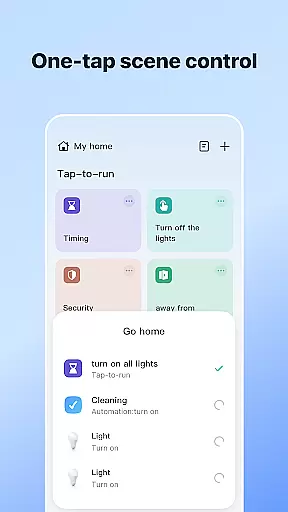

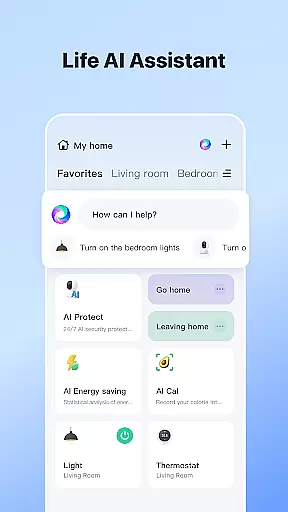


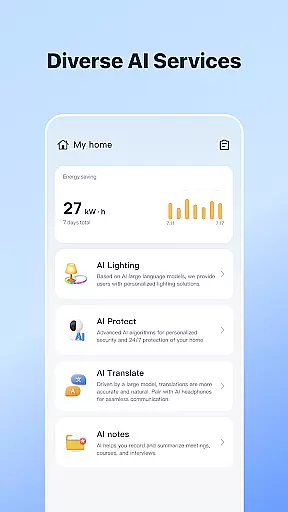


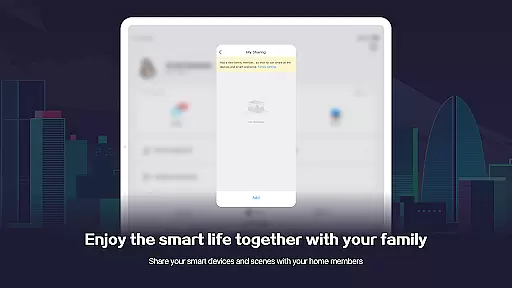
SmartLife is a comprehensive lifestyle application designed to elevate your smart home experience. This innovative app allows users to seamlessly connect and control a wide range of smart devices from their mobile devices, ensuring convenience and peace of mind. With its intuitive interface, SmartLife makes home automation effortless by responding to various triggers such as location, schedules, and environmental conditions.
The app's standout feature is its voice control compatibility with smart speakers, enabling hands-free management of your smart devices. Whether you're adjusting the thermostat, turning off lights, or receiving timely notifications about important events, SmartLife keeps you informed and in control. Additionally, the ability to invite family members enhances shared living spaces, making it comfortable for everyone involved.
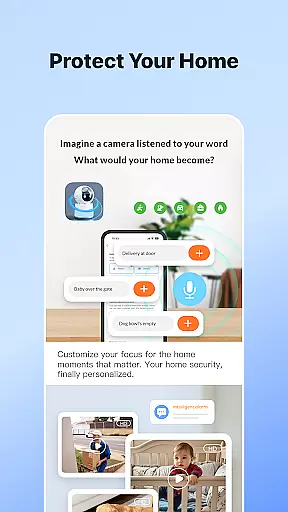
SmartLife is particularly useful for tech-savvy homeowners who want to optimize their smart home ecosystem. By centralizing device management and offering advanced automation features, this app significantly improves daily living efficiency while providing an extra layer of security and comfort.
SmartLife offers an impressive array of features that cater to modern smart home enthusiasts. One of its key strengths is the ability to interconnect multiple smart devices effortlessly. Users can customize device settings based on specific triggers like time of day, weather conditions, or even geolocation, creating a truly personalized smart home environment.
The app's voice control integration with smart speakers stands out as a major advantage. This feature allows users to interact with their devices through simple voice commands, streamlining daily tasks and enhancing accessibility. Furthermore, SmartLife provides real-time notifications and alerts, ensuring users never miss critical updates about their home's status.
Another notable feature is the family sharing functionality, which lets users invite household members to access and control shared devices. This collaborative approach not only simplifies device management but also fosters a more harmonious living space. With its robust permission system and support for various optional access permissions, SmartLife maintains both flexibility and security.
SmartLife offers comprehensive coverage of lifestyle categories, ensuring users can manage various aspects of their daily lives through a single, integrated platform. The app supports an extensive range of smart devices, from home automation systems to smart speakers, enhancing convenience and efficiency.
With features that cater to home security, energy management, and entertainment, SmartLife stands out in its ability to interconnect different device types seamlessly. This interconnectedness allows for automated routines based on user preferences, such as adjusting lighting according to the time of day or weather conditions.
Moreover, the inclusion of voice control capabilities through smart speakers adds another layer of accessibility and ease-of-use. Users can interact naturally with their environment, making adjustments or receiving information simply by speaking commands.
The app also facilitates family coordination by allowing multiple users to access and control shared devices. This ensures that everyone in the household can contribute to maintaining a comfortable living space tailored to collective needs.
SmartLife places a strong emphasis on content authenticity and expert credibility, ensuring that all information provided within the app is accurate and reliable. By partnering with reputable manufacturers and industry experts, the app guarantees high-quality standards across its supported devices.
Device integration processes are meticulously vetted to ensure compatibility and performance consistency. Each connected gadget undergoes rigorous testing protocols before being approved for use within the SmartLife ecosystem, safeguarding against potential malfunctions or security vulnerabilities.
In addition to technical validation, SmartLife incorporates feedback mechanisms where users can report issues or suggest improvements directly to developers. This collaborative approach fosters continuous enhancement while building trust among its community of smart homeowners.
Furthermore, regular updates keep the platform aligned with emerging technologies and trends in smart living solutions. These updates not only introduce new functionalities but also reinforce existing ones, ensuring long-term value for subscribers seeking cutting-edge home management tools.
User-friendly interface
Voice control compatibility
Real-time notifications
Family sharing options
Advanced automation features
Requires multiple permissions
Limited offline functionality
Device compatibility issues
Occasional connectivity problems
Premium features subscription-based

Digital watch face design. Modern looking, hi-res & battery friendly.
 4.00
4.00
Discover how to help puppies stay calm around noise with this helpful app.
4.3
Smart controls for your Ember Smart Mugs
4.10
Take Hobby Lobby with you wherever you go!
3.40
Smart home security protection
3.20
The cutest Autumn watchface featuring the adorable Mr. Squirrel
4.4
Celebrate the holidays with Advent Calendar: daily surprises and festive fun!
4.1
AAA Mobile provides on-the-go access to the services you know and trust.
4.60
Earn money for every survey and game you play, and get real rewards every time
4.50
Discover the "To Be a Christian" App: Your Guide to Deepening Faith!
5.00
Get roadside help, discounts, travel tools & more — AAA is with you everywhere.
4.80
Daily lessons from A Course in Miracles with scheduled reminders
4.80
A smart Siddur with halachic times
4.60
Discover your Nationality, Family Origin, and Ancestry from one selfie
4.50
Zodiac & Horoscope Launcher: Daily Sign Predictions & Astrology
4.40
Material You inspired colors with BIG and Bold looks for Wear OS watches.
4.20
Do you want to communicate with spirits?
3.80
Paranormal EVP, Ghost Box, Spirit box, ITC, Haunted, Spirit communication device
3.70
Wear your favorite memories, loved ones, pets or travel photos on your watch
4.3


User Reviews