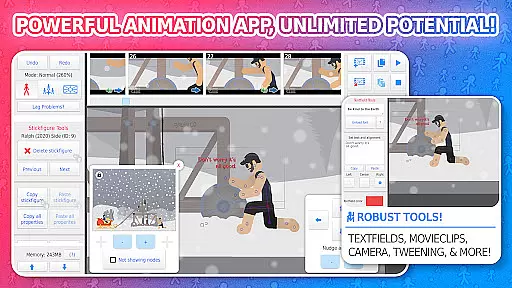
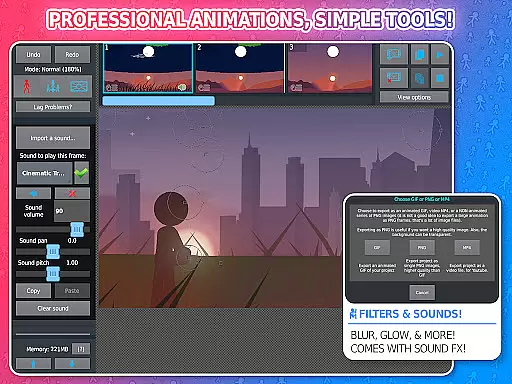
Stick Nodes Pro is a premier stickman animation application tailored for mobile devices, offering advanced features for creating professional-quality animations. Inspired by the renowned Pivot stickfigure animator, this app enables users to produce intricate stickfigure-based movies and export them as animated GIFs or MP4 videos.
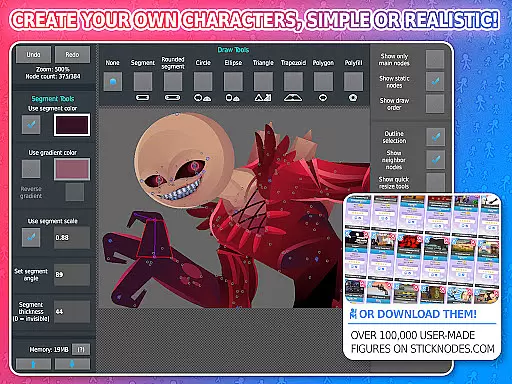
This Pro version stands out with exclusive features such as ad-free startup, watermark-free exports, sound effects per frame, and MP4 video exportation. With over 30,000 downloadable stickfigures and compatibility with pre-3.0 Pivot files, it provides an extensive toolkit for both novice and experienced animators.
Ideal for educational purposes or professional projects, Stick Nodes Pro combines powerful animation tools with user-friendly functionalities like automatic frame-tweening, customizable camera settings, and movieclip creation for seamless animation loops.
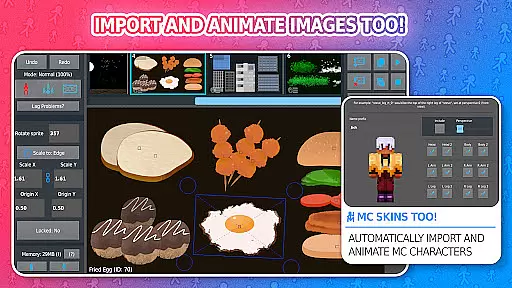
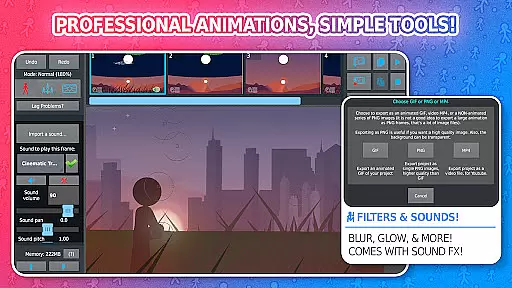
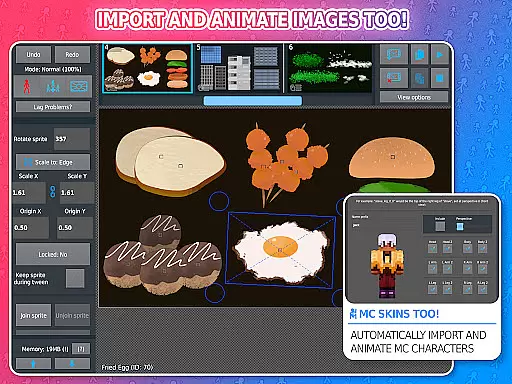
Stick Nodes Pro boasts an impressive array of features that cater to diverse animation needs. The app allows importing and animating images, applying various filters (blur, glow), and adding sound effects to frames, which are exclusive to the Pro version.
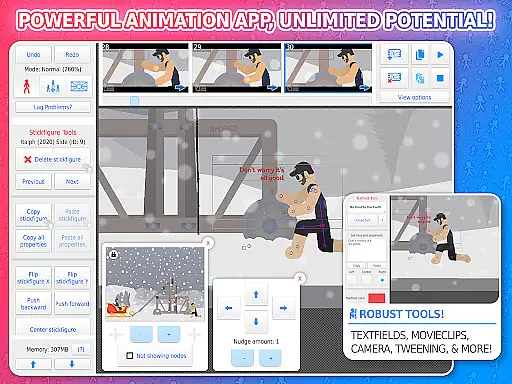
Advanced functionalities include automatic customizable frame-tweening for smoother animations, a virtual camera system for scene manipulation, and text fields for incorporating dialogue. Users can join stickfigures to simulate interactions and save/open/share projects effortlessly.
The app supports multiple languages and maintains compatibility with Minecraft™ skins, expanding its creative possibilities. With a thriving online community and continuous updates since its 2014 release, Stick Nodes Pro remains a robust tool for both learning and professional animation work.
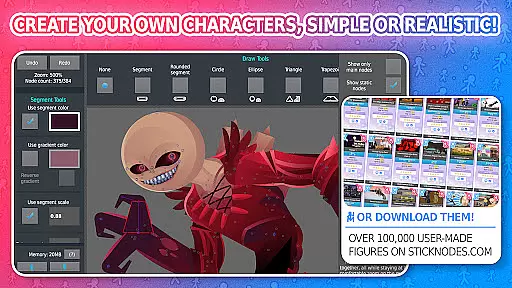
Stick Nodes Pro offers an extensive range of content that ensures users have access to the latest and most diverse animation tools. With over 30,000 stickfigures available for download and new ones added daily, animators can explore a vast array of creative possibilities.
The app's compatibility with pre-3.0 Pivot stickfigure files and Minecraftu2122 skins expands its versatility, allowing creators to import and animate their favorite characters instantly. This feature not only enhances user engagement but also keeps the content fresh as it adapts to current trends in gaming and animation.
Moreover, Stick Nodes Pro supports multiple languages including English, Espau00f1ol, Franu00e7ais, Japanese, Filipino, Portuguu00eas, Russian, and Tu00fcrku00e7e. This multilingual support makes the application accessible to a global audience, ensuring that users from different regions can enjoy creating animations without language barriers.
User engagement is at the heart of Stick Nodes Pro's design. The app provides powerful features such as automatic customizable frame-tweening, which makes animations smoother and more professional-looking. This encourages users to spend more time perfecting their creations and exploring advanced functionalities.
In addition to robust animation tools, Stick Nodes fosters a thriving community where animators share their work, help each other, and create stickfigures collaboratively. This sense of belonging and shared purpose significantly boosts user retention by making the platform not just an app but a vibrant ecosystem for creativity.
Furthermore, regular updates since its 2014 release ensure that users always have access to new features and improvements. By staying updated with the latest news through social media channels like Facebook, Reddit, Twitter, and YouTube, users remain engaged over long periods, continuously discovering new ways to enhance their animation projects within Stick Nodes Pro.
Powerful animation tools
User-friendly interface
Extensive file compatibility
Vibrant online community
Regular feature updates
Pro features require payment
Steep learning curve
Export options limited in free version
Large file sizes for complex animations
Occasional performance lags

Tarot & Oracle Card Readings
 4.50
4.50
Rain and lightning effects for your Philips Hue lights
4.30
Live TV, sports & holiday movies — stream on phone, tablet & TV
4.60
Scan sets, track your builds, and enjoy intuitive digital instructions.
4.70
Stories that spark in seconds.
4.80
NFL, NBA, NHL, MLB, local sports coverage, shows, movies & news!
3.20
Experience the video editing experience brought by our intuitive interface
4.10
Create your Songs. Cover Maker with any Voice, Song Generator
3.30
Watch TV shows, movies, and stream Live TV channels without a subscription!
3.80
Fun brain twisting challenge with trending Whirlpool Filter.
4.70
Direct access to the most complete Guitar Tab Archive in Spanish: LaCuerda.net
4.60
The JBL Portable app works with JBL portable Bluetooth speakers.
4.60
Underrated short-drama gems that hit hard and keep your heart hooked.
4.50
Create melty bead designs by numbers, photos or your imagination
4.40
Come and watch short dramas, reels with diverse genres!
4.40
Fire effects for your Philips Hue lights
4.20
Ultimate VR movie player for android mobile videos
4.3
Music visualizer and party effects for your Nanoleaf devices
4.3
Control your AWTRIX 3 easily
4.2


User Reviews