
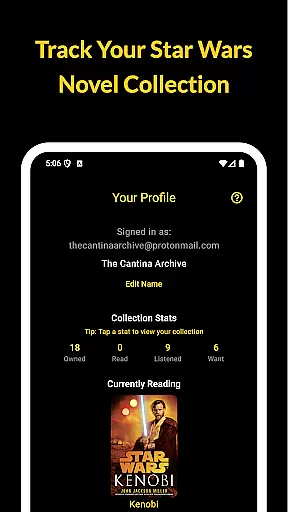
The Cantina Archive is a comprehensive tool for Star Wars book enthusiasts who want to organize and explore their collections. This fan-built app allows users to track books across Canon and Legends timelines, offering multiple ways to browse and manage their reading journey.
With features like Timeline View, collection tracking, and new release notifications, the app ensures readers can easily navigate the Star Wars literary universe. Whether you're a long-time fan or new to Star Wars books, The Cantina Archive provides an intuitive way to stay on top of your reading progress while discovering new titles.
This app is ideal for readers who value organization and discovery, syncing data securely across devices with Firebase. It offers a seamless, ad-free experience that focuses purely on enhancing your Star Wars book exploration.
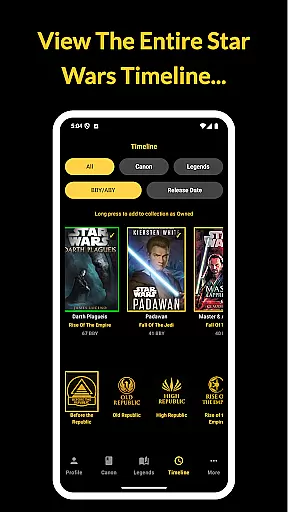
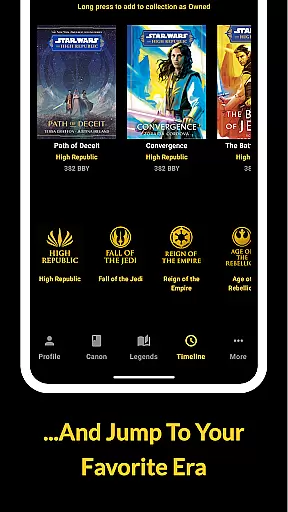
The Cantina Archive stands out with its robust set of features tailored for Star Wars book collectors. One of its key highlights is the Timeline View, which lets users explore books in chronological order (BBY/ABY) or by release date, providing a clear picture of the Star Wars literary timeline.
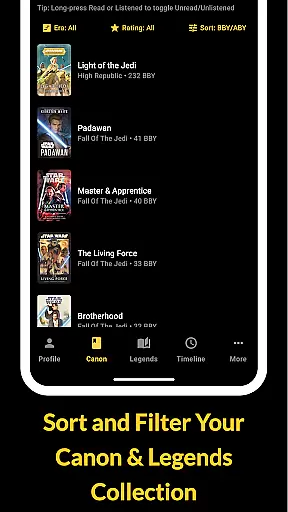
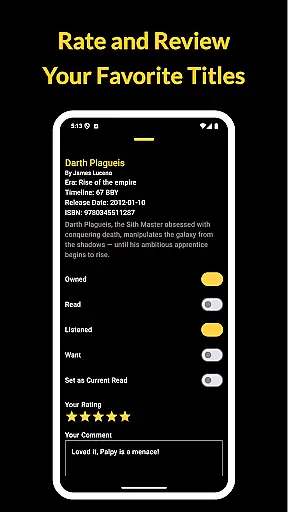
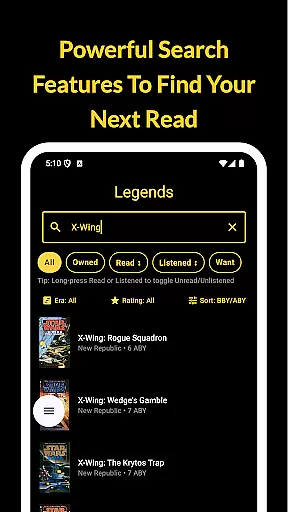
Users can also take advantage of advanced browsing and search options. By searching via title, author, or ISBN, readers can efficiently manage their collections. The app allows toggling titles as Owned, Read, Listened, or Want to Read, giving users complete control over their library status.
Additional standout features include tracking your current read, receiving updates on upcoming novels, and syncing your data securely with Firebase. These capabilities ensure that every user's reading journey is personalized, organized, and accessible from any device.
The Cantina Archive offers an extensive collection of Star Wars books, allowing fans to track their reading journey through the vast galaxy of stories. This fan-built app meticulously catalogs both Canon and Legends Expanded Universe titles, ensuring a comprehensive library that caters to all enthusiasts.
Each book entry is verified for copyright authenticity, providing users with confidence in the legitimacy of the content they are exploring. The app's dedication to accuracy ensures that readers can manage their collections with trust, knowing that every title is represented correctly within its respective timeline (BBY/ABY).
With features like ISBN search and author-based discovery, users can effortlessly navigate through hundreds of titles. This not only enhances the user experience but also makes it easier for collectors to maintain and grow their personal libraries with genuine editions.
The Cantina Archive excels in format compatibility by offering multiple ways to explore and organize your Star Wars book collection. Whether you prefer chronological order based on the Star Wars timeline or sorting by release date, this app adapts to your preferred viewing style seamlessly.
Users can browse and search for books using various filters such as title, author, or ISBN. This flexibility ensures that no matter how you categorize your collection, The Cantina Archive supports your method with intuitive tools designed for efficient management.
Additionally, the app syncs with Firebase, enabling secure cross-device access to your collection. This feature guarantees that whether you're at home or on-the-go, your data remains consistent across platforms without compromising quality or performance.
User-friendly interface
Comprehensive timeline view
Syncs across devices
No ads or tracking
Regular updates
Limited to Star Wars
No audiobook support
Few social features
Requires manual input
Occasional bugs

The Original Tropical Freshwater Aquarium Fish And Plant Care Guide
 4.80
4.80
Novels, audiobooks, ebooks & fanfiction. Read anytime, anywhere!
3.40
Read popular romance books and web novels on the fantastic ebook reader
3.50
F9 Cookbook Mobile App
4.60
Full text, sheet music, and recordings of the print edition
4.60
Daily thoughts, meditations, and prayers for living a sober life in recovery.
4.90
The Apostolic Lutheran Church hymnal
4.1
A highly sophisticated app for all of your mobile reading—any format, any time
4.50
Follow complex state CCW permit laws and lawfully carry firearms in each state.
4.80
"When tweetle beetles fight, it's called a tweetle beetle battle."
4.90
The Bible Audio Guide
4.80
Liturgy of the Hours totally off-line
4.80
Daily Prayer, personalized Bible Study, AI-guided Insights, and Spiritual Growth
4.80
My Bible offers a comprehensive app by providing offline access, daily verses.
4.80
"Do you like green eggs and ham?"
4.70
Werewolf novels & romance stories in audiobooks for book lovers! Werewolf storie
4.60
The Original & Authentic Crystals, Gemstones, Rocks & Minerals Encyclopedia.
4.60
Discover, track, and share your reading with friends & our community of readers
4.60
“There was one last piece of cake. My little sister said ‘Me too!’”
4.00


User Reviews