
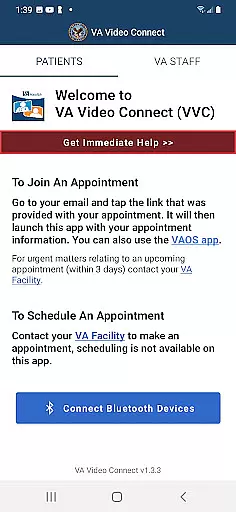
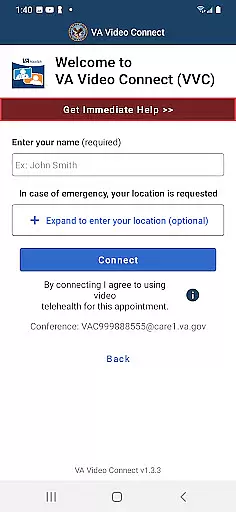
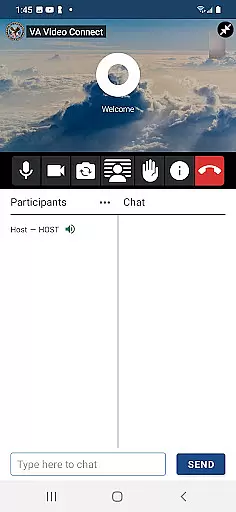
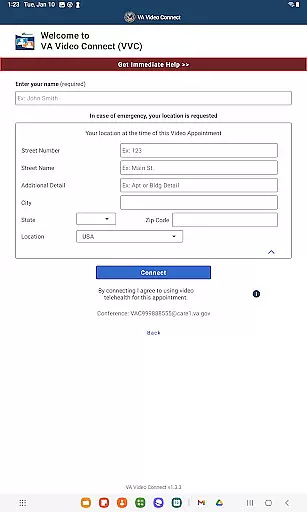
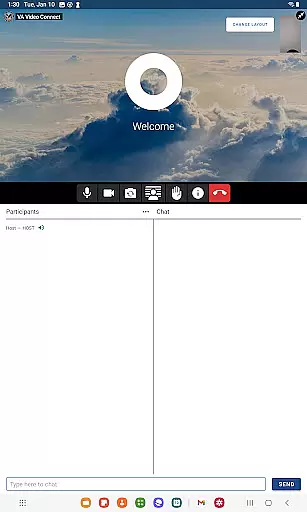
VA Video Connect is a telehealth application specifically designed for veterans to connect with their healthcare providers remotely. The app ensures secure and encrypted video sessions, allowing users to consult with their healthcare team from any location using an Android device. This innovative solution significantly improves access to VA healthcare services, particularly benefiting veterans in rural areas who face challenges in accessing traditional healthcare facilities.
The application's key strength lies in its ability to provide convenient and timely medical consultations without the need for physical travel. By expanding VVC capabilities to Android platforms, it creates a more inclusive telehealth ecosystem that serves a wider range of veterans. The app represents a crucial step forward in modernizing VA healthcare delivery while maintaining strict security and privacy standards.
VA Video Connect offers several distinctive features that enhance the telehealth experience for veterans. The app employs advanced encryption protocols to ensure HIPAA-compliant video consultations, protecting sensitive medical information during remote sessions. Its intuitive interface allows users to easily schedule appointments, receive notifications, and join virtual consultations with minimal technical expertise required.
A notable feature is its adaptive bandwidth management, which optimizes video quality based on available internet connection, ensuring stable performance even in areas with limited connectivity. The application also supports integration with existing VA healthcare systems, enabling seamless sharing of medical records and consultation notes between sessions. These technical implementations collectively create a robust platform that maintains professional medical standards while providing user-friendly access to healthcare services.
In the realm of telehealth, ensuring the credibility of medical content and securing expert validation is paramount. VA Video Connect sets a high standard by facilitating encrypted, secure sessions between Veterans and their healthcare providers. This application leverages advanced encryption protocols to safeguard patient information, thereby maintaining the integrity and confidentiality of each consultation.
Furthermore, VA Video Connect undergoes rigorous testing and continuous evaluation by medical professionals to ensure that all interactions meet the stringent requirements of healthcare delivery. The involvement of these experts guarantees that the app not only meets but exceeds the necessary medical standards, providing users with peace of mind regarding the quality and reliability of their virtual healthcare experience.
By prioritizing medical content credibility and expert review, VA Video Connect ensures that every Veteran receives accurate, reliable, and professional healthcare advice directly on their Android device. This commitment to excellence significantly enhances the accessibility and dependability of remote medical consultations for those who have served our nation.
Teleconsultation has revolutionized the way patients interact with their healthcare providers, offering convenience without compromising on quality. VA Video Connect excels in delivering high-quality teleconsultations through its sophisticated platform designed specifically for Veterans. By utilizing state-of-the-art video conferencing technology, the app provides crystal-clear audio and video, enabling seamless communication between patients and their healthcare teams.
The app's design emphasizes ease of use, allowing Veterans to connect with their doctors from virtually any location. Whether at home or on the go, users can initiate consultations with minimal effort, thanks to an intuitive interface that simplifies scheduling and joining appointments. This focus on user experience ensures that even those less familiar with digital tools can benefit from telemedicine services.
Moreover, VA Video Connect addresses one of the biggest challenges in rural healthcare access by minimizing travel requirements for medical appointments. For Veterans residing in remote areas, this feature is invaluable as it reduces both time and cost associated with visiting healthcare facilities. Overall, the app's dedication to enhancing teleconsultation quality makes it an indispensable tool for modernizing Veteran healthcare delivery.
User-friendly interface
Strong encryption protocols
Wide device compatibility
Reduced travel requirements
Seamless VA system integration
Limited to VA patients
Requires internet connection
Android-specific version
No offline functionality
Potential scheduling delays

3rd trimester? Counting Kicks is what moms should do-It’s important & easy too!
 4.30
4.30
Manage your prescriptions anytime, anywhere with the Publix Pharmacy mobile app.
4.80
The Better Pharmacy Experience
4.90
Personalized hearing experience and health data tracking
4.50
Save up to 80% on your pharmacy prescriptions & medications with free Rx coupons
4.70
Good for You. Great for Life.
4.00
Take your aphasia therapy to the next level with 4 evidence-based advanced apps
4.70
Coaches you through labour using hypnobirthing techniques & tracks contractions
4.70
The Client Portal app empowers you to manage care from one secure place
4.10
A comprehensive medical disease app.
5.00
Elegant, easy-to-use period tracker for fertility, PMS symptoms, and more
4.90
Take on apraxia and aphasia with a powerful video-driven speech therapy app.
4.60
ASCCP Management Guidelines- There’s an app for that!
4.60
We’ve made it easy for Oscar members to get care on the go.
4.30
Use the phone microphone or headset mic as sound amplifier for louder hearing.
4.30
Assess and treat left neglect more effectively in stroke and brain injury rehab.
4.30
Patient Health Portal
4.20
Master AEMT with 1,400+ study items, TEIs, practice tests, and scoring.
4.10
Crush your paramedic exam with NREMT-style tests, ECGs, and top-tier prep!
3.90


User Reviews