
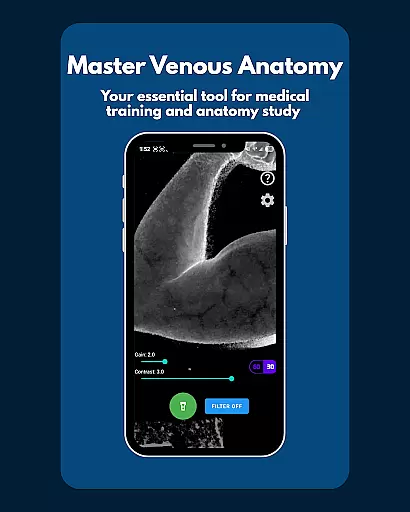
VeinFinder is an innovative educational tool designed to assist medical students and educators in mastering venous anatomy. Using advanced GPU-accelerated image processing, the app enhances vein visibility directly through your device's camera, eliminating the need for additional hardware. This makes it an invaluable resource for practical learning and teaching.
The app offers precise control over gain and contrast settings, ensuring optimal vein visualization across various skin tones and lighting conditions. With its integrated flashlight feature, VeinFinder maintains consistent performance even in low-light environments. Whether preparing for exams or conducting classroom demonstrations, users can rely on VeinFinder to bridge the gap between theoretical knowledge and hands-on application.
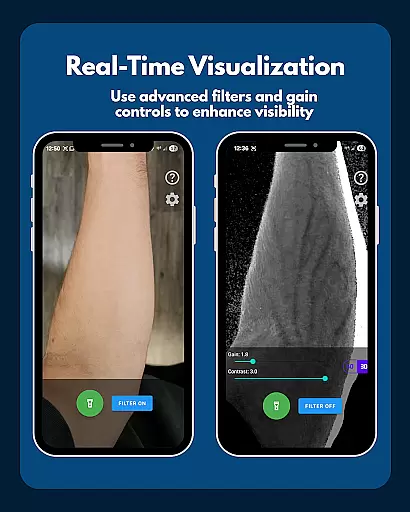
VeinFinder stands out with its instant comparison feature, allowing users to toggle between enhanced and raw camera views seamlessly. This functionality provides a clear understanding of how image processing improves vein visibility, making it easier to grasp complex anatomical structures.
Precision control is another hallmark of VeinFinder, enabling users to fine-tune settings for diverse scenarios. The app's ability to function entirely offline ensures privacy and security, as no data leaves the device. Additionally, VeinFinder's compatibility with most Android devices, particularly Samsung models, guarantees broad accessibility for learners worldwide.
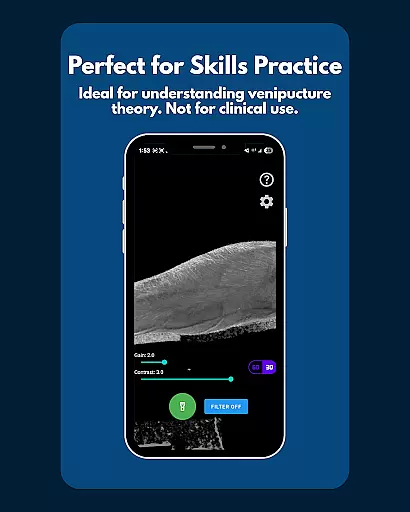
While primarily an educational tool, VeinFinder also supports practical skills development in areas like venipuncture and IV access procedures. Its user-friendly interface and reliable performance make it a go-to solution for anyone seeking to deepen their understanding of venous anatomy.
VeinFinder stands out in the realm of educational tools by offering highly accurate and authoritative content for anatomy study. The app leverages advanced GPU-accelerated image processing to enhance vein visibility, ensuring that students and educators have access to precise venous anatomy representations.
This level of accuracy is crucial for those studying anatomy and physiology, as well as for educators who require reliable visual aids for teaching. VeinFinder's technology allows users to visualize complex venous structures directly through their device's camera without any additional hardware.
The app provides an instant comparison feature, letting users toggle between enhanced and raw views. This functionality not only improves understanding but also builds trust in the information presented, making it an invaluable tool for exam preparation and practical training modules.
While VeinFinder focuses primarily on providing accurate anatomical visuals, it also supports personalized learning paths by allowing users to fine-tune settings such as gain and contrast. These adjustments enable learners to optimize visibility based on diverse skin tones and lighting conditions, creating a tailored educational experience.
For students preparing for exams or practicing venipuncture techniques, this customization capability ensures that each user can adapt the application to their specific needs. Whether adjusting for low-light environments with integrated flashlight control or selecting optimal areas like the forearm or wrist, VeinFinder adapts to various learning scenarios.
Moreover, its privacy-focused design enhances personalized learning by assuring users that all data processing occurs locally on their devices. This approach fosters a secure environment where learners can explore venous anatomy confidently, knowing their data remains private and secure.
Enhances vein visibility effectively
Provides precise control over settings
Ensures complete data privacy
Functions well in low-light conditions
Compatible with most Android devices
Performance varies by device
Not suitable for clinical use
Requires optimal lighting conditions
Limited to educational purposes
Refund policy is time-restricted

Grazing Risk Monitoring Service
 4.3
4.3
Build math skills in: addition, subtraction, multiplication and division.
4.10
Your guide to thousands of satellites and spacecraft in orbit around Earth!
3.90
Latest TLC Practice Questions! Multiple languages available!
4.50
Designed for Calculator 84 users
4.20
Quiz App to help case managers studying for CCMC Certification, 200+ Questions
3.40
An aviator’s preparation, study and test tool for FAA Knowledge Exams.
3.80
Cool math games & learn to read activities- loved by kids, approved by teachers.
4.50
Adventures await with Spider-Man and other Marvel characters!
4.10
Stack the States makes learning about the 50 states fun!
4.70
Guitar chord finder, analyzer, smartly visualized theory, progressions, quizzes.
4.70
2026 DVSA Driving Theory Test revision with Hazard Perception + Highway Code
4.60
A fast and fun way to learn guitar - works with any guitar.
4.60
Intuitive Transformer Lab - By a Lineman, For Linemen & Apprentices
4.50
The Fighter Verses Bible memory system helps you memorize God's Word.
4.50
THE ESTABLISHED "GO TO" ARMY BOARD PREPARATION APP!
4.30
An aviator’s preparation, study and test tool for FAA Knowledge Exams.
4.10
A collection of favorite stories from Daniel Tiger's Neighborhood
2.00
A 2024 digital study guide for the Expert Infantryman and Expert Soldier's Badge
4.2


User Reviews