
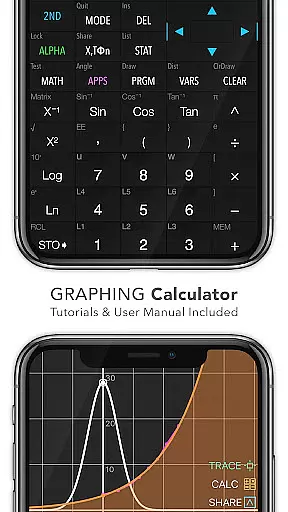
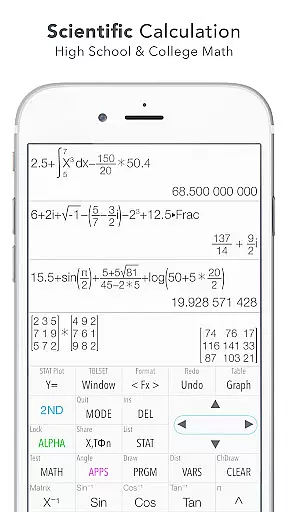
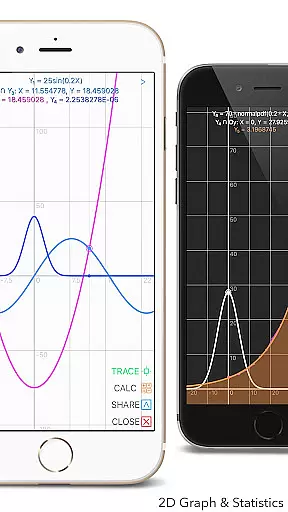
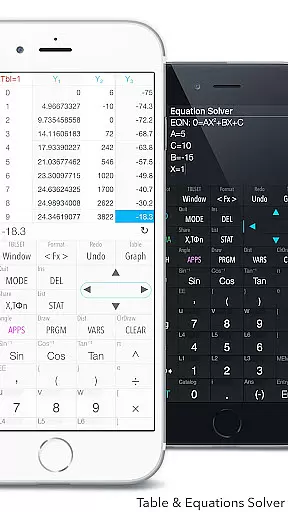
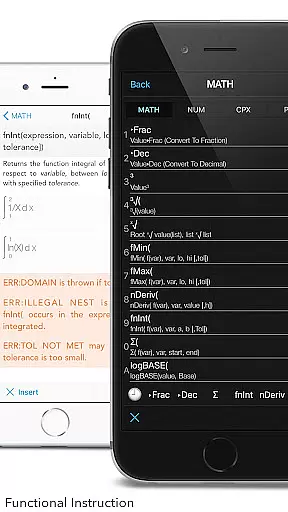
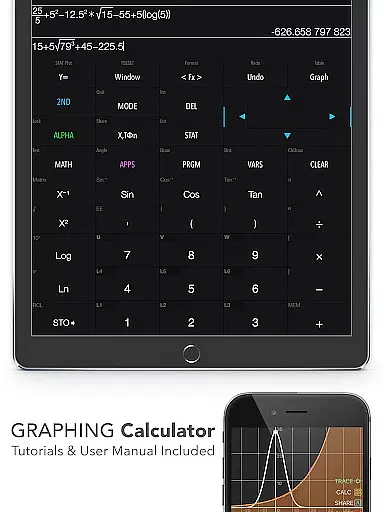
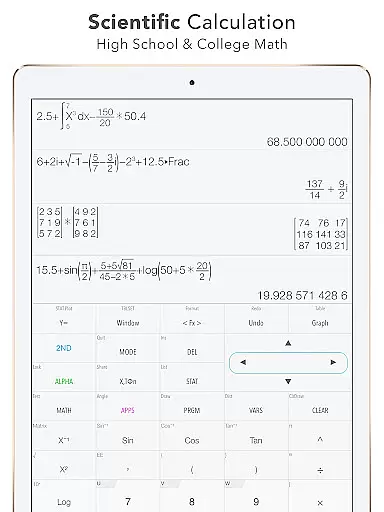
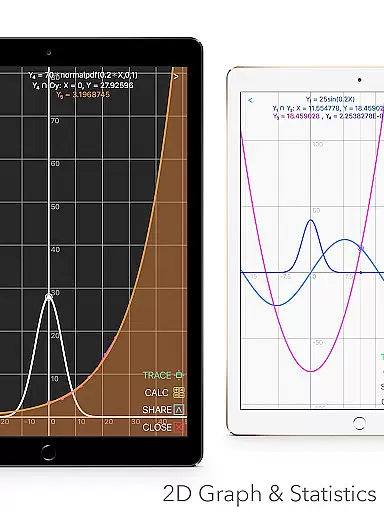
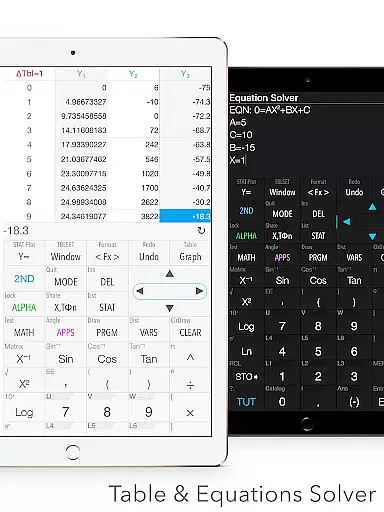
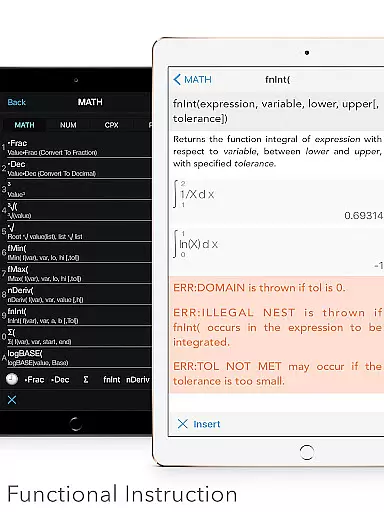
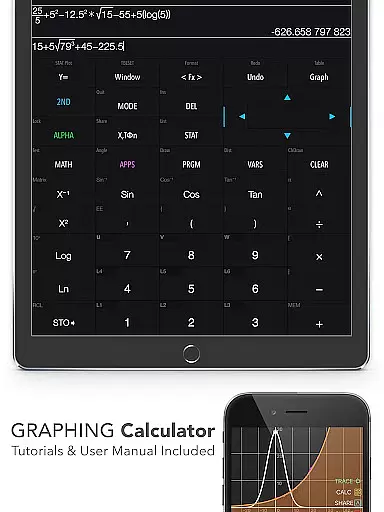
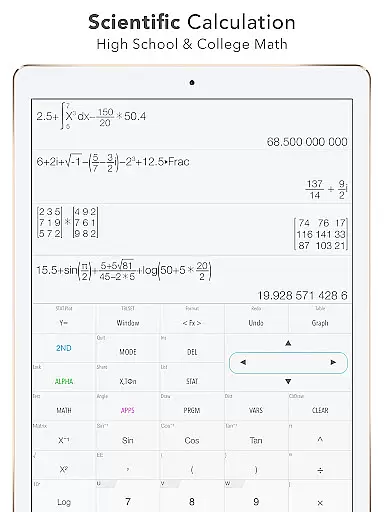
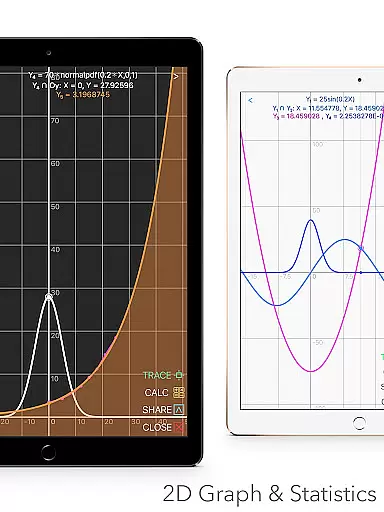
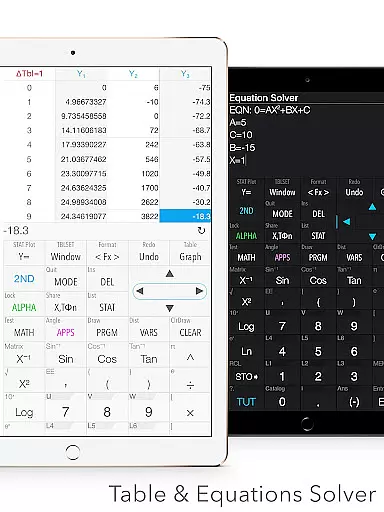
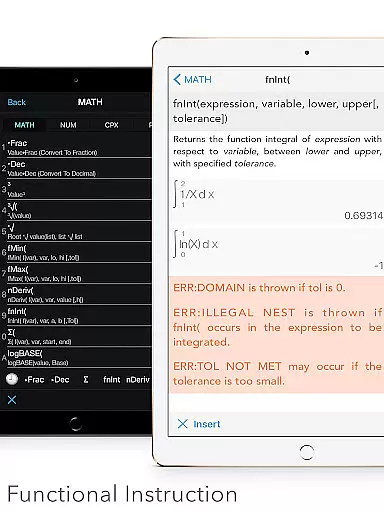
Graphing Calculator Plus stands as a versatile and powerful educational tool designed for students, educators, and professionals in the STEM fields. This application replicates the functionalities of traditional graphing calculators while enhancing them with modern mobile technology. It offers an extensive suite of mathematical tools including advanced calculations, graphing capabilities, statistics, and programming features.
The app supports complex number calculations, matrix operations, and equation solving, making it suitable for high school to university-level mathematics. Its intuitive interface provides a seamless experience for users transitioning from physical calculators like the TI-84. The inclusion of dual themes and customizable functions ensures that users can tailor their experience to suit personal preferences or specific task requirements.
Ideal for both learning and professional environments, Graphing Calculator Plus enables users to visualize mathematical concepts through its robust 2D graphing feature. With applications in engineering, physics, and finance, this app proves to be an indispensable companion for anyone requiring precise mathematical computation on the go.
Graphing Calculator Plus distinguishes itself through a comprehensive set of features tailored for diverse mathematical needs. The app includes a built-in library of documents covering basic to advanced calculations, statistical analysis, and equation solving. Users can perform operations such as finding local maxima and minima, calculating integrals, and conducting various types of regression analysis.
A standout feature is the app's ability to handle 2D graphing with simultaneous plotting, smooth zoom, and transformations. It supports parametric, polar, and sequence graphing, providing detailed tracing of intersections and critical points. Additionally, the calculator offers specialized tools for matrix manipulation, number base conversions, and financial calculations, catering to a wide range of academic and professional requirements.
The application goes beyond traditional calculator functions by incorporating programming capabilities, geometry tools, and a chemistry app. These features, combined with its user-friendly interface and extensive documentation, make Graphing Calculator Plus a complete solution for anyone seeking to perform sophisticated mathematical operations on a mobile device.
Graphing Calculator Plus stands out for its commitment to content accuracy and authority, making it an indispensable tool for students and professionals alike. The app is meticulously designed to replicate the functionalities of renowned hardware calculators such as the TI 84 and TI 83, ensuring that calculations are not only accurate but also reliable for educational and professional use.
The inclusion of a comprehensive set of advanced mathematical functionsu2014from basic arithmetic operations to complex calculusu2014ensures that users can tackle a wide array of mathematical problems with confidence. Each function has been rigorously tested to adhere closely to mathematical standards and principles, providing assurance that results obtained are both precise and authoritative.
Moreover, Graphing Calculator Plus offers built-in documents and tutorials that cover a broad spectrum of mathematical topics. These resources have been crafted by experts in the field, guaranteeing that users receive guidance that is both accurate and insightful. Whether you're solving equations, performing statistical analyses, or exploring geometric concepts, this app equips you with the knowledge and tools needed to succeed.
By prioritizing content accuracy and authority, Graphing Calculator Plus not only aids in learning and problem-solving but also instills trust in its users. This dedication ensures that every calculation, graph, or statistical analysis performed within the app meets high academic and professional standards.
While Graphing Calculator Plus excels in delivering accurate and authoritative content, it also offers features that support personalized learning paths, catering to individual needs and preferences. The app's extensive functionality allows users to explore various mathematical concepts at their own pace, fostering a tailored learning experience that adapts to different levels of expertise.
One of the key aspects of personalization is the ability to customize functions and variables (F1, F2, F3) according to specific requirements. This flexibility enables learners to focus on areas they find challenging, while also allowing advanced users to delve into more complex problems. Additionally, the app's support for multiple number bases and matrix operations provides a rich environment for experimentation and discovery.
Graphing Calculator Plus further enhances personalized learning through its dual themes and customizable interface. Users can adjust the visual settings to suit their comfort and accessibility needs, creating a more engaging and effective study environment. The availability of detailed tutorials and examples also empowers users to learn new skills independently, promoting self-paced education.
Ultimately, the combination of versatile mathematical tools, customizable features, and supportive learning resources makes Graphing Calculator Plus an invaluable companion for anyone seeking to advance their mathematical knowledge. By facilitating personalized learning paths, the app helps users achieve their educational goals efficiently and effectively.
Powerful math engine
User-friendly interface
Comprehensive feature set
Excellent documentation
Regular updates
Premium price point
Steeper learning curve
Occasional performance issues
Limited 3D graphing
Internet required for some features

Learn math, step-by-step
 4.30
4.30
Childcare Management App: Daily sheets, sign in-out, billing and learning tools
4.70
Dinosaurs coloring book game. Drawing and painting dinos.
4.50
Nighty Night Circus - Bedtime story for kids
4.10
Practice Casino Roulette Payouts for Table Game Dealers and Croupiers
4.40
A must-have app for mastering Japanese verb/adjective conjugations.
3.60
Your best partner for learning Japanese words. Based on a best-selling textbook.
2.90
Engage in learning science and math with the award-winning PhET simulations!
4.70
Adventures await with Spider-Man and other Marvel characters!
4.10
The best way to study for your amateur radio license exam.
4.90
Short Lessons for Better Finances, Health, Skills, Jobs & Relationships.
4.80
A realistic sky map to observe stars, planets, satellites and constellations!
4.80
A fast and fun way to learn guitar - works with any guitar.
4.60
The Fighter Verses Bible memory system helps you memorize God's Word.
4.50
Astronomy Guide to the Night Sky
4.40
THE ESTABLISHED "GO TO" ARMY BOARD PREPARATION APP!
4.30
Build math skills in: addition, subtraction, multiplication and division.
4.10
Break Language Barriers with AI—Learn Language Anytime, Anywhere!
4.00
Learn and joke with the Silly Turkey!
4.0


User Reviews