
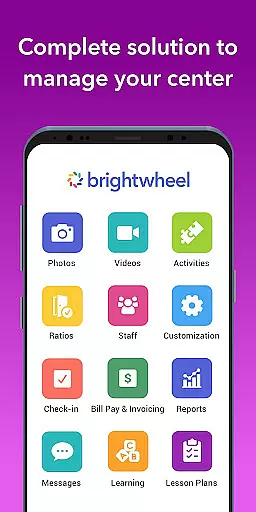
Brightwheel is a comprehensive childcare management software designed to streamline operations for early education providers. This all-in-one platform combines essential tools like billing, attendance tracking, family communication, and lesson planning, enabling educators to focus more on children and less on administrative tasks.
The app's intuitive design ensures quick setup and ease of use for both staff and families. With features such as automated billing, real-time messaging, photo sharing, and detailed reporting, brightwheel strengthens family connections while maintaining robust security standards. Trusted by millions and supported by a dedicated team, it ensures reliable performance with 99% uptime.
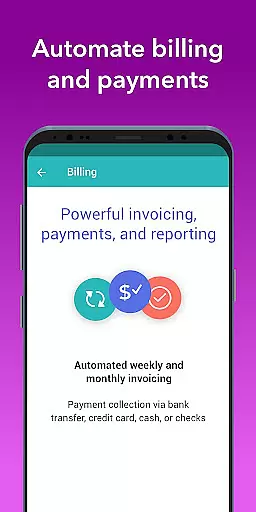
Brightwheel stands out with its extensive feature set tailored for early education providers. The platform offers automated billing and payment processing, customizable financial reports, and expense tracking, simplifying financial management for childcare centers.
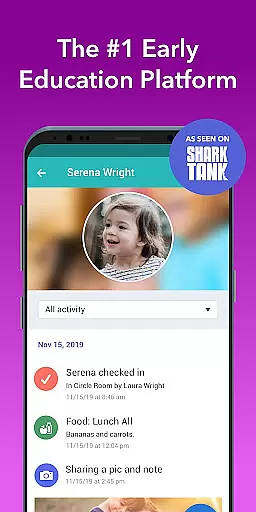
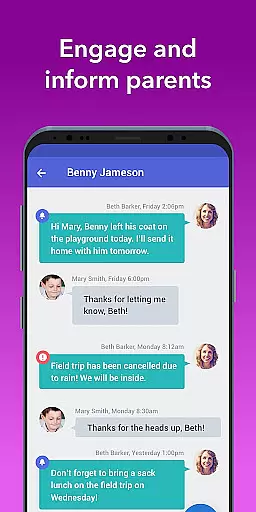
A key highlight is the real-time family communication suite, which includes messaging, newsletters, and alerts. The app also enables easy photo and video sharing, daily activity logging, and centralized calendars for events and important dates. Additionally, its lesson planning tools and assessment features help educators maintain high-quality educational standards.
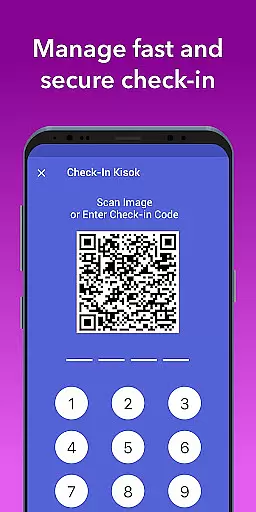
All these features are backed by advanced security measures, including two-factor authentication and compliance with top data protection standards. The app's real-time syncing across devices ensures that staff and families have up-to-date information at all times, making brightwheel an indispensable tool for modern childcare management.
In the realm of early education, content accuracy and authority are paramount. Brightwheel stands out by offering a comprehensive platform that ensures all educational materials and communications are both precise and credible. The app's lesson planning and assessment tools come pre-loaded with state standards, providing educators with reliable frameworks to build upon.
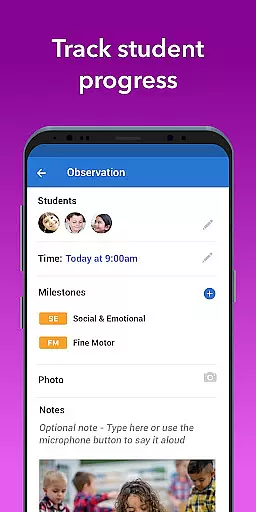
Brightwheel's dedication to accuracy is further demonstrated through its DRDP tool and observation features, which allow for meticulous tracking of student progress. Teachers can make notes on achievements and activities, assured that they are working with verified educational benchmarks.
The app consolidates everything from billing to curriculum in one place, reinforcing its authoritative presence in childcare management. By integrating these features, brightwheel not only simplifies administrative tasks but also assures users of the integrity and authenticity of the information being processed and shared.
Creating personalized learning paths is essential for catering to the unique needs of each child, and brightwheel excels in this area. With its intuitive lesson planning feature, educators can customize and share digital lessons that align with individual learning goals. This flexibility allows teachers to adapt their methods based on the childu2019s progress and interests.
Brightwheel enhances personalization by enabling photo and video sharing tagged to specific students, capturing moments that reflect their learning journey. Daily reports log activities such as naps and meals, giving families insights into personalized care routines tailored to their child's day-to-day needs.
Moreover, Experience Curriculumu2014an upgrade within brightwheelu2014provides hands-on learning materials that enrich program quality. These resources support differentiated instruction strategies, ensuring that every child receives an education plan that is thoughtfully crafted just for them.
User-friendly interface
Comprehensive feature set
Reliable performance
Strong security standards
Dedicated support team
Premium features costly
Occasional bugs reported
Limited offline functionality
Steep learning curve
Dependent on internet

Grazing Risk Monitoring Service
 4.0
4.0
Learn and joke with the Silly Turkey!
4.2
Explore myths and gods across cultures with in-depth insights and stories.
5.00
Your best partner for learning Japanese words. Based on a best-selling textbook.
2.90
Prepare for the BCBA / BCaBA exam. Study ABA with the ABA Wizard app.
4.60
An aviator’s preparation, study and test tool for FAA Knowledge Exams.
4.30
Stargazing Guide App. Stars and constellations map. Solar system planets finder.
4.60
School Communication
4.30
Fun, personalized math learning games that adapt to your child’s needs.
4.40
Perform physics experiments with your phone. (by the RWTH Aachen University)
4.70
An easy to use yet powerful and full-featured flashcard study app.
4.50
Latest TLC Practice Questions! Multiple languages available!
4.50
A magical world of fun, building, and learning with Mickey Mouse and more!
4.20
Explore numbers the Starfall way!
4.00
Master note reading with StaffWars….
4.00
Our most popular app series returns, better than ever!
3.90
Quiz App to help case managers studying for CCMC Certification, 200+ Questions
3.40
Flashnote Derby is the fun way for kids to learn music notes and memorize them.
3.40
Visit Daniel's house & make believe. Play doctor, make music, & feed fish.
3.20


User Reviews