

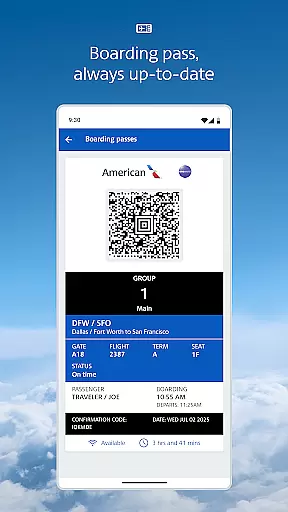
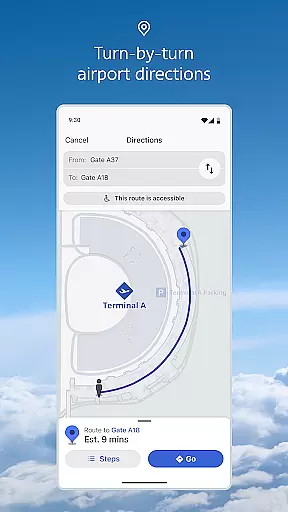
The American Airlines app is a comprehensive travel companion that provides essential information and tools to enhance your travel experience. With features like mobile boarding passes, real-time flight updates, and interactive terminal maps, the app ensures you have everything you need at your fingertips.
Whether you're checking in for a flight, finding the nearest Admirals Club lounge, or tracking your baggage, this app streamlines your journey. It also offers AAdvantage account management, easy seat selection, and upgrade options, making it an indispensable tool for frequent flyers.
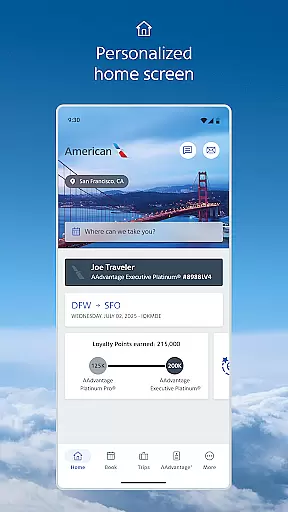
One of the standout features of the American Airlines app is its dynamic home screen, which adapts to where you are in your travel journey, offering timely tools and information. The mobile boarding pass functionality eliminates the need for printing, providing an updated pass as needed.
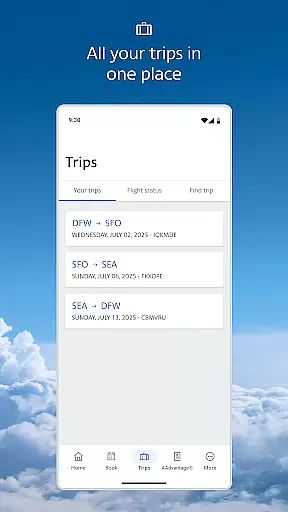
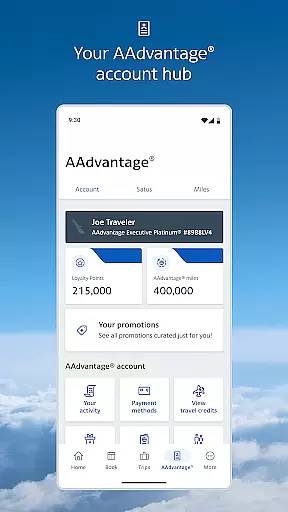
Flight updates are effortlessly managed by retrieving your reservation and opting in for notifications. Interactive terminal maps simplify airport navigation, while AAdvantage members can review account details directly within the app. Additional features include seamless seat upgrades, easy seat changes, and the ability to track your baggage throughout your journey.
Booking authenticity is a crucial aspect of any travel application, ensuring that all reservations and flight details are accurate and reliable. The American Airlines app excels in this area by providing users with real-time updates and notifications about their flights. This feature ensures that passengers are always informed about any changes to their itinerary, gate assignments, or boarding times.
The app retrieves your reservation details and allows American Airlines to send notifications directly to your mobile device. This seamless integration provides peace of mind, knowing that the information you receive is both timely and accurate. Additionally, the mobile boarding pass feature eliminates the need for printing and is updated automatically, reflecting any changes to your flight status.
For travelers, this means a stress-free experience as they can rely on the app to provide authentic and up-to-date booking information. Whether it's receiving alerts about flight delays or accessing your boarding pass, the app ensures that every detail of your journey is covered. This reliability enhances the overall travel experience, making it more convenient and efficient for users.
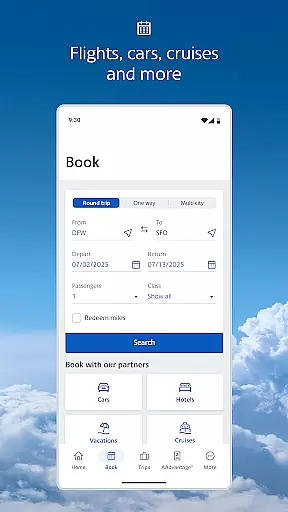
Price transparency in the travel industry is vital for helping customers make informed decisions about their bookings. The American Airlines app addresses this need by offering clear and detailed pricing information throughout the booking process. Users can easily view the costs associated with seat upgrades, additional baggage, and other services without any hidden fees.
Moreover, the app provides an intuitive interface where passengers can request and purchase upgrades with ease. It even displays the upgrade standby list within four hours of the scheduled departure, allowing users to see their position and make necessary adjustments. This level of transparency empowers travelers to manage their expenses effectively and avoid unexpected charges.
By offering comprehensive cost breakdowns and easy access to upgrade options, the American Airlines app ensures that users have a clear understanding of their expenditures. This openness not only builds trust but also enhances customer satisfaction, as travelers can budget their trips accurately and enjoy a seamless booking experience.
User-friendly interface
Comprehensive travel tools
Real-time updates
Interactive maps
Convenient AAdvantage access
Limited offline functionality
Occasional bugs
Permissions required
Heavy on battery
Ads present

OFFLINE detailed information about the Florida National and State Parks
 4.2
4.2
A packing list app that helps you remember what to pack for a trip.
3.10
Plan where to stand and shave minutes off your trip!
4.80
CLEAR provides a safer, easier way through airports, stadiums, and beyond.
4.20
Save on gas and convenience with the earnify™ App
4.70
Take your pick from over 5 million accommodation deals from major booking sites.
4.40
Replace your car trips with the world’s largest shared electric vehicle company.
4.90
Streamline your U.S. entry
4.90
The United app puts valuable travel information in the palm of your hand.
4.70
The travel app that makes booking cheap flights, hotels, and car rentals easy.
4.80
All-in-one delivery and taxi app. Ride, food, & grocery delivery app.
4.80
Find the perfect vacation rental. Search from over 2 million properties.
4.80
Book flight, car or packages. Instant access to hotel discounts & travel deals
4.80
Meet Allyz®, your ultimate travel companion
4.70
Booking your bus tickets has never been easier
4.70
A tool for outdoor activities.
4.30
Managing your travel should be easy. With the Amtrak app, it is.
4.30
Get real-time traffic, directions, search and find places
4.10
Everything you need for your trip in one place with the Volaris app.
3.60
Real Booking.com review—unexpected charges, free cancellation reality, price display issues, customer support quality, and honest comparisons.



User Reviews