
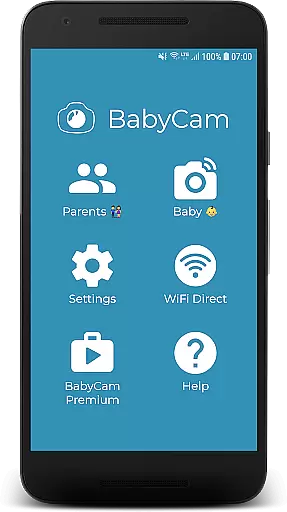
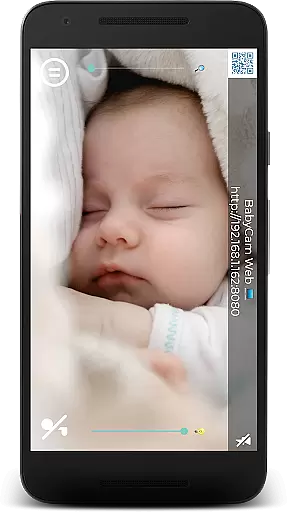
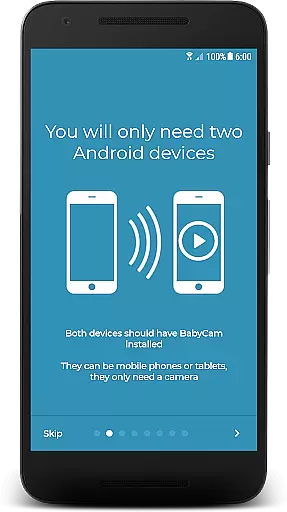
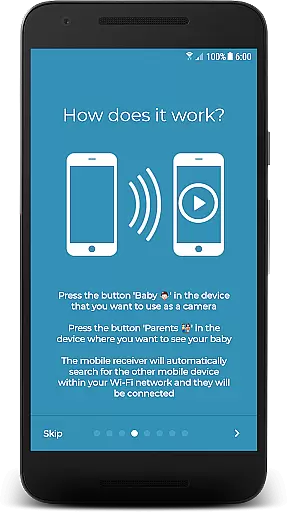
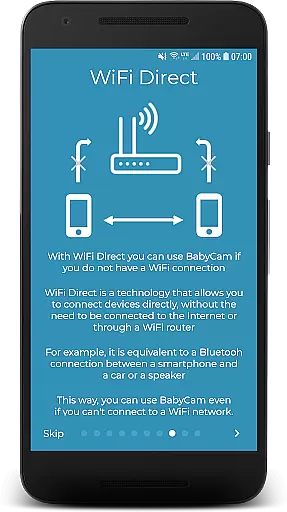
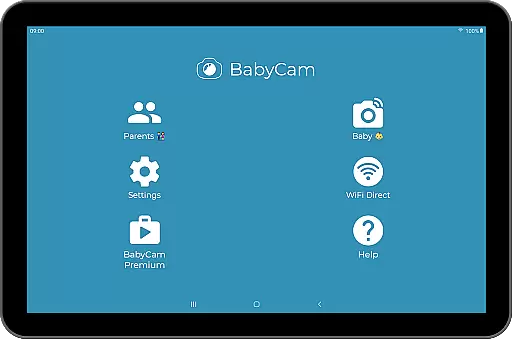
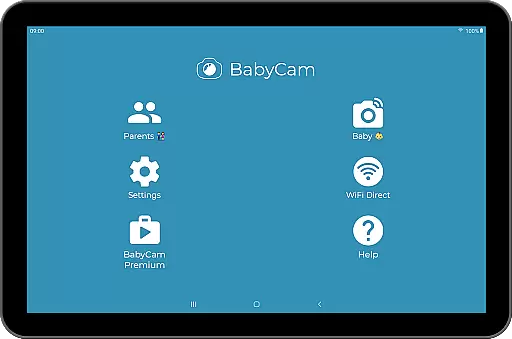
BabyCam is a smart parenting solution that allows parents to monitor their baby using two devices, such as phones or tablets. One device acts as a camera for the baby's room, while the other serves as a viewing screen for the parents. The app operates seamlessly on the same WiFi network or via WiFi Direct, ensuring real-time monitoring without the need for an internet connection.
What sets BabyCam apart is its simplicity and functionality. There’s no need for account registration or complicated pairing codes—just a single tap connects the devices automatically. Additionally, BabyCam offers advanced features like Chromecast support, lullabies, night mode, and zoom functionality, all designed to enhance the monitoring experience. With both free and premium versions available, BabyCam provides flexibility for every family’s needs.
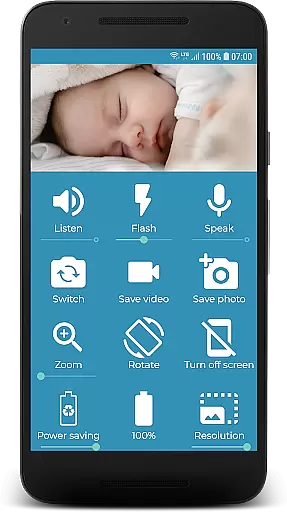
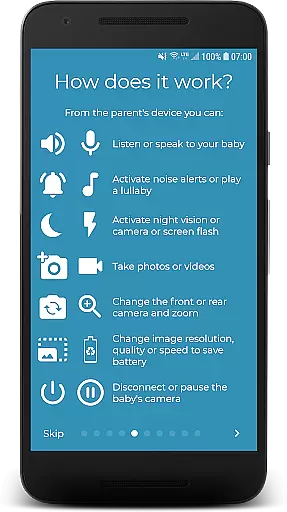
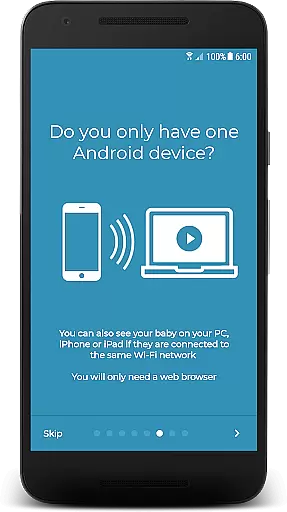
BabyCam stands out with its rich feature set tailored for modern parenting. The app supports multiple viewing options, including TVs via Chromecast, web browsers on PCs, iPhones, or iPads, and even simultaneous connections for both parents. Advanced functionalities like two-way audio allow parents to listen and talk to their baby, while the ability to play lullabies creates a soothing environment.
Additional features include adjustable camera settings such as flash control for low-light conditions, front and back camera switching, microphone volume adjustments, and a night mode to protect parents’ eyes during late-night checks. Parents can also take pictures and videos directly through the app, monitor the baby device’s battery level, and enjoy a completely ad-free experience by opting for the Premium version at just $1.99.
When it comes to parenting apps, the credibility of the content and expert validation are crucial factors. BabyCam ensures that all features provided are safe and beneficial for both babies and parents. The app has been developed with careful consideration of child safety standards and parental needs.
BabyCam offers functionalities like lullabies, night mode, and baby monitoring without requiring an internet connection. These features have been designed based on common parenting practices and recommendations from childcare professionals. This ensures that parents can use the app with confidence, knowing that their baby is being monitored in a way that aligns with expert advice.
The app also allows parents to take pictures and videos, adjust microphone volumes, and switch between front and back cameras. Each feature is crafted to enhance the parenting experience while maintaining a focus on simplicity and safety. By avoiding unnecessary complexities, BabyCam ensures that even first-time parents can use the app effectively.
Growth tracking is an essential aspect of parenting apps, allowing parents to monitor their child's development accurately. While BabyCam primarily focuses on video monitoring, it incorporates several features that contribute to accurate growth tracking indirectly. For instance, the ability to take pictures and videos helps document milestones in a babyu2019s life.
BabyCam provides functionalities such as zoom and flash activation for low-light conditions, ensuring clear visuals. These tools enable parents to capture detailed images and videos, which can be reviewed later to observe developmental changes over time. Additionally, the app supports multiple device connections, allowing both parents to participate actively in their child's growth journey.
Moreover, BabyCam includes options to play lullabies and control the camera remotely. These features not only aid in soothing the baby but also create opportunities for parents to engage more deeply with their childu2019s daily activities. By integrating practical tools with user-friendly interfaces, BabyCam supports comprehensive growth tracking and enhances overall parenting experiences.
User-friendly interface
No internet required
Real-time monitoring
Multi-device support
Advanced customization
Premium version costs $1.99
WiFi network dependency
Limited to local networks
No cloud storage
Ads in free version

Comprehensive Parental Control & Child Safety — Hear & Protect Your Child World
 4.30
4.30
All-In-One Pregnancy Tracker, Your Baby's Milestones, Growth Stages & Parenting
4.70
Track Pregnancy, Baby Feeding, Sleep, Diaper Changes, Postpartum Health & More!
4.80
Pregnancy and baby formula tips for moms, plus Enfamil coupons & cash back
4.10
A Coloring for the Whole Family! Discover the Joy of Family Love Through Colors!
3.60
Watching baby, helping parents
4.10
SemLog aims to raise awareness among families and their children
3.40
Pinardin - Smart Parental Control, Online Safety & GPS Tracking!
4.80
Babysitting video camera - Turn your two phones or tablets into a single nanny.
4.40
A simple way to track your baby’s breastfeeding, diaper changes, sleep patterns.
4.90
Parental control App for Location, Remote Camera, Screen Mirroring, Block Apps.
4.60
GPS phone tracker: find kids on map. Location tracking and parental control.
4.50
All-in-one pregnancy app, contraction timer, kick counter & due date calculator
4.40
Keep track of your stored breastmilk
4.40
Parental control: child monitoring app, screen time control, GPS child tracker
4.40
Fake call application designed for parents and adults to discipline their children through the children's police.
4.20
The 10 development leaps of your baby | newborn milestones & leap days tracker
4.10
Discover fun videos, kids songs, bedtime stories and games
3.60
AI Motion Video Maker & Ideas
4.5


User Reviews