
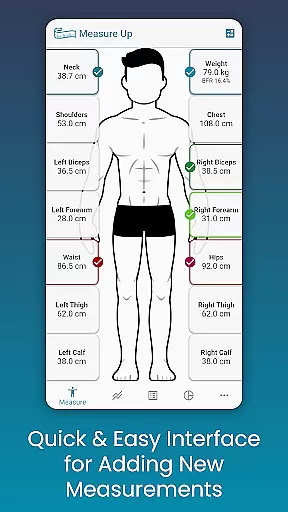
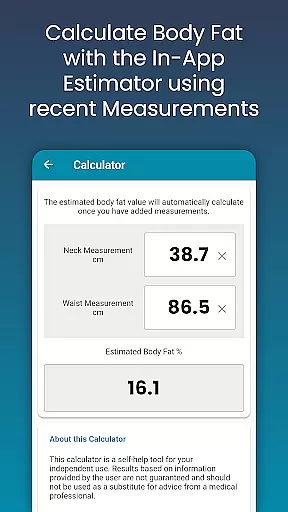
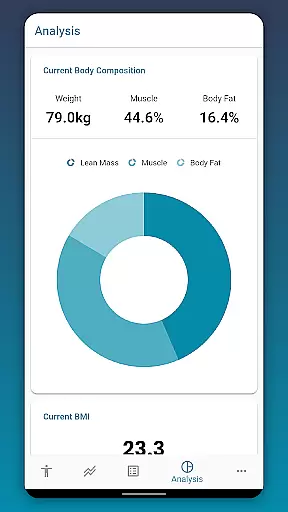
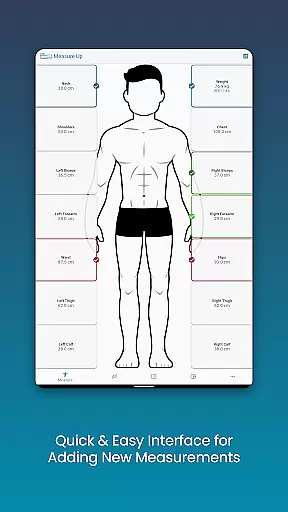
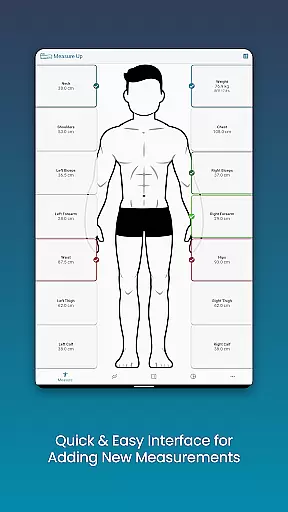
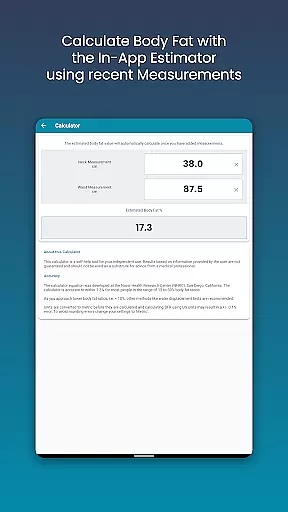
Body Measurement Tracker is a streamlined fitness companion designed to help users monitor their weight loss or muscle gain journey with ease. The app offers a simple interface for recording daily body measurements, ensuring that users can conveniently track their progress without the hassle of manual note-taking or complex spreadsheets. Its unique features include an in-app body fat calculator and integration capabilities with Google Fit, allowing seamless synchronization with other health apps.
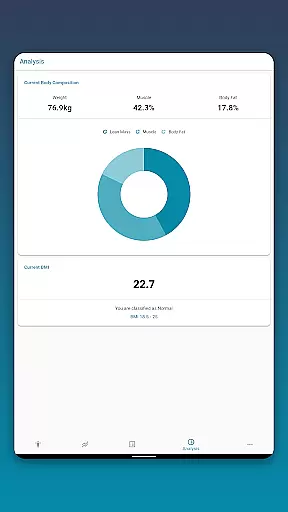
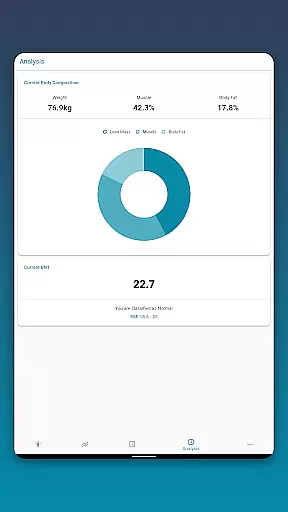
With Body Measurement Tracker, users can visualize their progress through intuitive chart analysis, toggle between different measurement views, and access detailed stats such as BMI and body composition. Whether you're focused on weight management or muscle development, this app provides all the tools necessary to stay organized and motivated throughout your fitness journey.
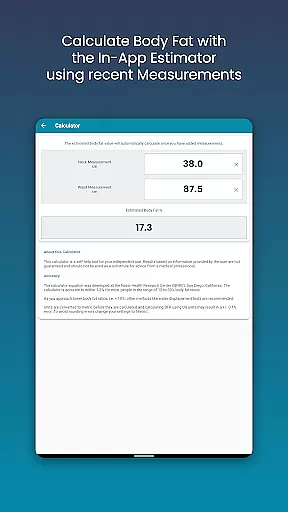
Body Measurement Tracker stands out with its comprehensive yet user-friendly feature set tailored for fitness enthusiasts. One of its core strengths is the easy measurement functionality, which allows users to log their data quickly using a simplified interface. It also supports adding past measurements by adjusting dates and includes an integrated body fat calculator for quick estimations.
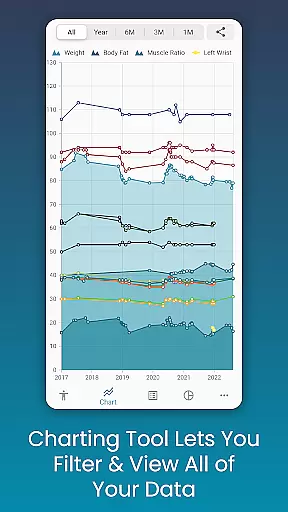
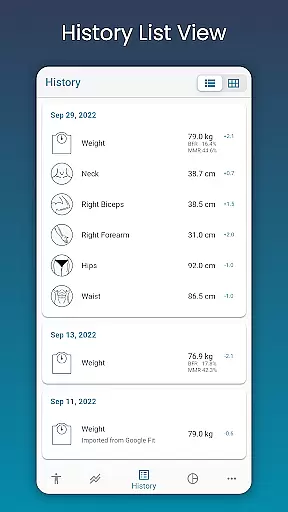
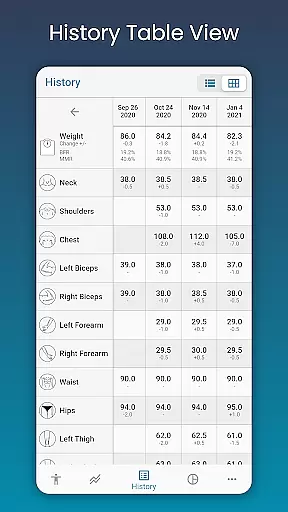
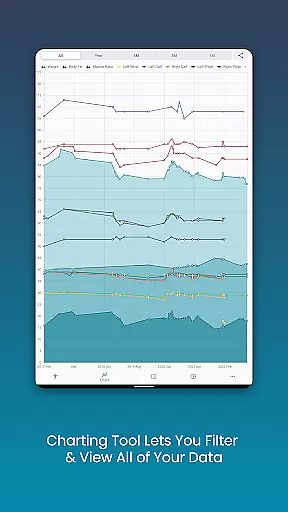
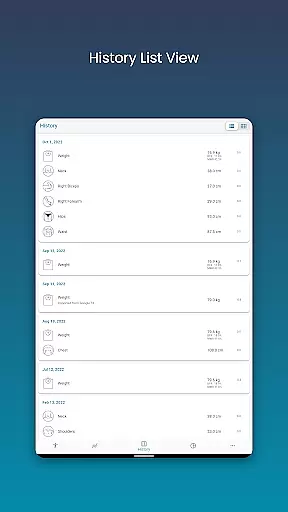
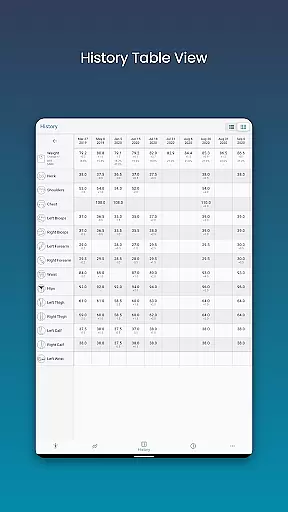
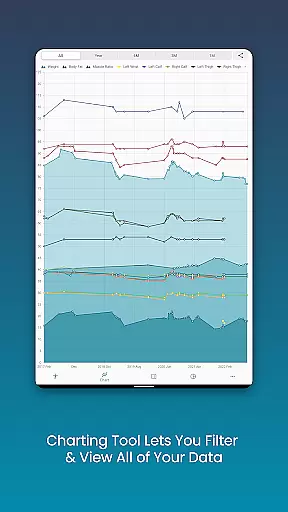
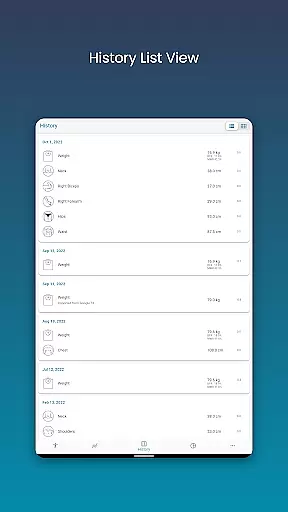
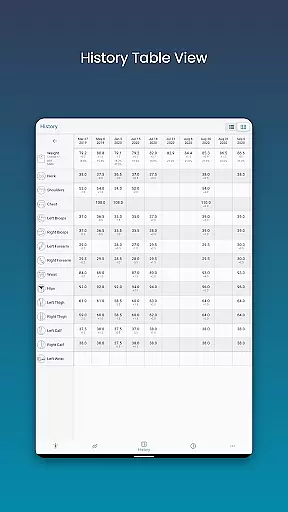
The app's chart analysis tool is another highlight, offering a centralized view of all recorded data. Users can customize their charts by toggling specific metrics on or off, stack lean mass and body fat percentages, and export visual reports in PNG format for sharing. Additionally, the app provides multiple viewing options—table, list, and chart modes—ensuring flexibility based on individual preferences.
Customization is key within Body Measurement Tracker, enabling users to define personalized measurements and adjust color schemes according to their liking. Coupled with robust backup and restore functionality, it ensures data safety while delivering a fully adaptable experience for tracking health and fitness goals.
Personalized planning in fitness applications refers to the ability to tailor workout and health plans according to an individual's specific goals, whether it is weight loss, muscle gain, or maintenance. This feature leverages user data such as body measurements, activity levels, and personal objectives to create a customized plan that evolves with the user's progress.
Body Measurement Tracker excels in personalized planning by allowing users to input and monitor detailed body metrics. The app provides an intuitive interface for recording various measurements quickly, ensuring that every user's data is accurately captured and updated. With features like the in-app body fat calculator, users can estimate their body composition and use this information to inform their fitness journey.
The true value of personalized planning in this app lies in its analytical tools. Users can view their progress through different formats such as charts, tables, and lists. These visual aids make it easier to understand trends and adjust goals accordingly. Moreover, the ability to toggle different metrics on and off allows for a focused analysis tailored to individual priorities.
By integrating with Google Fit, Body Measurement Tracker ensures that users' personalized plans are informed by a comprehensive set of data from various health apps. This interconnected approach supports a dynamic and responsive planning system that adapts to the user's ongoing input, making personalized planning not just a one-time setup but a continually evolving strategy.
Progress visualization is a critical component of any fitness application, providing users with graphical representations of their achievements and milestones. This feature helps maintain motivation by offering clear evidence of improvement over time, which is essential for adherence to fitness routines.
In Body Measurement Tracker, progress visualization is executed through versatile charting tools that display user data in an accessible and interpretable manner. The unique chart feature allows users to see all their data in one place, with options to toggle different measurements on and off. This flexibility enables users to focus on specific metrics that matter most to them, such as weight, body fat percentage, or muscle mass.
The app goes beyond simple charts by offering multiple ways to view measurement history. Users can switch between table and list views, catering to their preferred method of data interpretation. This adaptability ensures that progress tracking is never monotonous and remains engaging over time.
Additionally, the ability to export charts to PNG format enhances the utility of progress visualization. Users can share their achievements via popular apps, celebrating milestones with friends or within fitness communities. By combining robust tracking features with flexible visualization options, Body Measurement Tracker empowers users to stay motivated and committed to their fitness goals.
User-friendly interface
Comprehensive charting tools
Google Fit integration
Customizable measurement options
Data backup and restore
Limited advanced analytics
No built-in diet tracker
Premium features locked behind paywall
Occasional syncing delays
Basic UI design

a fun app full of surprises :)
 4.70
4.70
Get alert about getting out of desired heart rate zone.
4.10
Histamine intolerance, low FODMAP diet and irritable bowel syndrome (IBS)
4.00
Using Recognise™ has been shown to reduce pain and improve performance
4.1
Load the bar with this barbell & plate calculator. It's leg day, not brain day!
4.70
The OFFICIAL Couch to 5K® running training app! A 9 week walk-run workout plan.
4.50
Wall Pilates at home & Pilates workout for beginners for core and weight loss.
4.80
GloryFit is a companion app for the smart bracelet.
3.60
Focus on BP & Health
3.80
A brain game that moves you
4.70
Step Counter, track steps when you walk or run
4.70
Get lasting results with Chair Yoga, Wall Pilates, and Walking workouts!
4.60
The simplest way to track your 21 Day Program containers, exercises, and water.
4.50
Raccoon AI Calorie Counter. Intermittent Fasting & Timer. Macro, Carb, Protein
4.50
For Absolute Novices to Strength Training. Simple. Effective.
4.40
Walk, track, and burn calories with step counter & GPS walking tracker
4.20
Looking to take control of your health? Our psychology-based programs can help.
4.10
Understand your body’s most meaningful messages and transform your health.
3.90
HRV4Training helps you optimize goals and improve performance. No sensors needed
3.30


User Reviews