
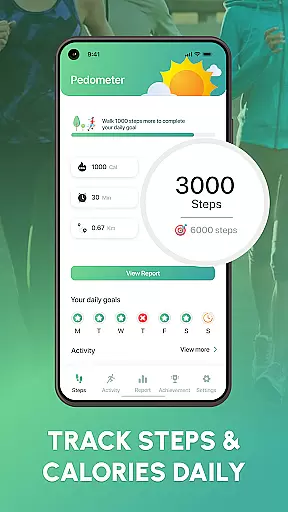
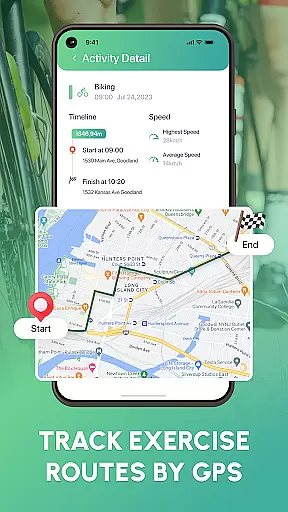
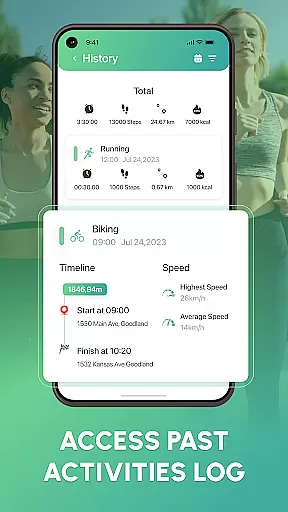
Walk Log - Daily Pedometer is a comprehensive fitness tracking application designed to help users monitor and improve their physical activity. The app's core functionality revolves around accurate step counting, distance tracking, and calorie monitoring, making it an essential tool for anyone looking to maintain an active lifestyle.
Beyond basic tracking, Walk Log offers advanced features like customizable daily goals, detailed activity reports, and multi-activity tracking with built-in GPS. These features create a personalized fitness experience that adapts to each user's unique needs and objectives. Whether you're walking, running, or cycling, this app provides valuable insights into your progress and helps you stay motivated through various fitness challenges.
The app's true value lies in its ability to transform routine walking into a structured fitness program. By setting achievable goals and providing visual progress reports, Walk Log helps users build sustainable healthy habits while maintaining engagement through social sharing features and regular challenges.
Walk Log distinguishes itself through a robust set of features designed to enhance the fitness tracking experience. The app employs advanced pedometer technology that ensures precise step counting, while its sophisticated algorithms accurately calculate walking distance, pace, and calories burned. This technical precision provides users with reliable data to track their fitness journey effectively.
A key differentiator is the app's flexible goal-setting system. Users can customize daily targets and reset counters according to their preferred schedule, whether daily or weekly. The pause and resume functionality allows for accurate active time recording, ensuring that only genuine activity contributes to progress metrics. Additionally, the multi-activity tracking feature with integrated GPS enables users to log various forms of exercise beyond just walking.
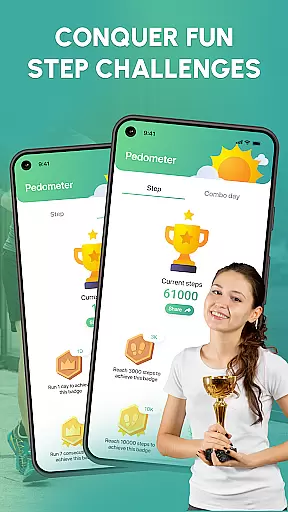
The app's innovation extends to its motivational tools. Through detailed charts and graphs, users gain valuable insights into their activity patterns. The inclusion of fitness challenges and social sharing capabilities creates a supportive community atmosphere, encouraging users to maintain their commitment to health and wellness.
Personalized planning in fitness applications like Walk Log is essential for tailoring individual health goals. This feature leverages advanced algorithms to analyze user data such as step count, walking distance, and calories burned.
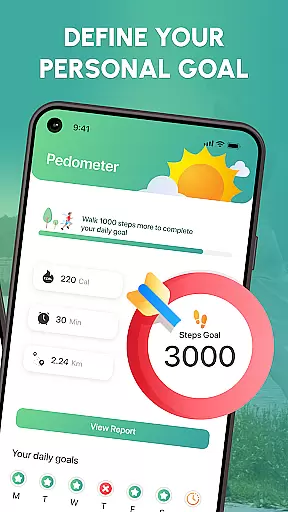
Walk Log offers a customizable daily target setting that allows users to define their fitness objectives. By integrating detailed activity reports and charts, the app provides insights into personal progress, ensuring each user's plan aligns with their unique health aspirations.
The benefits of personalized planning are manifold. Users receive tailored advice and prompts based on their performance metrics, which helps maintain motivation and achieve specific fitness milestones. The ability to adjust goals ensures sustained engagement and adaptation to changing personal circumstances.
This strategic approach to fitness not only enhances user commitment but also significantly increases the likelihood of long-term habit formation. With Walk Log, personalized planning transforms generic fitness tracking into a targeted, effective wellness journey.
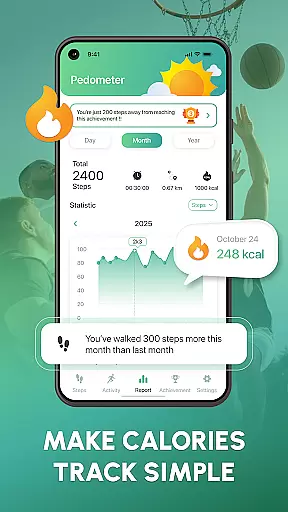
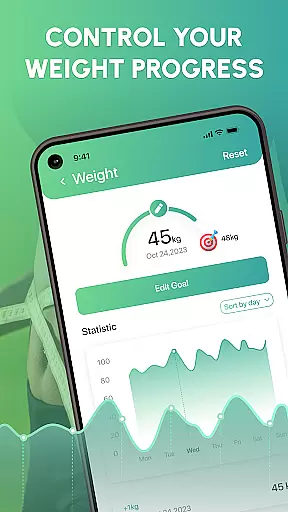
Progress visualization plays a crucial role in maintaining user motivation by providing tangible evidence of achievements. In the context of Walk Log, this feature translates raw data into visually engaging formats such as charts and graphs.
The application excels in presenting users with detailed visual reports. These include representations of step counts, distances walked, and calories burned over time. Such visual tools make it easier for users to comprehend their fitness journey and recognize patterns or trends in their behavior.
Users benefit from these visual insights by gaining a clearer understanding of their progress toward set goals. Visual feedback fosters a sense of accomplishment and encourages continued effort. It also aids in identifying areas needing improvement or adjustment in personal fitness regimes.
Ultimately, Walk Logu2019s progress visualization empowers users to make informed decisions about their health strategies. By turning data into digestible visuals, the app not only tracks but also enhances the overall fitness experience through enhanced user engagement and insight.
User-friendly interface
Accurate step tracking
Customizable goals
Detailed progress reports
Social motivation features
Limited advanced metrics
No wearable integration
Premium features locked
High battery consumption
Occasional syncing issues

Easy access to health benefits
 4.70
4.70
Relax to calm sounds, white noise, music, guided meditation and bedtime stories
4.40
a fun app full of surprises :)
4.70
Using Recognise™ has been shown to reduce pain and improve performance.
4.3
Meditation app, head space app provides calm music to help you meditate & sleep
5.00
Interval timer for High Intensity Interval Training, Tabata and Circuit Training
4.20
When the night comes, we prepare your eyes for deep, sweet dreams
4.70
The OFFICIAL Couch to 5K® running training app! A 9 week walk-run workout plan.
4.50
Your AI pet BFF. Talk, play, and beat anxiety in this calming game.
4.60
Easy reconstitution calc for mixing peptides and creating protocols
4.70
Effortlessly and naturally release anxiety by harnessing the power of your brain
4.60
Period Tracker, the easiest way to track your periods!
4.50
Pilates, Calisthenics, Yoga
4.50
See what's really going on inside your head! Real time EEG graphs from your Muse
4.40
Blood Pressure Log, HRV & Heartbeat Tracker. Pulse Checker.
4.40
3D Body Measurement System
3.60
Live Heart Rate Pro - Real Time Heart & Workout Data For Wear OS & Bluetooth BLE
3.20
Use your watch as a bike computer, heart rate monitor and cycling power meter
2.50
Optimization for TRT & Enhanced Athletes
4.1


User Reviews