
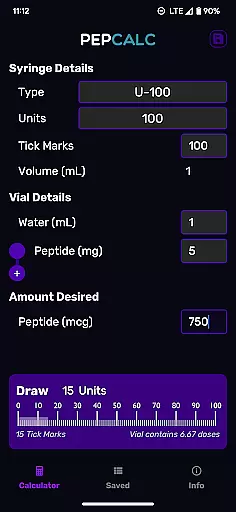
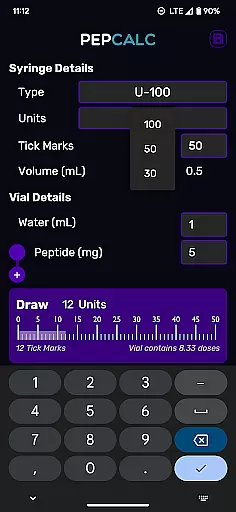
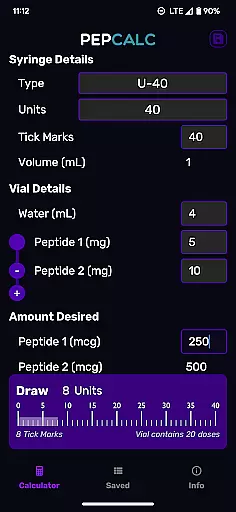
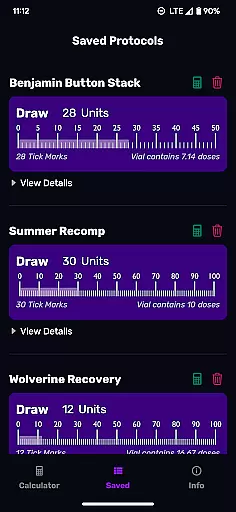
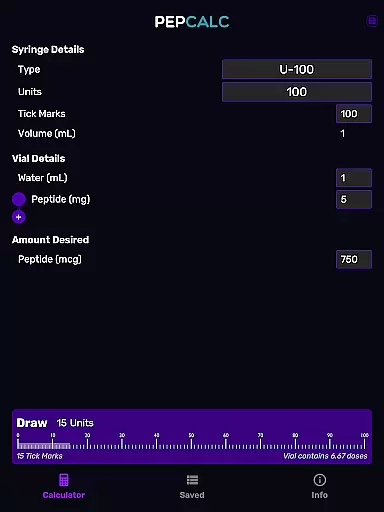
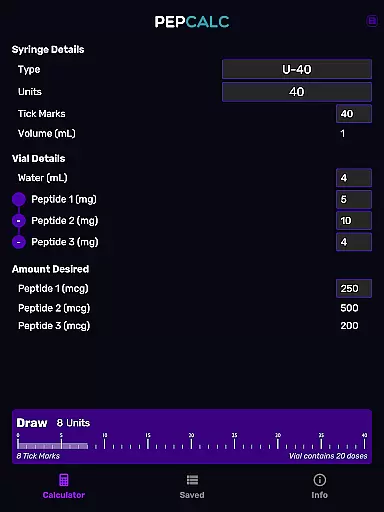
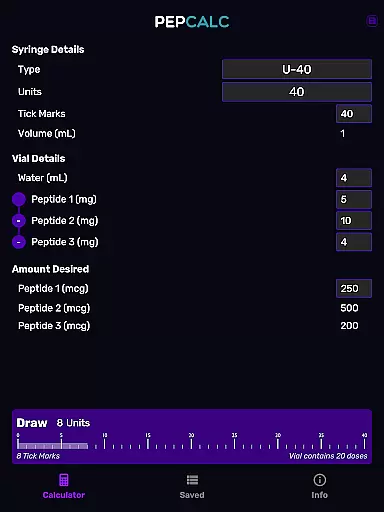
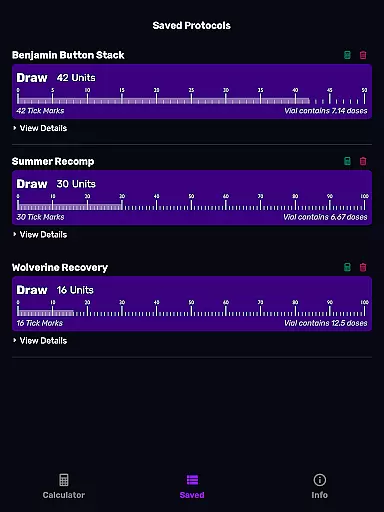
PepCalc is the leading peptide reconstitution calculator app designed for researchers and health enthusiasts. It simplifies complex calculations by providing accurate measurements for peptide reconstitution amounts per unit or tick mark.
With fully configurable inputs, users can customize volume, units, tick marks, and more. The app supports multi-peptide blends and features saved protocols with notes, making it an essential tool for efficient lab work.
Whether you're working in a professional lab setting or conducting personal research, PepCalc streamlines your workflow while offering advanced features like dark mode support and instrument type selection.
PepCalc stands out with its comprehensive set of features tailored for peptide calculation needs. The app offers fully configurable inputs allowing users to adjust volume, units, tick marks, and desired amounts with precision.
One of the key highlights is its support for multi-peptide blends. Users working with complex mixtures can add multiple peptides, and PepCalc will compute all necessary amounts automatically.
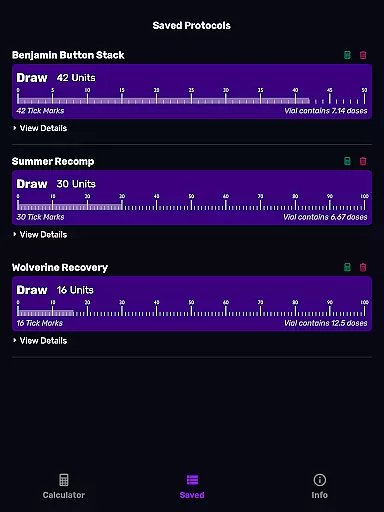
The app also provides saved protocols with notes, ensuring users can save and retrieve their favorite calculations effortlessly. With no signup required and zero ads, PepCalc delivers a seamless experience focused purely on functionality and user convenience.
Personalized planning in PepCalc allows users to configure inputs according to their specific needs for peptide reconstitution. This feature supports fully customizable settings such as input volume, units, tick marks, and the quantity of peptides.
The app provides options for different instrument types including U100, U40, and a custom 'other' setting, ensuring that calculations are tailored to the user's equipment. This personalized approach guarantees accurate results every time.
For those working with multi-peptide blends, PepCalc offers the ability to add additional peptides. The system automatically computes all necessary amounts, streamlining the process and saving time.
By offering personalized planning, PepCalc ensures that users can work efficiently and accurately, removing the guesswork from complex calculations and allowing more time for critical tasks.
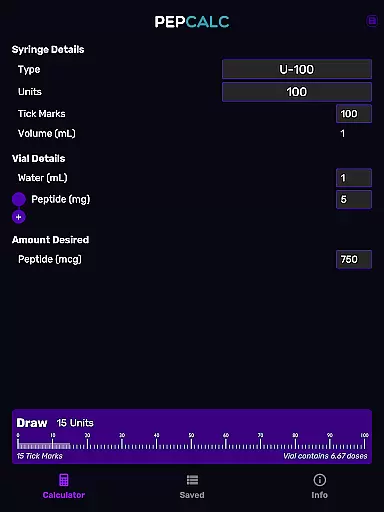
PepCalc enhances user experience through progress visualization by providing clear, easy-to-understand displays of calculation results. Users can see exactly how much peptide is required per unit or tick mark, making the reconstitution process straightforward.
Saved protocols with notes allow users to visualize their previous progress and continue from where they left off. This feature eliminates unnecessary retyping and helps maintain consistency across multiple sessions.
In addition to saved protocols, the app supports dark mode, reducing eye strain and improving readability in low-light conditions. This thoughtful design aspect aids in better progress tracking.
Through these visualization tools, PepCalc not only simplifies complex calculations but also empowers users to track their progress effectively, enhancing both productivity and accuracy in their work.
Accurate calculations
User-friendly interface
Multi-peptide support
Saved protocols feature
No ads or signup
Limited to peptide use
Advanced settings only
Requires manual input
No iOS version
Specialized audience

Easy access to health benefits
 4.70
4.70
Personal Measurements - Track your gains!
4.50
Build Healthy Habits!
4.60
See what's really going on inside your head! Real time EEG graphs from your Muse
4.40
Track heart rate & HRV in 30s! Get live health insights and anomaly alerts
4.40
The most accurate heart rate app to monitor and track your heart rate & pulse.
4.40
Jogging app for calorie counter and distance tracker. Running app to lose weight
4.20
Workouts for everyone
4.70
Comprehensively record and manage your health
4.50
Beauty Care, Makeup & Skin Care Scanner | Pregnancy App For A Mom | Healthy Baby
5.00
Load the bar with this barbell & plate calculator. It's leg day, not brain day!
4.70
Measure your Pupil Distance for Eyeglasses and VR headsets in 3 quick steps.
4.70
Your AI pet BFF. Talk, play, and beat anxiety in this calming game.
4.60
Raccoon AI Calorie Counter. Intermittent Fasting & Timer. Macro, Carb, Protein
4.50
Eat smarter with Eato, your personal calorie counter and nutrition tracker!
4.40
Grow with self-tests and personal routine.
4.30
Pack of 66 calming lullabies for smooth fall asleep and relaxation
4.10
Text notifications, button control, heart monitor & more for your Amazfit.
2.40
Using Recognise™ has been shown to reduce pain and improve performance.
4.1


User Reviews