
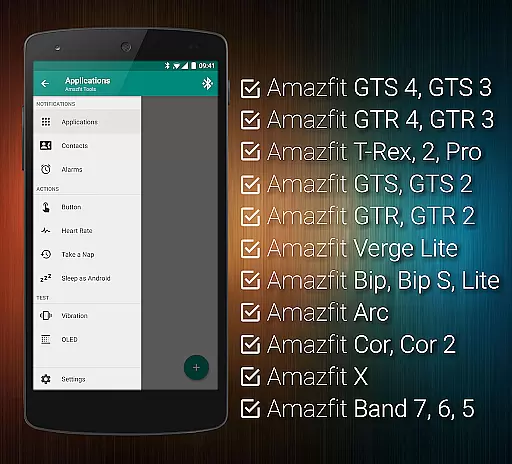
Tools & Amazfit is a comprehensive health and fitness application designed to maximize the potential of your Amazfit smart bracelet. This app offers advanced customization options for notifications, including calls, apps, and even personalized vibration patterns. With features like power nap mode, continuous heart rate monitoring, and integration with Sleep as Android, it caters to both your daily productivity and wellness needs.
The app supports a wide range of Amazfit devices and works seamlessly with Android versions from 4.3 to 13+, ensuring broad compatibility. Whether you want to fine-tune notification settings or export/import configurations, Tools & Amazfit provides the tools necessary to tailor your experience. Its robust feature set makes it an invaluable companion for Amazfit users seeking enhanced control and personalization.
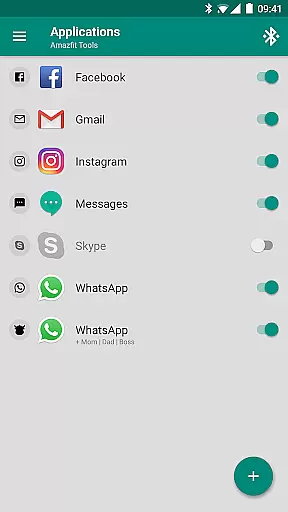
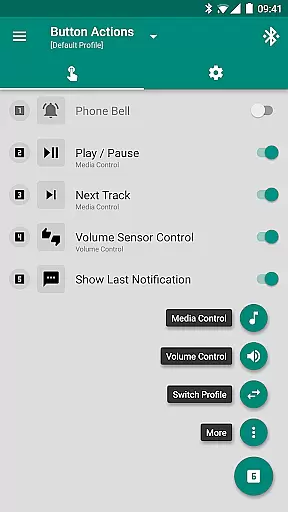
Tools & Amazfit boasts an impressive array of features that cater to both convenience and health-conscious users. One standout capability is Display Text Support, which allows users to see full caller names and detailed notification contents directly on their Amazfit device. The app also includes Button Control & Sensor Control, enabling actions to be assigned to button presses or hand movements, offering intuitive interaction.
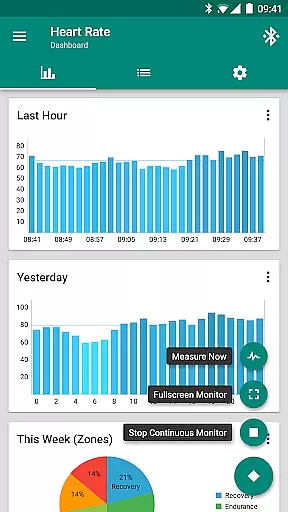
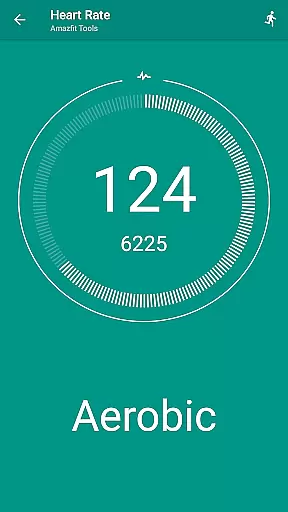
For health enthusiasts, the app provides continuous heart rate monitoring with configurable dashboard charts and Idle Alerts to remind users to stay active. Additionally, its Power Nap feature helps users recharge effectively during short breaks. With support for Tasker and other automation apps, along with fully customizable widgets, Tools & Amazfit ensures a highly personalized user experience tailored to individual preferences and needs.
Personalized planning in Amazfit Tools allows users to tailor their health and fitness goals according to their individual needs. This feature is crucial for those who seek a customized approach to their wellness journey.
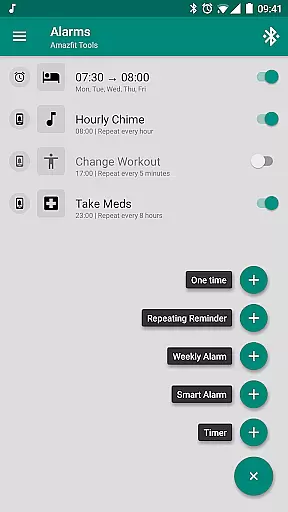
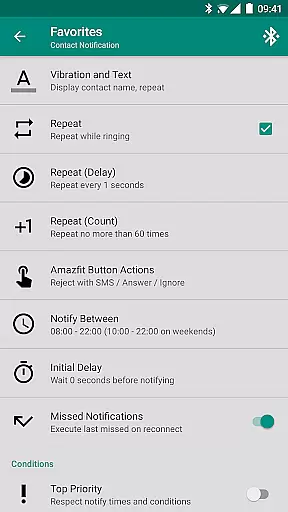
The application offers advanced settings that let you configure custom patterns for notifications, set up personalized reminders for workouts or medication, and even create idle alerts if you've been inactive for too long. These options ensure that your health plan is as unique as your personal objectives.
Users benefit from the ability to fine-tune content filters and notification times, ensuring they receive only the most relevant information at the most opportune moments. This level of personalization enhances user engagement and promotes adherence to one's health regimen.
Ultimately, the personalized planning feature empowers users by providing them with tools that adapt to their lifestyle, thus supporting better health outcomes and an improved quality of life through tailored guidance and motivation.
Progress visualization is a key component of maintaining motivation and tracking success in any fitness program. With Amazfit Tools, users can easily monitor their achievements and stay on top of their health goals.
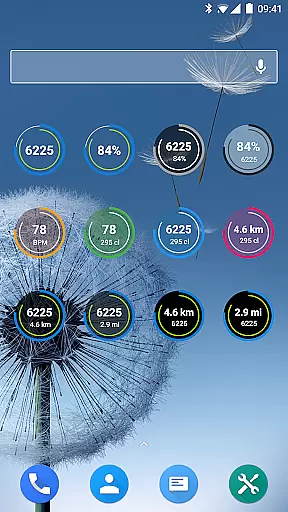
This app provides fully customizable widgets that display daily fitness goal progress, heart rate, and bracelet battery life. Users can visually track their performance over time with configurable heart rate dashboard charts and continuous heart rate monitoring.
By integrating with Sleep as Android, it also allows for comprehensive sleep analysis, which is visualized in an understandable format, helping users to recognize patterns and make necessary adjustments to improve their rest.
The ability to see tangible evidence of improvement serves as a powerful motivator, encouraging users to continue pushing towards their goals while making informed decisions about their health and fitness routines.
User-friendly interface
Extensive customization options
Wide device compatibility
Advanced health tracking
Regular updates and improvements
Premium features require payment
Some settings may overwhelm new users
Occasional sync issues reported
Limited iOS support
Notifications can be complex to configure

Chair Workout: Women's Edition for safe, flexible, and personalized fitness.
 4.40
4.40
Pack of 66 calming lullabies for smooth fall asleep and relaxation
4.10
Pupillary distance PD with camera quick and easy, checking glasses frames on you
3.70
Get lasting results with Chair Yoga, Wall Pilates, and Walking workouts!
4.60
Memory, mind & logic exercises. Puzzle games, IQ & brain test for kids & adults
4.50
You deserve easy access to important insurance information. Download for FREE.
4.70
Looking to take control of your health? Our psychology-based programs can help.
4.10
Mood journal, habits, self-care tracker, self-love
4.90
Control your blood pressure, heart rate and blood sugar in a fast way.
4.00
Beauty Care, Makeup & Skin Care Scanner | Pregnancy App For A Mom | Healthy Baby
5.00
Show your support for the development of FitNotes - Gym Workout Log
4.90
Easy access to health benefits
4.70
When the night comes, we prepare your eyes for deep, sweet dreams
4.70
Your AI pet BFF. Talk, play, and beat anxiety in this calming game.
4.60
Raccoon AI Calorie Counter. Intermittent Fasting & Timer. Macro, Carb, Protein
4.50
See what's really going on inside your head! Real time EEG graphs from your Muse
4.40
Track heart rate & HRV in 30s! Get live health insights and anomaly alerts
4.40
3D Body Measurement System
3.60
HRV4Training helps you optimize goals and improve performance. No sensors needed
3.30


User Reviews