
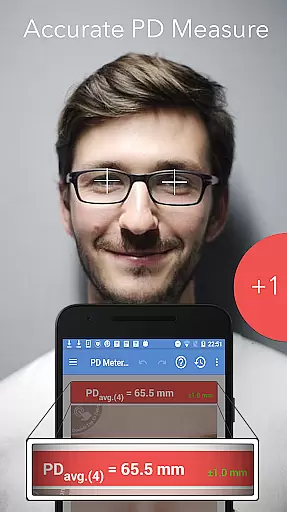
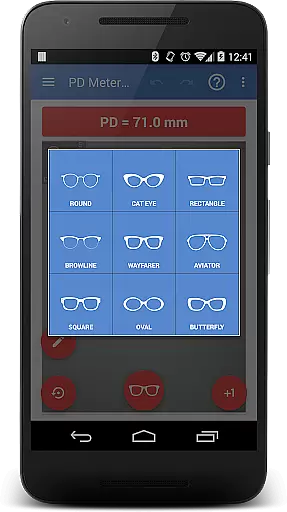
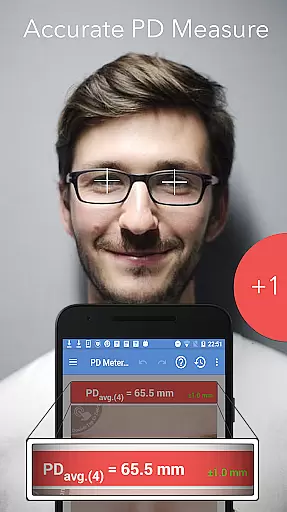
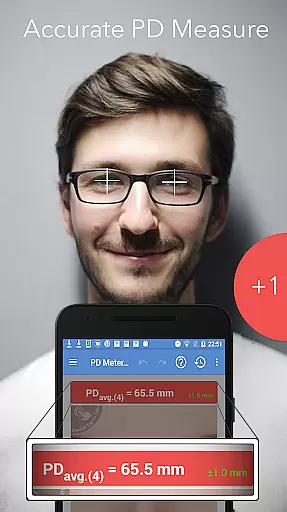
Pupil Distance PD Meter Pro is a specialized mobile application designed for accurate pupillary distance (PD) measurement using your device's camera. This Health & Fitness tool allows users to conveniently measure their interpupillary distance (IPD), which is crucial when purchasing eyeglasses, sunglasses, or VR headsets. The app stands out by offering a bonus feature of trying on basic eyeglass frames virtually, enhancing the user experience while ensuring precise measurements.
With its reliable measurement capabilities and commitment to genuine user feedback, Pupil Distance PD Meter Pro provides an essential service for anyone in need of accurate PD measurements without relying on traditional methods. Whether you're an optometrist or simply someone looking to buy eyewear online, this app ensures you get the right fit every time.
The standout feature of Pupil Distance PD Meter Pro is its advanced camera-based measurement system that accurately calculates pupillary distance. Unlike other apps that may rely on less reliable methods, this app uses sophisticated algorithms to ensure precision. Additionally, it offers a unique virtual try-on feature for basic eyeglass frames, allowing users to preview how different frames might look on them.
Another notable aspect is the app's dedication to authenticity and user satisfaction. It does not engage in buying fake reviews to boost ratings, ensuring all feedback is genuine. With responsive customer support ready to address any issues or provide refunds if necessary, users can trust in both the quality of the measurements provided and the overall reliability of the application.
Personalized planning in health applications refers to the ability to tailor experiences and recommendations specifically to individual users. Pupil Distance PD Meter Pro excels in this area by offering customized measurement solutions for pupillary distance (PD) and interpupillary distance (IPD).
The app uses advanced algorithms to ensure precise measurements, allowing users to accurately measure their PD before purchasing eyewear or VR headsets. This personalized approach ensures that users get products that fit them perfectly, enhancing comfort and usability.
By providing a reliable and accurate measurement tool, the app empowers users to make informed decisions about their purchases. This level of personalization not only improves user satisfaction but also reduces the likelihood of returns or exchanges due to ill-fitting products.
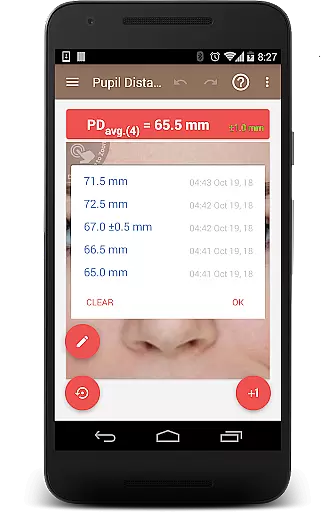
Progress visualization is crucial for users to understand their achievements and track improvements over time. In Pupil Distance PD Meter Pro, progress visualization is implemented through clear and concise measurement results displayed after each use.
Users can easily view their PD and IPD measurements, which are presented in an easy-to-understand format. This feature helps users monitor any changes in their pupillary distance, ensuring they always have the most up-to-date information for purchasing eyewear or other related products.
Additionally, the app's straightforward presentation of data fosters a sense of accomplishment as users successfully complete measurements. This visual feedback loop encourages continued use and helps build trust in the accuracy and reliability of the app.
Accurate PD measurement
User-friendly interface
Virtual frame try-on
Genuine user reviews
Responsive customer support
Limited frame styles
Requires good lighting
Occasional measurement errors
No iOS version available
Basic design options

Sync your activities of the most popular sports tracking services
 2.70
2.70
The app helps you address digestive symptoms based on the Fast Tract Diet.
3.50
Binaural Beats - Fully Customizable Waves - Pure Sound - No Loops
4.50
Get lasting results with Chair Yoga, Wall Pilates, and Walking workouts!
4.60
Turn your steps into cash, gift cards & rewards with our step counting pedometer
3.80
Walk, track, and burn calories with step counter & GPS walking tracker
4.20
Make sense of your health data.
3.80
Your Health Assistant
3.90
Jogging app for calorie counter and distance tracker. Running app to lose weight
4.20
Weight loss app: home workout for women to lose weight & burn calories.
4.80
Build Healthy Habits!
4.60
Personal Measurements - Track your gains!
4.50
For Absolute Novices to Strength Training. Simple. Effective.
4.40
“Overcoming pain based on EMDR” helps you to alleviate chronic pain and stress.
4.10
Pedometer that gives you sweatcoins for steps. It pays to walk!
4.10
GloryFit is a companion app for the smart bracelet.
3.60
Your plan in your pocket 24/7
3.00
Using Recognise™ has been shown to reduce pain and improve performance.
4.0
Using Recognise™ has been shown to reduce pain, and improve performance.
4.1


User Reviews