
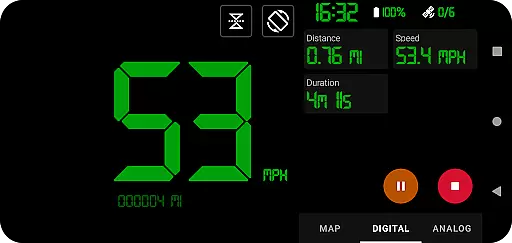
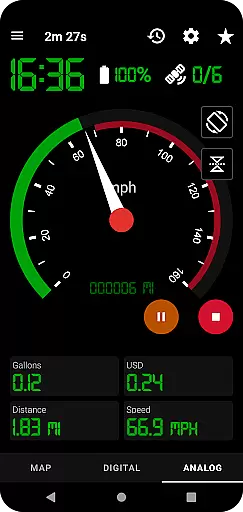
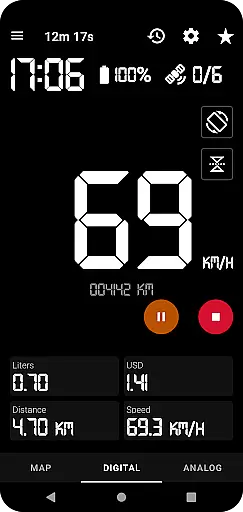
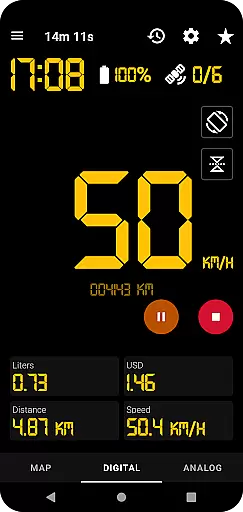
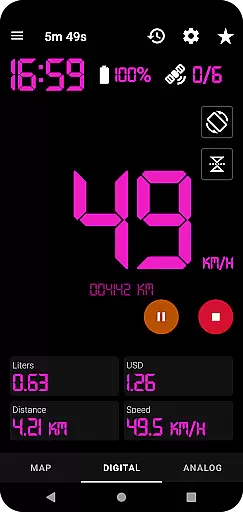
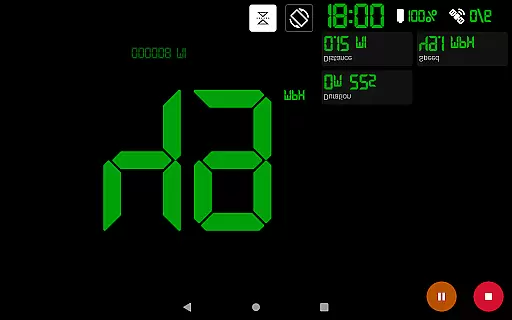
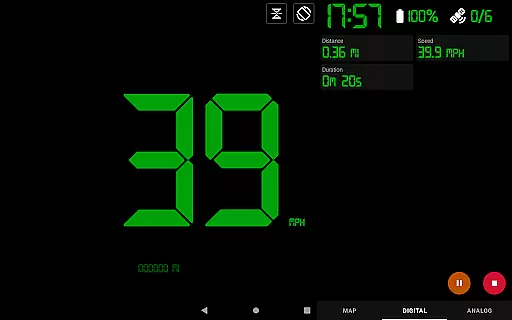
GPS Speedometer Pro is a comprehensive navigation and tracking application designed to monitor your speed, distance, and routes using your phone's built-in GPS. The app offers multiple display modes including analog, digital, and head-up display (HUD) options, making it versatile for various activities such as driving, running, or cycling. With its ability to function in the background, users can seamlessly track their movements while using other phone features.
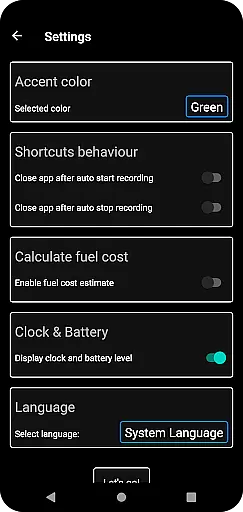
Apart from basic speed tracking, the app provides advanced functionalities like fuel cost estimation, over-speed alerts, and odometer readings. Users can download their tracked routes in .gpx format for third-party software analysis and even replay saved routes within the app. Its privacy-focused design ensures no personal data collection, offering a secure tracking experience. Whether you're commuting or engaging in outdoor activities, GPS Speedometer Pro delivers accurate metrics and customizable features tailored to enhance your navigation experience.
GPS Speedometer Pro stands out with its rich feature set tailored for both casual and professional use. The app supports multiple speedometer styles including analog, digital, and HUD modes, catering to different user preferences and lighting conditions. Its robust GPS functionality allows precise route tracking and speed monitoring, with additional tools like an odometer and fuel cost estimator providing deeper insights into your journeys.
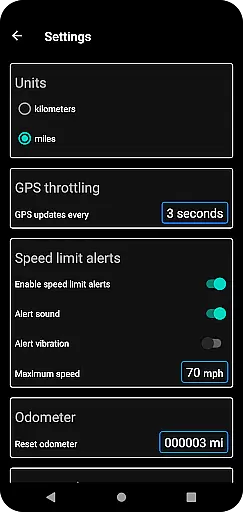
One of the key highlights is its flexibility during usage. The app can operate efficiently in the background, ensuring uninterrupted tracking even when the phone is used for other tasks. It also includes practical features such as over-speed alerts, which work even when the app runs in the background, enhancing safety during travel. Furthermore, users can customize map types, switch between units of measurement, and choose between portrait or landscape orientations for optimal viewing comfort. These thoughtful implementations make GPS Speedometer Pro a reliable companion for all your navigation needs.
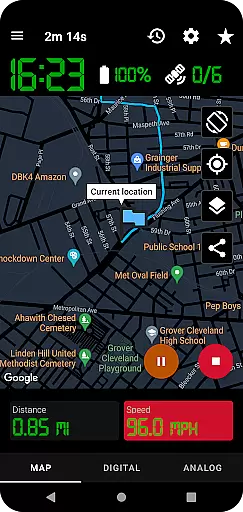
Map accuracy is crucial for any navigation app, and GPS Speedometer Pro excels in this area. The app leverages your phone's built-in GPS to provide precise tracking of your routes, whether you're driving, running, walking, or cycling.
The application offers multiple map types including light, dark, and terrain views, ensuring that users can select the most suitable option for their environment. This versatility enhances the accuracy of location data displayed on the map.
Additionally, the map follows your current location while tracking, providing real-time updates and ensuring that you always know where you are. This feature is particularly useful when traveling through unfamiliar areas.
With its ability to record and save tracks in .gpx file format, GPS Speedometer Pro allows users to view their routes in third-party software, further validating the precision of the mapping data provided by the app.
Effective route planning is essential for efficient travel, and GPS Speedometer Pro provides several features to enhance this process. Users can switch between different speedometer views, such as analog, digital, or even a head-up display (HUD) mode, allowing for optimal route monitoring based on personal preference.
The app includes an odometer and fuel cost estimation feature, which helps users plan their trips more economically. By understanding the distance and estimated costs, travelers can make informed decisions about their routes.
Furthermore, the ability to set maximum speed limits and receive over-speed alerts ensures safer route planning. These alerts continue even when the app runs in the background, providing constant safety checks during your journey.
Lastly, the pause, stop, and resume functionality allows users to manage their tracking efficiently, saving power and ensuring that only relevant parts of the journey are recorded, contributing to better overall route planning.
User-friendly interface
Accurate GPS tracking
Customizable display options
Background operation capability
Privacy-focused design
Limited offline functionality
Occasional GPS inaccuracies
Pro version costs money
High battery consumption
Complex settings for beginners

Start your next adventure confidently using our Accurate Compass App
 3.70
3.70
Easy, Moderate and difficult offroad adventures.
4.00
Fully offline 1:50k New Zealand topographical map North Island
4.3
Complete offline 1:50k South Island topo map including DOC Hunting Permit Areas
4.60
OpenCPN is a full featured ChartPlotter and Navigator for Android.
3.60
Instant diesel discounts - save big with each fill up!
4.40
Get directions, Maps, GPS navigation & GPS Maps using GPS App
4.10
Find routes fast with GPS Maps, GPS Navigation & driving directions.
4.10
Park in Chicago, NYC, Boston, SF, Houston & more!
4.70
LIRR and Metro-North tickets and trips
4.80
Bolt is a ride-hailing app for requesting fast, safe, and affordable transport
4.80
Navigate confidently with our precise Digital Compass app & Direction Compass!
4.70
Parcel map, property lines, owner, acres, land use, zoning and more from Regrid.
4.60
Explore with GPS Navigation with GPS offline, voice GPS, speed camera radar
4.60
Track friends in real-time and explore worldwide live cameras.
4.60
Find radar maps, GPS coordinates, altitude, offline maps, location, travel route
4.40
Get matched with a nearby driver — you’ll be on your way in minutes.
4.30
Phone Tracker and GPS Location Sharing
4.20
Your real-time window to the world. Explore anywhere, anytime.
3.30
Complete Lyft review—pricing comparison, driver quality, safety features, rewards program, and how it stacks up against Uber and competitors.



User Reviews