
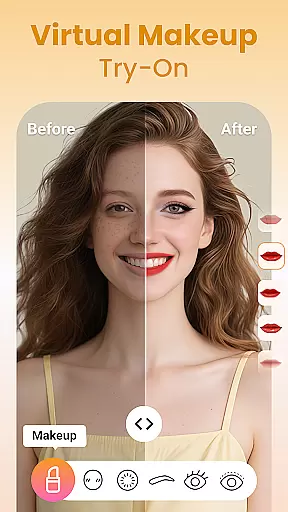
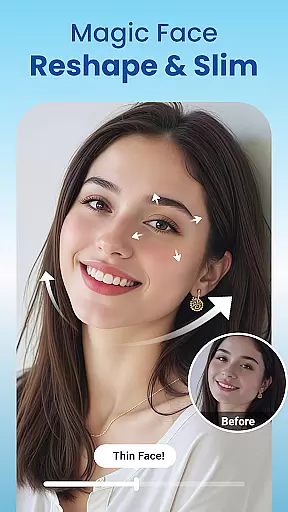
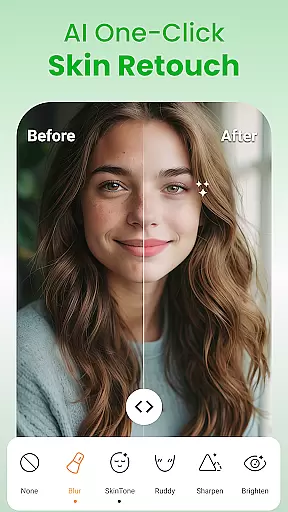
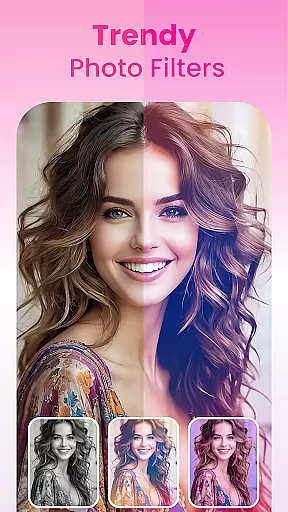
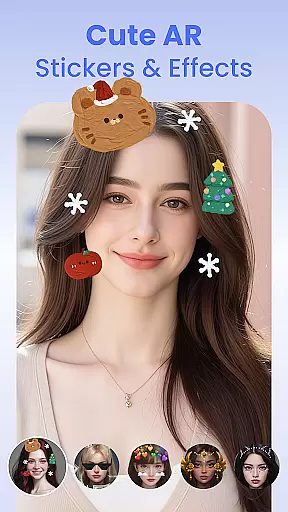
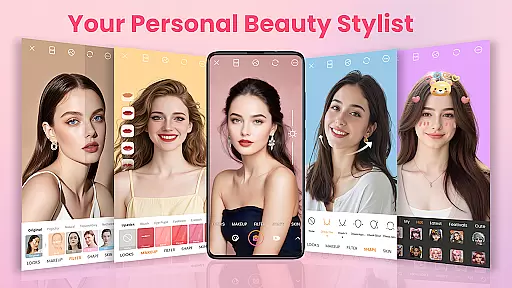
Makeup Camera & Selfie Editor is a comprehensive beauty app designed to help users achieve flawless and stunning selfies. The app offers an all-in-one solution with powerful makeup tools, face editing features, trendy filters, and cute AR effects. Users can apply virtual makeup such as lipstick, blush, and eyeshadow with a single tap, while also reshaping and retouching their facial features for a polished look.
In addition to its robust makeup capabilities, the app provides advanced photo editing options including cropping, rotating, and adjusting brightness or contrast. With over 100 stylish filters and interactive AR stickers, Makeup Camera & Selfie Editor ensures that every selfie can be playful and unique. Whether capturing daily moments or experimenting with new styles, this app empowers users to express themselves fully through their photos.
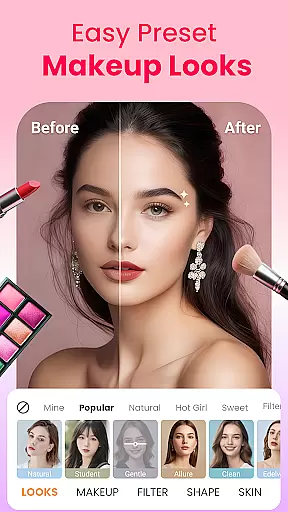
One of the standout features of Makeup Camera & Selfie Editor is its extensive range of customizable makeup tools. Users can choose from various shades of lipstick, blush, colored contacts, eyebrows, eyelashes, eyeliner, eyeshadow, highlight, contour, and foundation to create both natural and bold looks effortlessly. Preset makeup styles allow for full-face transformations with just one tap, making it easy to switch between different aesthetics quickly.
Beyond makeup application, the app includes sophisticated selfie editing functions like skin smoothing, face reshaping, eye enhancement, and teeth whitening. These tools ensure that users can achieve a flawless appearance while maintaining a natural look. Additionally, the inclusion of trendy filters and cute AR stickers adds an element of fun and creativity to each photo, enabling users to capture their personality in every shot.
Makeup Camera & Selfie Editor offers an extensive product database that caters to a wide array of beauty needs. The app includes features such as virtual lipstick trials, blush effects, colored contact lenses, eyebrow shaping, eyelash enhancements, eyeliners, eyeshadows, highlighting, contouring, and foundation matching.
This comprehensive suite allows users to experiment with different looks virtually before making any purchasing decisions. Each tool within the app is designed to mimic real-world cosmetic products, providing realistic previews of how these items would appear on your face.
The value for the user lies in the ability to try out numerous combinations without the need for physical testers or in-store visits. This saves both time and resources while also offering a hygienic alternative to traditional makeup trials.
The Makeup Camera & Selfie Editor excels in delivering personalized beauty solutions tailored to individual preferences. With advanced AI algorithms, the app can analyze facial features and suggest makeup styles that best suit each user's unique characteristics.
Users have access to preset makeup styles that can be applied with one tap, instantly transforming their look based on current trends or personal taste. Additionally, customization options like reshaping the face, enhancing eyes, whitening teeth, and smoothing skin ensure that every selfie reflects the useru2019s desired aesthetic.
This level of personalization ensures that users not only achieve their ideal appearance but also enjoy a seamless and intuitive editing process. By leveraging precise personalization techniques, the app empowers users to express themselves confidently through their digital presence.
User-friendly interface
Wide variety of makeup options
Real-time beauty enhancements
Fun AR effects and filters
Comprehensive photo editing tools
May require in-app purchases
Some features could be overwhelming
Occasional performance issues
Limited tutorial support
Privacy concerns with facial data

Beauty camera for perfect selfie with makeup, sticker and filter
 4.50
4.50
Professional HD Camera App: Capture Bright HD Selfie & Record Stunning Moments
4.40
Intelligent Beauty calculator tool! Face scale and face symmetry in one app!
3.80
Healthier, more beautiful with Medicube Digital Clinic AGE-R!
4.10
Edit Your Photos and Videos with Beauty Filters & Get Makeup Artist Tutorials
3.60
Beauty camera to take nature selfie with photo filter. Photo makeup face editor.
4.50
Beauty Mirror - True mirror app with light, shaving mirror, makeup mirror app
4.50
Beauty Camera & Selfie Camera snap Beauty selfie with filter, makeup, stickers
4.80
Unleash your (Pro)tential with the hottest hair, nails and beauty brands!
4.60
Salon appointment booking and scheduling software for beauty pros and barbers.
4.80
Face Makeup Camera: Photo makeup app and perfect Lipstick app, beauty lip filler
4.70
Top brand haircare & fragrance
4.60
Beauty Camera - Selfie Camera with sweet selfie, makeup, filter, sticker, editor
4.50
Download Today
4.40
All-in-one solution for independent beauty pros to manage & grow their business
4.30
Beauty Camera AI Photo Editor with effect, filter, makeup tools for photo editor
4.30
Glow up with science: cosmetics, ingredients scanner, tracking & face analysis
4.10
Shop Smarter, Dress Better, and Shine Brighter!
4.10
Color haircut changer style on
3.30


User Reviews