
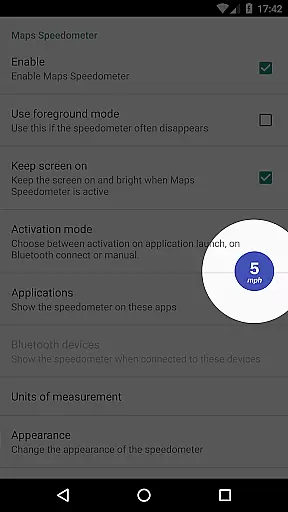
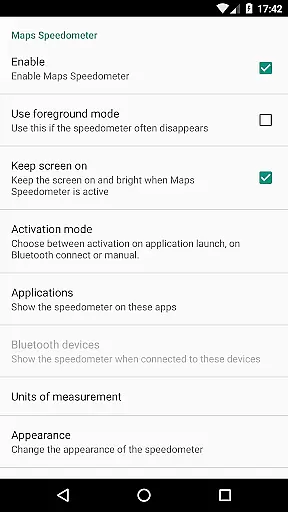
Maps Speedometer is a versatile travel companion that displays your current speed in real-time as an elegant overlay on your device. This innovative app automatically activates when your selected apps are in use or when connected to a Bluetooth device, ensuring you always have access to your speed information without interrupting your primary activities. Designed with flexibility in mind, it offers customizable display options including size, position, transparency, and unit of measurement, allowing users to tailor the experience to their specific needs.
The application's key strength lies in its ability to seamlessly integrate with any app on your device while maintaining user privacy. It operates offline, requires no internet connection, and contains no advertisements or data-sharing backdoors. Whether you're navigating with Google Maps or listening to music, Maps Speedometer remains unobtrusive yet accessible, enhancing your travel experience by keeping you informed about your speed at all times.
Maps Speedometer stands out with its rich feature set tailored for both convenience and customization. One of its core functionalities is the automatic display and hiding of the speedometer overlay based on the active app or Bluetooth connection status. This ensures that the speedometer only appears when needed, reducing unnecessary distractions. Additionally, users can choose their preferred speed units from miles per hour (mph), kilometers per hour (km/h), or knots (kn), catering to various regional preferences and use cases.
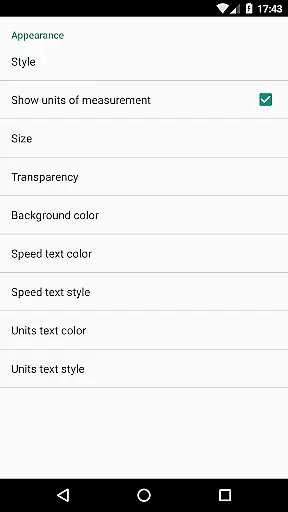
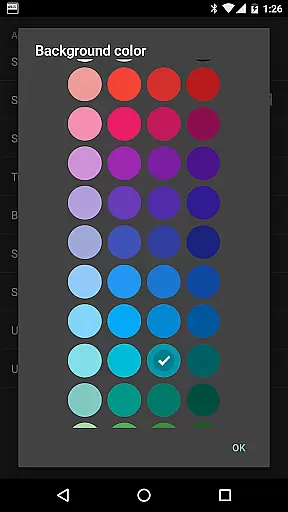
Customization is at the heart of this app's design. Users can adjust the transparency, size, and position of the overlay to suit their visual preferences and device setup. The overlay can also be temporarily hidden for 10 seconds with a simple touch, providing quick access to underlying content. With support for multiple color schemes and styles, Maps Speedometer allows users to personalize the appearance further. Although Android Auto integration is currently limited due to platform restrictions, the app remains a powerful tool for travelers seeking reliable speed monitoring across different apps and devices.
Booking authenticity is crucial for travel applications, ensuring that all reservations and bookings are legitimate and trustworthy. Maps Speedometer enhances this aspect by providing real-time speed information directly on your device, regardless of the app you're using. This feature eliminates the need to switch between apps, maintaining the integrity of your navigation and booking experiences.
The application uses advanced detection techniques to automatically display or hide the speedometer overlay based on the active app or Bluetooth connection status. This seamless integration ensures that users can trust the authenticity of their travel data without interruptions. With no advertisements or unnecessary internet access, Maps Speedometer guarantees a clean and reliable user experience.
Users benefit from customizable settings such as unit selection (mph, km/h, kn), adjustable transparency, size, position, and color options. These features allow for personalized and precise speed monitoring, enhancing the overall booking and travel experience. The ability to temporarily hide the overlay by touching it adds convenience, ensuring that important information remains accessible yet unobtrusive.
Price transparency in travel applications refers to clear and open communication about costs associated with bookings and services. While Maps Speedometer does not handle monetary transactions, it offers unparalleled transparency in its operational parameters, contributing to a trustworthy user experience. By clearly outlining its functionalities and limitations, the app fosters confidence among users regarding its performance and reliability.
One key aspect of price transparency is the absence of hidden fees or backdoors sharing private information. Maps Speedometer operates entirely offline, ensuring that user data remains secure and private. Additionally, the app provides detailed customization options, allowing users to adjust the overlay's appearance and behavior according to their preferences. This level of control reinforces the appu2019s commitment to openness and honesty.
Furthermore, Maps Speedometer supports various units of measurement and integrates seamlessly with Android Auto, albeit with certain restrictions. Users are informed about these limitations upfront, promoting transparency. The app also encourages feedback, promising continuous improvement and adaptation to user needs. Such proactive engagement underscores the importance of clarity and trust in digital travel tools.
Real-time speed tracking
Highly customizable
No ads or subscriptions
Offline functionality
Privacy-focused design
Limited Android Auto support
Requires Accessibility permissions
Bluetooth dependency for some features
Overlay may obstruct other UI elements
Initial setup can be complex

CLEAR provides a safer, easier way through airports, stadiums, and beyond.
 4.20
4.20
Save on gas and convenience with the earnify™ App
4.70
Discover the power of one-way location tracking. Share your location securely.
4.50
With the Spirit Airlines app, easily manage all your trips in one place.
4.70
Get faster fuel rewards, exclusive offers, and helpful tools!
4.70
Vacationing on CARNIVAL? Maximize your fun on board with the ultimate cruise app
4.60
Travel light with our easy-to-use mobile app, the perfect flying companion.
4.40
Get the app that knows where you’re going - view your flight, check in & more
4.50
Book your whole trip in one app.
4.80
Book flight, car or packages. Instant access to hotel discounts & travel deals
4.80
Stay at Motel 6 for less - book fast, save more with MY6 app!
4.70
Maximize your cruise vacation with the Royal Caribbean app
4.70
Navigation on hikes is no longer a problem. Download the map, put notes and go!
4.60
Get exclusive travel deals and enjoy the award-winning customer service!
4.60
Tickets, hotels, wait times, maps, mobile ordering, Disney PhotoPass & more
4.50
Link & locate for real-time child & family safety: GPS tracker for families
4.40
View US public land boundary maps on your device.
3.70
The official app of Allegiant Travel & Allegiant Airlines
3.30
Tide Table Chart provides quick and easy access to high and low tide forecasts.
3.20
Honest Expedia app review based on real user experiences—customer service problems, booking issues, One Key rewards, and comparisons.



User Reviews