
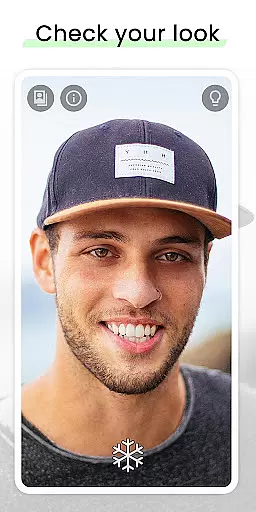
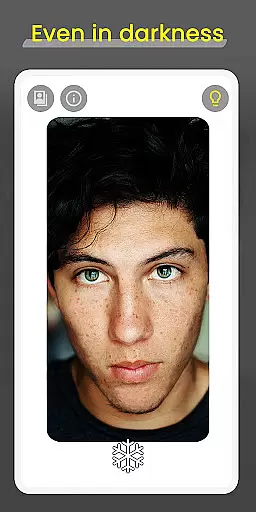
Mirror is a cutting-edge beauty application designed to enhance your daily routine. This app serves as a virtual mirror, allowing users to check their appearance conveniently on their mobile devices. With its 360-degree viewing capability, Mirror stands out by enabling users to see themselves from every angle, ensuring no detail is missed. Whether you're getting ready for an important meeting or a night out, Mirror's superior visibility and lighting features make it the perfect companion.
The app boasts a range of functionalities including a lighting frame for low-light conditions, zoom and exposure controls, and the ability to freeze images. These features ensure that users can adjust settings to their preference and capture their look effortlessly. Mirror also allows sharing or saving your best selfies, making it not just a functional tool but also a creative outlet. Its quick settings tile offers swift access, enhancing user experience by providing efficiency and ease of use.
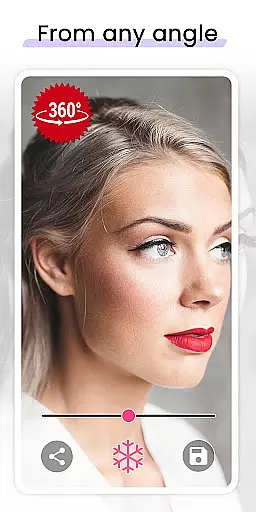
Mirror distinguishes itself with a suite of innovative features tailored for beauty enthusiasts. The app's signature 360-degree mirror functionality lets users record themselves from multiple angles, offering a comprehensive view that traditional mirrors cannot match. This feature is particularly beneficial when applying makeup or checking outfit details from all perspectives.
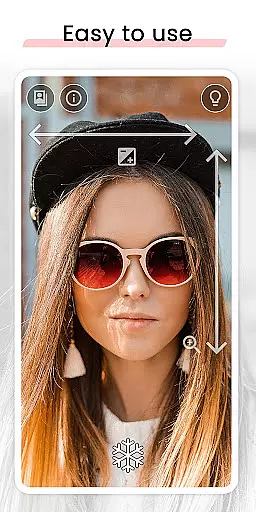
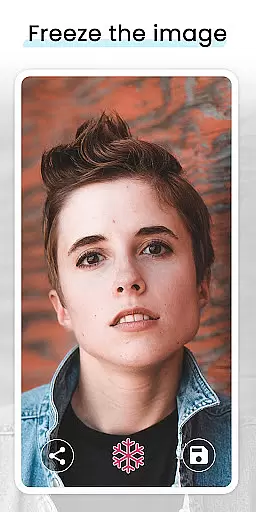
In addition to its unique viewing angle, Mirror provides practical tools such as gesture controls for zoom and exposure adjustments. These intuitive controls allow for precise modifications without the hassle of navigating complex menus. The freeze image option prevents unnecessary picture-taking, while the super clear image quality ensures every detail is captured accurately. Furthermore, the inclusion of a lighting frame makes Mirror indispensable in low-light environments, delivering visibility even in total darkness.
By focusing on user-centric design, Mirror eliminates the need to switch between front and back cameras, streamlining the process of checking one’s appearance. The app's dedication to quality and user satisfaction is evident in its sleek interface and responsive performance, setting a new standard in the beauty app category.
When it comes to beauty applications, having a comprehensive product database is essential for user satisfaction. Mirror offers an extensive collection of features that cater to various user needs. The app includes functionalities such as 360u00ba mirror for unique recording from different angles, lighting frame for visibility in low-light conditions, and gesture controls for zoom and exposure adjustments.
The depth of Mirror's product database ensures that users have access to all necessary tools within a single platform. Whether you need to check your appearance with the super clear image mode or utilize the quick settings tile for fast access, this app has got you covered. Such thoroughness in covering user requirements makes Mirror stand out among other mirror apps available on the market.
By providing these detailed features, Mirror allows users to customize their experience according to personal preferences and situational demands. This level of detail not only enhances usability but also builds trust with its audience who rely on accurate self-assessment tools while getting ready for their day or special occasions.
Personalization is key in today's digital age, especially when it comes to beauty apps like Mirror. With personalized features such as freeze image functionality which lets users avoid taking unnecessary pictures, sharing options for best selfies, and one-finger gesture controls for zoom and exposure adjustments, Mirror delivers tailored experiences unmatched by standard camera usage.
Mirror goes beyond traditional camera capabilities by offering better visibility without needing to switch between front and back cameras, thanks to its innovative design focused on user-centric solutions. Users can enjoy seamless interaction through intuitive touch gestures while benefiting from enhanced visual clarity provided by advanced imaging technology integrated into the appu2019s framework.
This precise personalization empowers users not only with convenience but also confidence knowing they are receiving optimal results every time they use the application. By focusing on delivering high-quality service through meticulous attention to individual needs, Mirror sets itself apart as a premier choice for those seeking reliable yet sophisticated self-viewing solutions.
User-friendly interface
Superior image clarity
Innovative 360-degree view
Effective in low-light conditions
Quick access via settings tile
Limited to Android devices
Requires good device camera
Consumes device resources
No advanced editing tools
Premium features may cost extra

Your Personal Stylist for Smart Shopping, Beauty & Styling Outfits.
 4.5
4.5
Your future self face age old or young from camera selfie into beautify videos
4.4
Beauty camera to take nature selfie with photo filter. Photo makeup face editor.
4.50
Beauty Camera AI Photo Editor with effect, filter, makeup tools for photo editor
4.30
Beauty Camera - Selfie Camera with sweet selfie, makeup, filter, sticker, editor
4.50
Beauty Mirror - True mirror app with light, shaving mirror, makeup mirror app
4.50
Monthly Perfume Subscription
4.70
Top brand haircare & fragrance
4.60
Snap stunning selfies with AI from the Sweet Beauty Camera editor
4.10
Beauty Camera & Selfie Camera snap Beauty selfie with filter, makeup, stickers
4.80
Blushify is a beauty camera for makeup, face editing, and glowing selfies!
4.70
Beauty camera & Selfie camera for perfect selfie with filter, sticker, makeup
4.70
Manage your daily skin care beauty regimen & track your skin's progress.
4.70
AI Stylist, Try On Millions Of Clothes In Any Brand & Style, AI Clothes Changer
4.70
Seasonal color palettes for shopping clothes and makeup products with confidence
4.20
Shop Smarter, Dress Better, and Shine Brighter!
4.10
Try on different hairstyles and hair colors, glasses and jackets | Cartoon face
4.10
Try On Style with AI: Virtual Dressing Room & Personal Fashion Stylist App
4.00
Never run out of your go-to beauty & get 5% off with auto-replenish deliveries!
4.00


User Reviews