
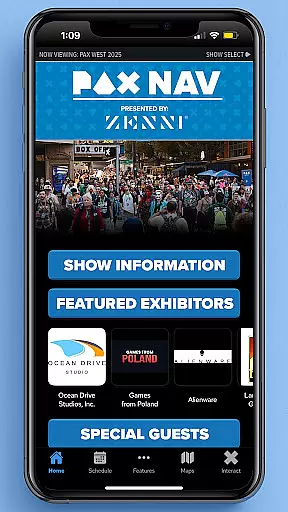
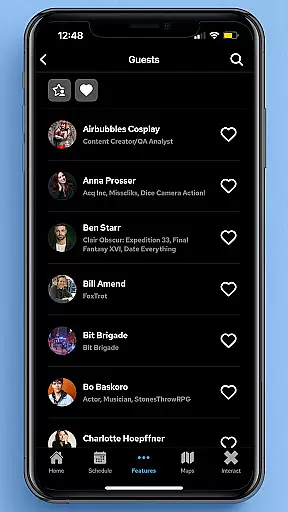
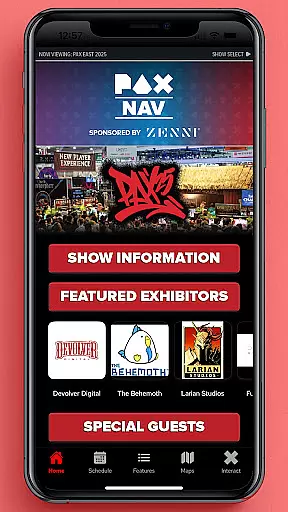
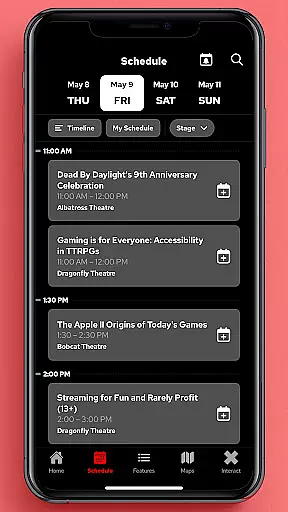
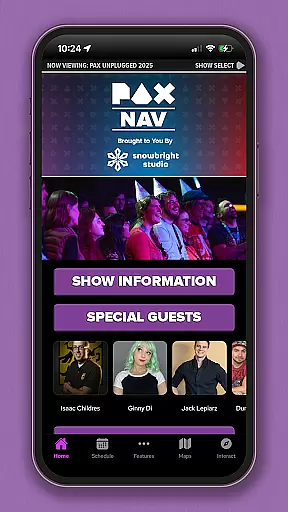
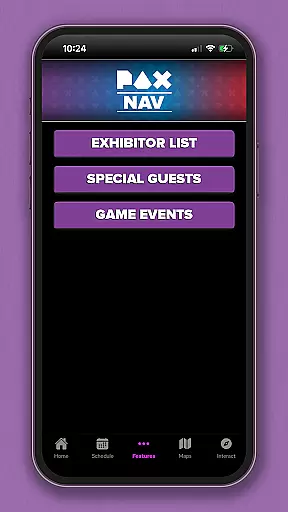
PAX Nav is the ultimate companion for attendees of PAX events, including PAX West, PAX East, and PAX Unplugged. This comprehensive event management tool provides users with essential features such as a complete schedule of events, detailed exhibitor information, interactive maps, exclusive show specials, and seamless access to PAX XP. Whether you're a seasoned attendee or a first-time visitor, PAX Nav ensures you make the most out of your PAX experience by keeping you informed and organized throughout the event.
With its user-friendly interface and robust functionality, PAX Nav caters to both casual participants and dedicated enthusiasts. The app's intuitive design allows users to easily navigate through various sections, while its powerful search capabilities help you find exactly what you're looking for. From planning your day with the schedule feature to discovering new exhibitors and products, PAX Nav is an indispensable tool for maximizing your time at PAX events.
PAX Nav offers a wide array of features designed to enhance your event experience. One of its standout functionalities is the comprehensive schedule, which provides real-time updates on panels, workshops, and special events. Users can create personalized schedules by favoriting sessions they plan to attend, ensuring they never miss out on important activities. Additionally, the app includes detailed exhibitor lists, complete with booth locations and product offerings, making it easy to explore the vast array of vendors present at the event.
Another key feature of PAX Nav is its interactive maps, which offer precise navigation within the venue. These maps are regularly updated to reflect any changes in layout, helping users efficiently find their way around crowded halls. Furthermore, the app grants exclusive access to PAX XP, where users can engage with unique content and experiences tailored specifically for PAX attendees. With these advanced tools at your disposal, PAX Nav significantly elevates your participation in PAX events.
Task creation and detail customization are essential features for event management applications like PAX Nav. This functionality allows users to create personalized schedules by selecting specific panels, workshops, or exhibitors they want to see.
PAX Nav provides an intuitive interface where attendees can browse through the full schedule of PAX events and customize their itineraries. The app enables users to add detailed information about each session, including time, location, and a brief description, ensuring that they never miss an important event.
The benefits of this feature are significant for event-goers. By customizing tasks and details, users can optimize their time at the convention, prioritizing activities that match their interests. This tailored approach enhances the overall event experience, making it more organized and enjoyable.
Ultimately, task creation and detail customization empower users to take control of their event participation. With PAX Nav, attendees have all the tools they need to plan a successful and memorable PAX experience, from scheduling to on-site navigation.
Reminder settings in event apps such as PAX Nav play a crucial role in keeping attendees informed and punctual. These settings allow users to configure notifications for upcoming sessions, ensuring they are always aware of what is happening next.
PAX Nav offers flexible reminder options, enabling users to set alerts for different types of events, whether it's a panel discussion, gaming tournament, or exclusive exhibitor showcase. Users can choose how far in advance they wish to be reminded, tailoring the notification system to their personal preferences.
This feature significantly enhances user engagement by reducing the chances of missing out on key events. Attendees can fully immerse themselves in the convention experience without worrying about losing track of time or missing important sessions.
In summary, reminder settings not only improve time management but also enrich the overall event experience. With PAX Nav's robust reminder system, users can focus on enjoying the diverse offerings of PAX events while staying perfectly on schedule.
User-friendly interface
Comprehensive event schedule
Interactive venue maps
Exclusive PAX XP access
Detailed exhibitor information
Limited to PAX events
Occasional update delays
Requires internet connection
No offline mode available
Some features may vary by event

Manages display and transfer of tickets from the Mundo Tickets platform
 3.80
3.80
PheedLoop Go! is the mobile event app for events powered by PheedLoop.
4.40
Create Wedding Invitation and Wedding Anniversary Cards using our app
4.60
Everything you need for the Best Thursday Ever.
4.40
The Official Football Ticketing App for Fans in Qatar
4.2
Text message invitations for birthday party, wedding, graduation, baby shower +
4.60
Microsoft Ignite is an event that showcases latest advancements in technology
4.00
Invitation Card Maker, Design & share wedding, birthday & party invites fast
4.40
Buy and Sell Tickets for Concerts, Sports, and Theater.
4.70
Create invitation cards for birthdays, weddings, Christmas and more.
4.80
The KRUU app - plan, celebrate, remember
4.80
Beautiful invitation cards + easy RSVP tracking for any event. Design Invites.
4.80
Meet people over dinner
4.40
The world's largest selection of tickets is now at your fingertips
3.90
ETH Mining provides secure way to mine Ethereum & earn ETH in Cloud mining app
3.50
TV Garden - World Live TV : Play & cast your videos seamlessly!
3.20
Create Birthday Cards in Birthday Invitation Maker and Birthday Card Creator App
3.00
The Official App
4.1
Browse events, find transportation, keep up with the latest news from your team
4.1


User Reviews