
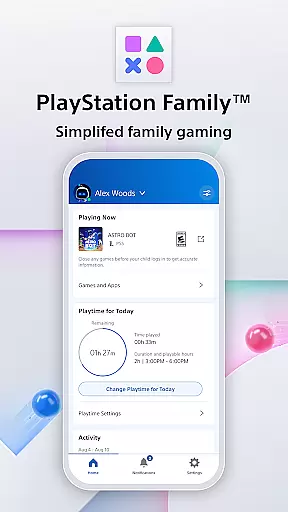
PlayStation Family is a comprehensive parenting tool designed to simplify family gaming management. This app provides parents with essential features to monitor and control their child's gaming activities effectively.
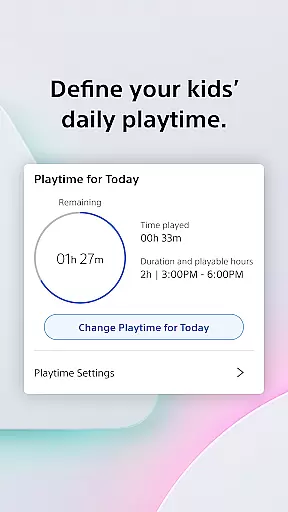
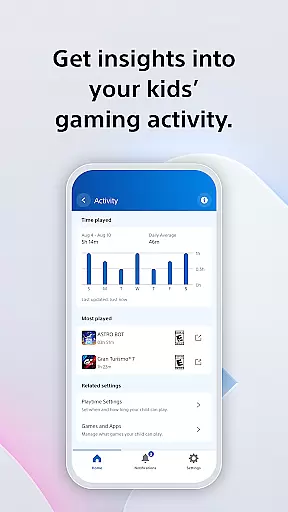
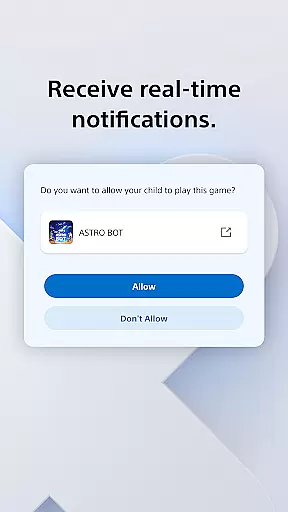
The app offers easy setup options, allowing parents to create accounts with age-based parental controls. It includes customizable playtime settings, enabling parents to define when gaming fits into the family routine. The activity report feature delivers insights into the child's gaming behavior, while real-time notifications keep parents informed about extra playtime requests.
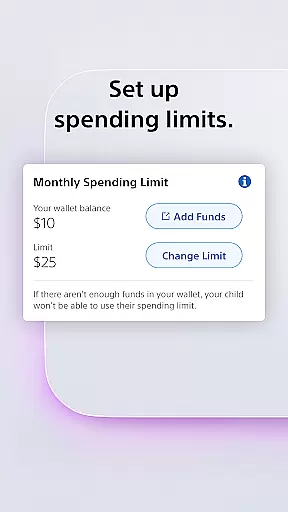
With PlayStation Family, parents can manage social interactions, customize privacy settings, and control spending limits. This ensures children engage in age-appropriate content while maintaining healthy gaming habits. The app takes the complexity out of parenting on PlayStation, providing peace of mind for modern families.
PlayStation Family stands out with its comprehensive set of features designed specifically for parental control in gaming environments. The app's easy setup process guides parents through creating child accounts with recommended age-based restrictions.
A key innovation is the customizable playtime feature, which allows precise scheduling of gaming sessions around family routines. The activity report provides detailed analytics about gaming patterns, helping parents make informed decisions about their child's digital activities.
The real-time notification system revolutionizes parental monitoring by enabling instant responses to playtime extension requests directly from mobile devices. Additionally, the app's spending management tools give parents complete control over digital purchases, while social interaction settings help maintain appropriate online connections.
In today's digital age, managing family activities has become more streamlined and accessible through dedicated applications. The PlayStation Family app is a prime example of this trend, offering comprehensive lifestyle category coverage for families invested in gaming.
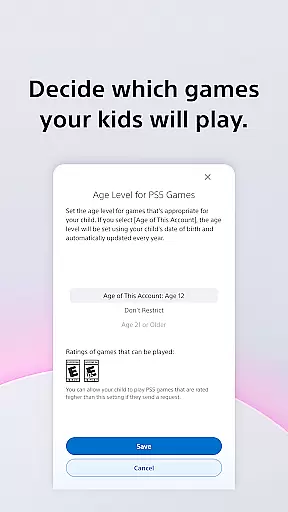
This app provides parents with an easy-to-use interface to manage their child's gaming habits effectively. From setting up age-based parental controls to deciding which games are appropriate, the app ensures that children engage only with content suitable for their age group.
Additionally, customizable playtime features allow parents to seamlessly integrate gaming into their familyu2019s daily routine. Whether it's scheduling play sessions around homework or family meals, the app empowers parents to maintain a balanced lifestyle.
Furthermore, real-time notifications and social interaction settings offer parents peace of mind by keeping them informed and in control of their child's gaming activities. This holistic approach makes PlayStation Family an essential tool for modern parenting within the gaming lifestyle sector.
When it comes to managing your child's gaming experience, content authenticity and expert credibility are paramount. The PlayStation Family app excels in these areas by providing verified and reliable information directly to parents.
The app offers real-time insights into your child's gaming activity, including their online status and the games they are currently playing. These activity reports are generated using accurate data from PlayStation's extensive gaming network, ensuring that parents receive trustworthy information.
Moreover, the app includes expert-recommended parental controls based on age-appropriate guidelines. These recommendations help parents make informed decisions about their child's gaming access, enhancing the overall credibility of the app.
With features like spending management and privacy settings for social interactions, PlayStation Family not only authenticates its content but also reinforces its reliability through expert-backed functionalities. This commitment to accuracy and trustworthiness makes the app a dependable choice for parents navigating the complexities of digital parenting.
User-friendly interface
Comprehensive parental controls
Real-time notifications
Customizable playtime settings
Detailed activity reports
Limited to PlayStation ecosystem
Some features PS4/PS5 only
Requires account creation
No cross-platform support
Dependent on internet connection

BILT interactive 3D instructions help you get the job done right
 3.50
3.50
Unique Dual Colors with 6 Custom Complications for Wear OS watches!
3.40
This minimalist yet classic board design brings a futuristic twist to your wrist
4.20
The go to app for taking unlimited notes!
4.50
Discounts, savings, and rewards
4.20
Colorful selection floral watch face with gyro for Wear OS
4.60
Falling Fruit is a massive collaborative map of food in our cities.
3.20
A unique and customizable watch face which rotates its layout every minute.
4.80
Subwoofer school’s in session! You’ve now enrolled into KICKER U.
3.80
Smart & Healthy Living
4.60
Vehicle ownership simplified. Get the myChevrolet® app today.
4.60
Discover your Nationality, Family Origin, and Ancestry from one selfie
4.50
Your home in your hand
3.80
Paranormal EVP, Ghost Box, Spirit box, ITC, Haunted, Spirit communication device
3.70
Take Hobby Lobby with you wherever you go!
3.40
Unique Dark Analog style for Wear OS watches.
4.5
Duo Watch Face (animated)
4.1
Big bold hybrid watch face with 30 colors, 5 fonts & 5 complications.
4.3
Celebrate the holidays with Advent Calendar: daily surprises and festive fun!
4.5


User Reviews