
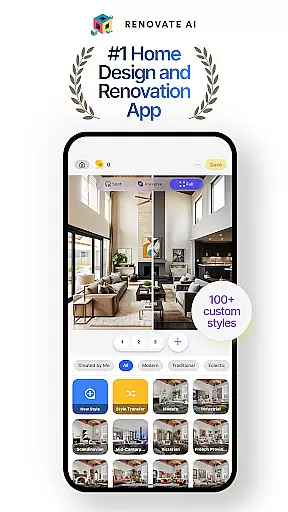

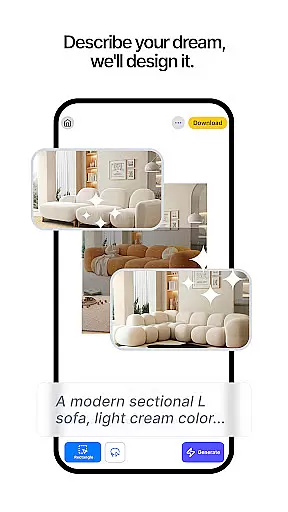
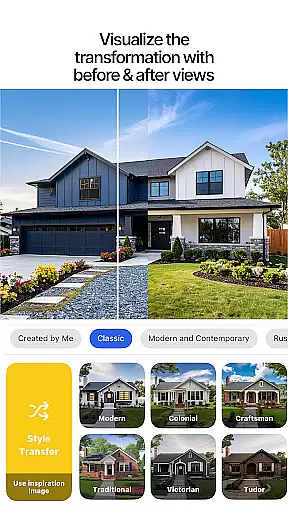
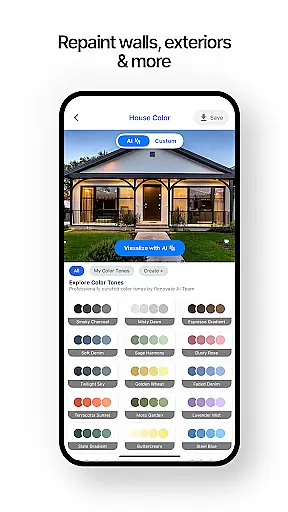
Renovate AI represents the cutting-edge of home design and interior design technology, offering users a powerful suite of AI-driven tools to reimagine their living spaces. This innovative app enables users to create photorealistic interiors and exteriors with ease, transforming design ideas into tangible visualizations. Whether planning a complete house design or focusing on specific room design, Renovate AI provides all the necessary features to plan, decorate, and remodel every corner of your home.
The app's capabilities extend from virtual staging and 3D elevations to exterior renovations and landscape design. With over 10 AI models powering its functionality, users can experiment with more than 100 curated styles and realistic interior design AI renders. From redesigning bedroom layouts to crafting the perfect garden space, Renovate AI ensures that every aspect of home decor is covered. Its secure, user-friendly platform allows for seamless exploration of design possibilities, making it an essential tool for both DIY enthusiasts and professionals in the house and home category.
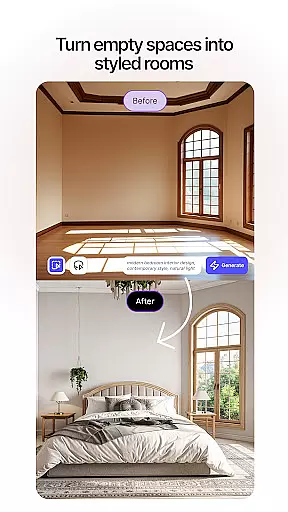
Renovate AI distinguishes itself through a comprehensive set of advanced features tailored for modern home design needs. One of its standout capabilities is Virtual Staging, which allows users to instantly redesign interiors by adding furniture, lighting, fixtures, and decor elements. The app also offers 3D Elevations, converting flat 2D plans into lifelike 3D renders, while Image Upscaling enhances low-resolution images into crystal-clear 4K visuals. These tools collectively ensure that users can visualize their projects with exceptional clarity and detail.
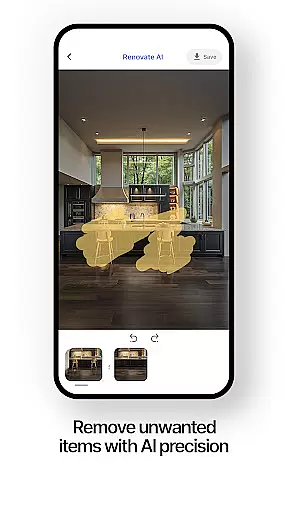
In addition to interior transformations, Renovate AI excels in exterior renovations and landscape design. Users can remodel facades, walls, roofing, and more, experimenting with various styles to achieve their desired aesthetic. The app's Sketch-to-Render feature turns simple sketches into stunning AI-powered designs, while Object Removal helps declutter spaces by eliminating unwanted items. With specialized tools for every aspect of home improvement, Renovate AI empowers users to explore endless design possibilities and bring their creative visions to life.
When it comes to home design and renovation, having accurate and reliable property information is crucial. Renovate AI ensures the authenticity of its design listings by leveraging advanced AI models that are specifically trained to provide realistic and achievable design outcomes. This means every virtual staging or 3D elevation you create is based on verified design principles and actual possibilities.
The app's AI-driven tools allow users to experiment with real-world applications such as furniture placement, color schemes, and landscaping options. These features are not just visually appealing but are also practical and feasible for real homes. By using curated styles and layouts, Renovate AI guarantees that your design ideas can be translated into tangible results.
Users benefit from this commitment to authenticity by being able to make informed decisions about their home projects. Whether planning a complete house makeover or focusing on specific room designs, the assurance of working with authentic and verified design elements provides peace of mind. This reliability ultimately saves both time and resources, ensuring that your vision aligns perfectly with what can be achieved in reality.
Managing a home renovation project involves juggling multiple tasks, from planning room layouts to selecting the right decor. Renovate AI excels in providing comprehensive home management features that streamline these processes. With specialized tools for every aspect of home design, including interior and exterior renovations, users can efficiently organize and execute their projects.
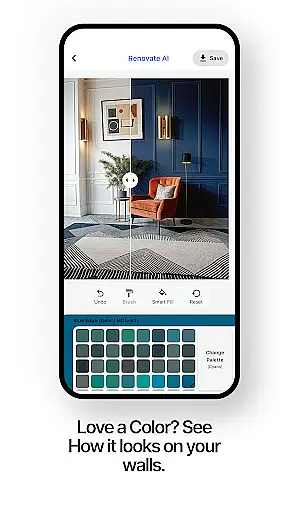
The app offers functionalities like virtual staging, 3D elevations, and landscape design, which help in visualizing the end result before any physical work begins. These tools enable users to experiment with different styles and layouts, ensuring that the final design meets their expectations. Additionally, features such as object removal and exterior painting allow for precise modifications, giving users full control over their design space.
By integrating smart room planner tools and AI remodel capabilities, Renovate AI simplifies complex home management tasks. Users can easily customize room designs, test various interior design options, and optimize their house plans. This holistic approach not only enhances creativity but also improves project efficiency, making it easier to bring dream spaces to life.
User-friendly interface
Advanced AI models
Versatile design options
Secure cloud storage
Comprehensive free tier
Premium features locked
Steep learning curve
Limited offline access
Subscription costs
Occasional bugs

The official app for Home Assistant. Control your home anywhere in the world.
 4.30
4.30
Draw your floor plan smartly. Make house design blueprint with home planner app
3.60
Parcel Pending Resident App
4.50
Book your local plumber 24/7, track your service order & get exclusive coupons
4.00
Your guide to apartments & rental homes. Find your next place to rent with AG.
4.60
Find the perfect paint color with advanced tools to explore and visualize color.
3.80
WiZ smart light system
4.40
A Smarter Home in Seconds
4.70
Looking for the perfect apartment finder app? Find beautiful rental homes here!
4.60
Houses for Sale & Homes for Rent: Buy Homes, Rent Apartments & Sell Real Estate
4.80
MLS-powered real estate app to find homes for sale & apartments for rent
4.70
Find your next home, house, apartment, condo, casa, flat, rental, studio, or bed
4.70
Rent on-the-go with TurboTenant’s app made just for renters
4.50
Control the scent and ambiance of your home and car, right from your phone.
4.50
The Merkury Smart app makes it easy to control your smart devices.
4.50
Design your dream home with 3D planning app, Visualize your dream home in 3D.
4.20
Design house plans in 2D & 3D, style furniture, and preview renovation layouts
3.70
An awesome mobile app for Home Security Surveillance - uses ZoneMinder
3.20
Unlock AI-based barcode scanning and support the development of Grocy Android
4.3


User Reviews