
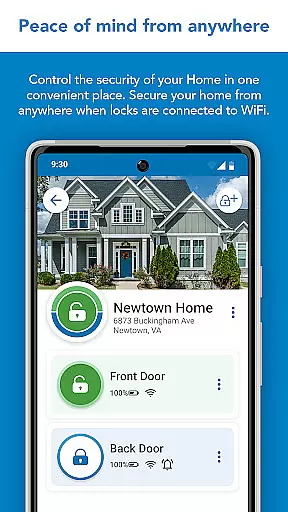
Schlage Home is a comprehensive smart home application designed specifically for homeowners who use Schlage's range of smart locks. This app allows users to remotely control and monitor their home security through a secure encrypted connection, providing peace of mind whether they're at work or on vacation. The core functionality includes the ability to lock and unlock doors directly from the app, manage multiple homes, schedule unique access codes, view lock history, and integrate with leading smart home systems.
Through the Schlage Home app, users can conveniently manage their Schlage Encode Plus™ Smart WiFi Deadbolt, Schlage Encode® Smart WiFi Deadbolt and Lever, and Schlage Sense® Smart Deadbolt. These devices offer features such as remote access without additional hubs, customizable access codes, virtual keys, push notifications, auto-lock settings, and compatibility with smart home ecosystems. Whether you need to grant temporary access to a guest or monitor your door's status in real-time, this app provides a complete solution for modern home security management.
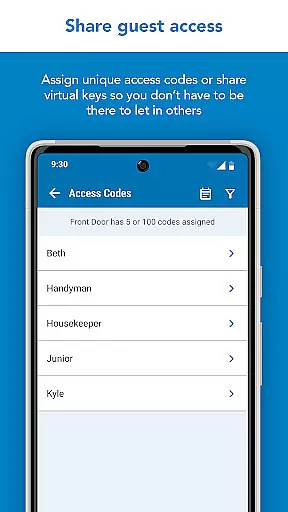
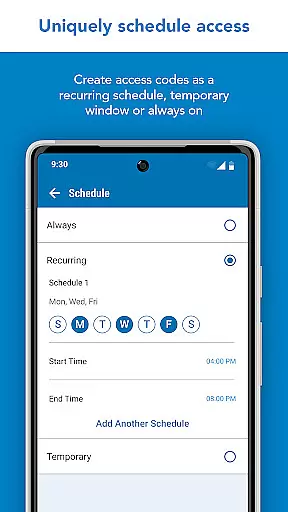
The Schlage Home app boasts an array of advanced features that cater to both convenience and security. One standout feature is the ability to manage up to 100 unique access codes per lock, which can be scheduled as always-on, recurring, or temporary with specific start and end dates. This flexibility makes it ideal for homeowners who need to provide access to family members, service providers, or guests without compromising security.
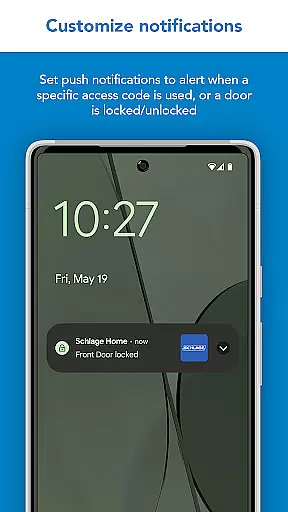
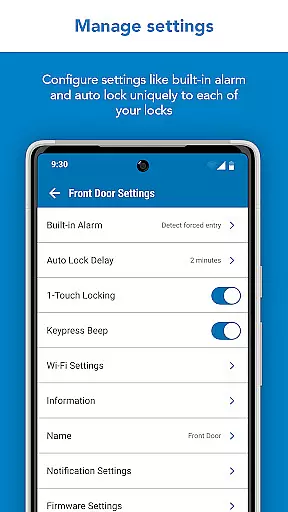
Another key feature is the integration with leading smart home systems like Apple HomeKit, allowing users to automate their lock settings and receive push notifications when specific access codes are used or when the door is locked/unlocked. Additionally, the app offers low battery warnings, built-in alarm settings, and the option to customize push notifications based on user preferences. These features not only enhance security but also ensure that homeowners are always informed about the status of their property, making the Schlage Home app an indispensable tool for modern households.
In the realm of home security, ensuring that your property is accurately represented and protected is paramount. The Schlage Home app offers a reliable solution for homeowners seeking peace of mind through their smart lock systems. By pairing Schlage locks with your home WiFi network, you can remotely control and monitor access to your property.
The app supports various Schlage lock models, including the Encode Plusu2122 Smart WiFi Deadbolt, Encodeu00ae Smart WiFi Deadbolt and Lever, and Senseu00ae Smart Deadbolt. Each model provides distinct features such as built-in WiFi, customizable access codes, and integration capabilities with leading smart home ecosystems. This ensures that whether you're at home or away, your property's security status is always within reach.
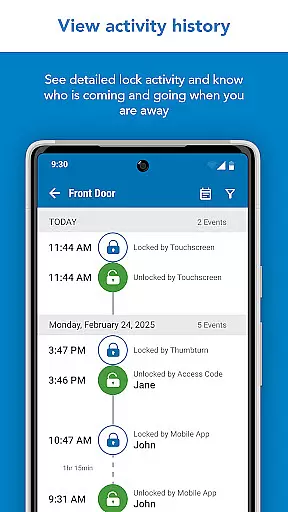
With the ability to manage up to 100 unique access codes per lock, schedule specific access times, and receive push notifications for lock activity, the Schlage Home app delivers transparency and control. These features not only enhance security but also simplify property management by allowing homeowners to grant temporary access or monitor lock history efficiently.
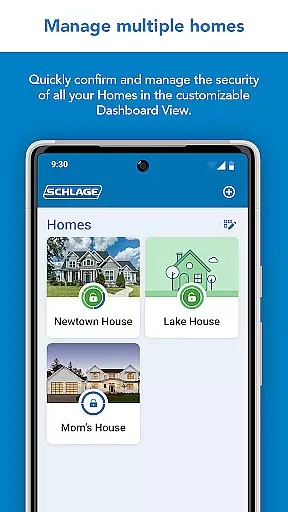
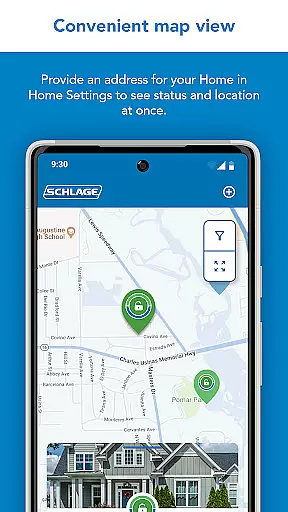
Efficient home management extends beyond just securing your doors; it encompasses how conveniently you can oversee daily operations from anywhere. The Schlage Home app excels in this area by providing comprehensive tools that cater to modern homeowners' needs. Through its intuitive interface, users can effortlessly navigate between multiple homes using Map and Gallery Views.
One standout feature is the ability to schedule unique access codes tailored to different users' requirementsu2014whether they need permanent, recurring, or temporary access. Additionally, virtual keys can be shared for administrative purposes or restricted guest entry. Such flexibility empowers homeowners to delegate responsibilities without compromising security.
Beyond access management, the app also integrates seamlessly with popular smart home systems like Apple HomeKit when paired with devices such as a HomePod or Apple TV. This compatibility enhances automation possibilities, enabling remote monitoring and control even when you're not physically present. With advanced warnings for low battery levels and customizable alarm settings, maintaining an optimal balance between convenience and vigilance has never been easier.
User-friendly interface
Secure encrypted connection
Customizable access codes
Remote monitoring capabilities
Smart home integration
Limited to Schlage products
Requires WiFi connection
Additional adapter needed for some models
Subscription fees may apply
Occasional connectivity issues

Use Home by ShowingTime to easily manage showings, tours, feedback and more
 3.60
3.60
Unlock AI-based barcode scanning and support the development of Grocy Android
4.5
Technology powering many in-home services for residents across the United States
3.80
Real estate app to find homes for sale or rent in the right neighborhood for you
4.70
Control your thermostat, comfort, and home monitoring from your phone
4.30
Turn old phones into security cameras, baby monitors, pet cams, and more.
4.70
A Smarter Home in Seconds
4.70
Looking for the perfect apartment finder app? Find beautiful rental homes here!
4.60
Make your phone a surveillance camera remote with a home camera app for Android!
4.40
View houses and apartments for rent, updated daily.
4.80
Connect with reliable pros for maintenance services, plumbing, and home design!
4.80
Convert your Phone to HiSense Smart TV Remote Control
4.70
Control your Daikin, Amana & Goodman heating & cooling systems from anywhere
4.40
WiZ smart light system
4.40
3D House Design and AI Room Planner - from floor plans to full interior design.
4.40
Control your Vivint Smart Home with the next generation Vivint App.
4.30
Book your local plumber 24/7, track your service order & get exclusive coupons
4.00
IP camera view and playback, for your WiFi cam or home security cctv system.
3.70
Universal TV remote Control for Roku TV brands via WiFi remote
4.5


User Reviews