
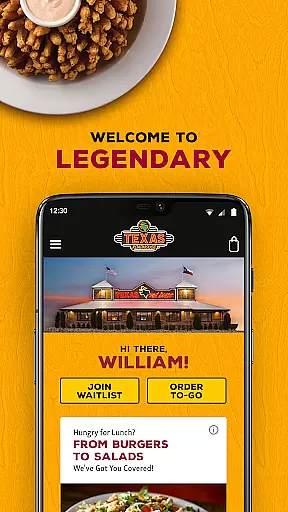
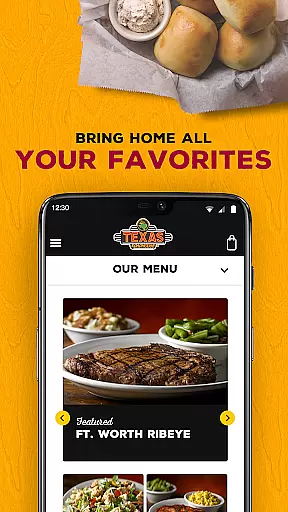
Texas Roadhouse is a premier dining app designed to enhance your restaurant experience. This mobile application allows you to effortlessly find Texas Roadhouse locations, join the Waitlist, and browse the menu for TO-GO orders. With features like real-time wait times, customizable orders, and VIP offers, it ensures convenience and speed in accessing your favorite meals.
Whether you're craving hand-cut steaks, fall-off-the-bone ribs, or fresh-baked bread, this app streamlines the process of ordering and dining. You can save your preferred locations, quickly reorder favorites, and even order gift cards. The app's user-friendly interface makes dining with Texas Roadhouse faster and easier, whether you're at home or on the road.
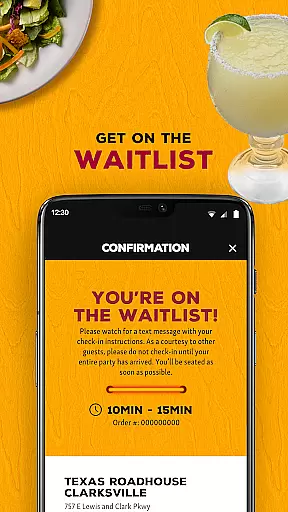
The Texas Roadhouse app boasts an array of features tailored to improve your dining experience. One standout feature is the ability to join the Waitlist remotely. By checking current wait times and adding your name from anywhere, you minimize your waiting time at the restaurant. Once you arrive, simply send a text to confirm your presence, and the system will notify you when your table is ready.
Ordering TO-GO has never been easier. The app lets you create and customize orders swiftly, offering payment options that include Texas Roadhouse Gift Cards and VIP Offers. Additionally, saving your favorite locations and meals expedites future orders. The Hands-Free Menu feature provides easy access to menus while dining, ensuring a seamless experience whether you're ordering in advance or enjoying a meal on-site.
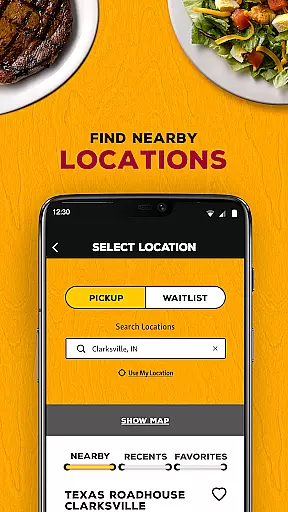
Locating your nearest Texas Roadhouse has never been easier. The app's store locator feature provides accurate location data, ensuring you can find the closest restaurant without hassle. Users can search for locations while on the road, making it convenient to plan your dining experience.
The application goes beyond just basic location services by offering additional details such as current wait times. This allows patrons to efficiently manage their time and dine at their preferred moment. Moreover, the ability to favorite any location streamlines future visits, providing faster access to essential features like joining the Waitlist or placing TO-GO orders.
By integrating practical functionalities with user-friendly design, the Texas Roadhouse app ensures that finding a store is not only accurate but also enhances the overall customer journey. Whether you're a local or traveling, this feature guarantees you'll always have a Texas Roadhouse within reach.
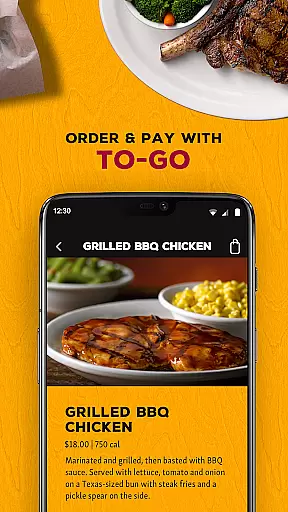
Texas Roadhouse offers a seamless TO-GO ordering experience through its mobile app, allowing customers to enjoy their favorite meals from the comfort of home. The app simplifies the process by enabling users to quickly create orders, customize menu items, and pay in minutes, all from their mobile device.
One standout feature is the flexibility in payment methods; patrons can pay using Texas Roadhouse Gift Cards directly within the app. Additionally, users can redeem VIP Offers during checkout, adding extra value to each order. For those who frequently reorder, saving recent orders and favorite meals expedites future purchases.
While the app doesn't provide traditional delivery services, its efficient pickup system ensures that customers receive their freshly prepared meals promptly after arrival. With text notifications alerting when your table is ready or order is prepared, the app optimizes convenience without compromising qualityu2014a perfect blend for todayu2019s busy lifestyles.
User-friendly interface
Real-time wait times
Customizable orders
VIP club benefits
Gift card integration
Limited to Texas Roadhouse
Occasional bugs
Requires internet
No delivery option
Location-specific offers

Delicious cocktail recipes you can make with ingredients you already have.
 4.40
4.40
Home baked, made easy! Passionate baking with Mauela Kjeilen @passionforbaking
4.40
Order and pay ahead with the Raising Cane's app. Get Clickin' for Chicken™!
4.80
Stashcook: Keep healthy food recipes, cooklist & weekly meal plans for any diet.
4.50
Check out the most rewarding way to get Whataburger just like you like it!
3.30
Real ones order on the app, earn points, score deals, and skip the line.
4.40
Simple recipes and kitchen tips for easy meal planning. Your digital cookbook.
4.60
Order Food, Track, and Earn Rewards
3.80
Order, Deals & Rewards
4.20
Rescue tasty unsold food from local stores for ½ price or less.
4.90
Get 20% Back at thousands of 4+ star restaurants when you pay using inKind
4.90
Fresh sandwiches and boxed lunches for delivery or pickup. Plus, track rewards!
4.80
Conveniently order food ahead and avoid the wait at your favorite Jersey Mike's.
4.80
Order for Pickup and Delivery
4.70
Order ahead & earn rewards
4.60
Discover restaurants, reservations, food delivery, reviews & services near me
4.60
Discover. Create. Plate.
4.40
Easy and fast ordering, improved customization, and an enhanced guest experience
4.20
Food Delivered to your door! Order from 1800+ Grocery & Retail Store Brands.
4.10


User Reviews